
Introduction
Last month I have written a post on the Renko charts, what is it, and how we can use them. In this post, I will discuss how to create a Renko trading system on Sharekhan Trade Tiger. Apart from TradeTiger, the Zerodha Pi platform, TradingView, and Zerodha Kite also offer good Renko charts.
How to Open Renko Charts on Sharekhan Trade Tiger
First, run and log in to Sharekhan Trade Tiger. Open a blank market watch. Now I will add near months Nifty future scrip by choosing DERIVATIVES then SCRIP –> Nifty, EXPIRY –> Near, INSTRUMENT –> Futures. Click on the show. It will show the Nifty 30-Mar-2017 futures.
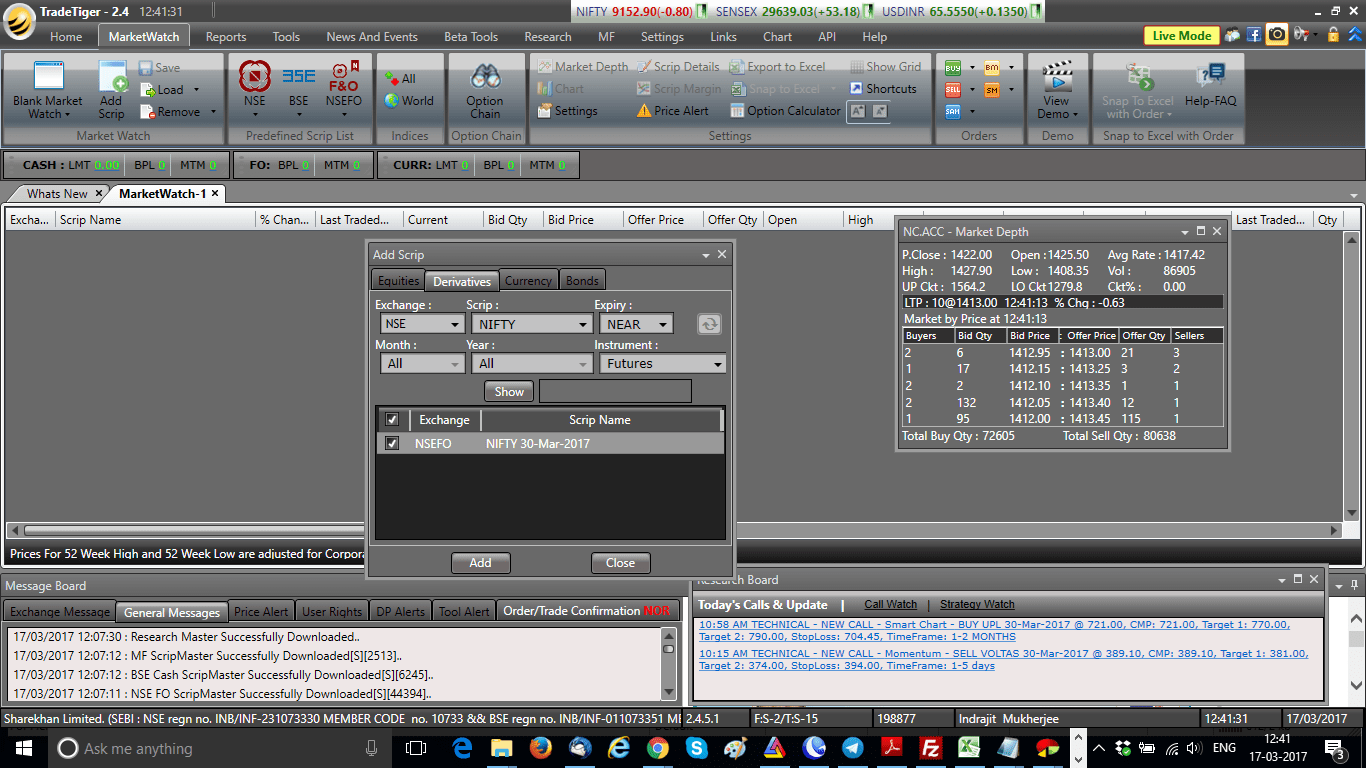
Next, click on ADD and the script will be added to my market watch. Now right-click on the scrip, select CHART, and select VIEW CHART (Ctrl+G). This will open the Nifty future tick chart in the Sharekhan Trade Tiger terminal. You can also double-click on the scrip to open its chart.
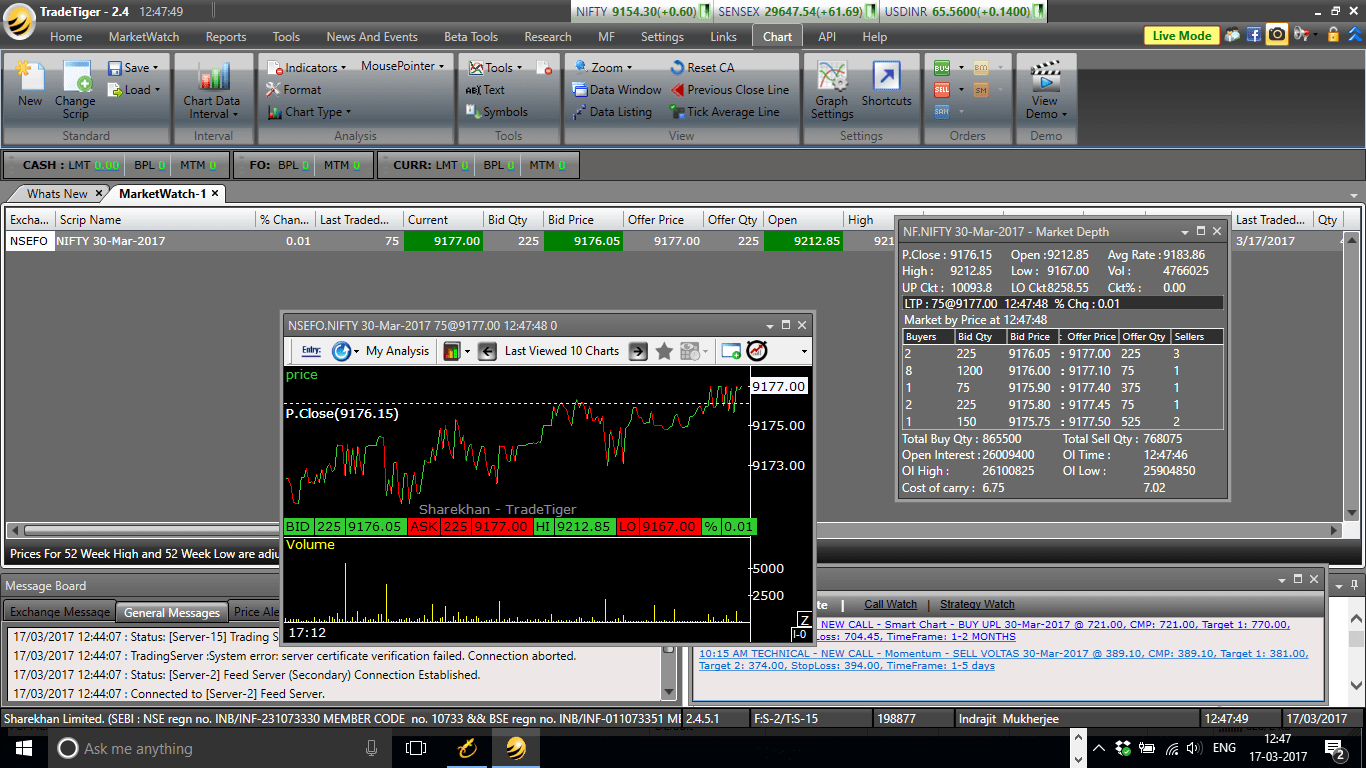
Now right click on the tick chart. Select CHART TYPE and select RENKO (Keyboard K).






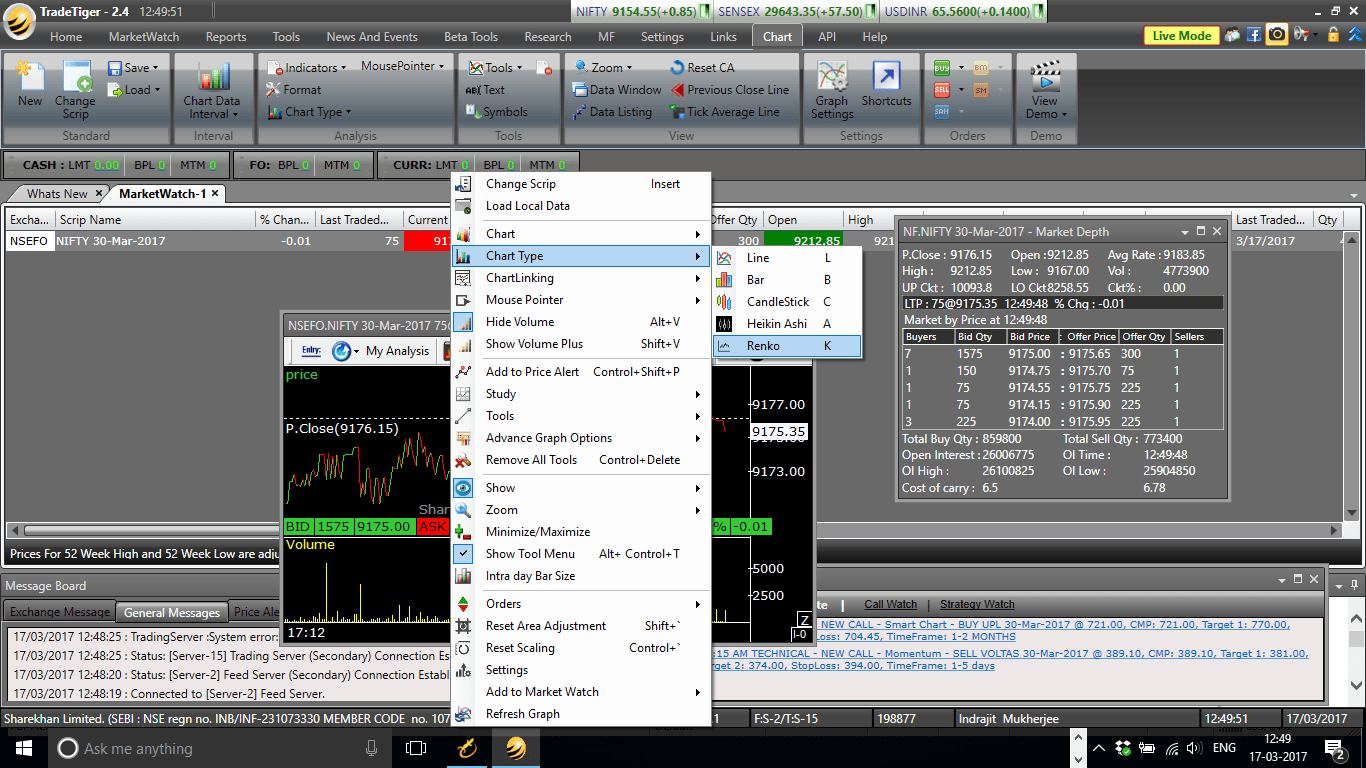
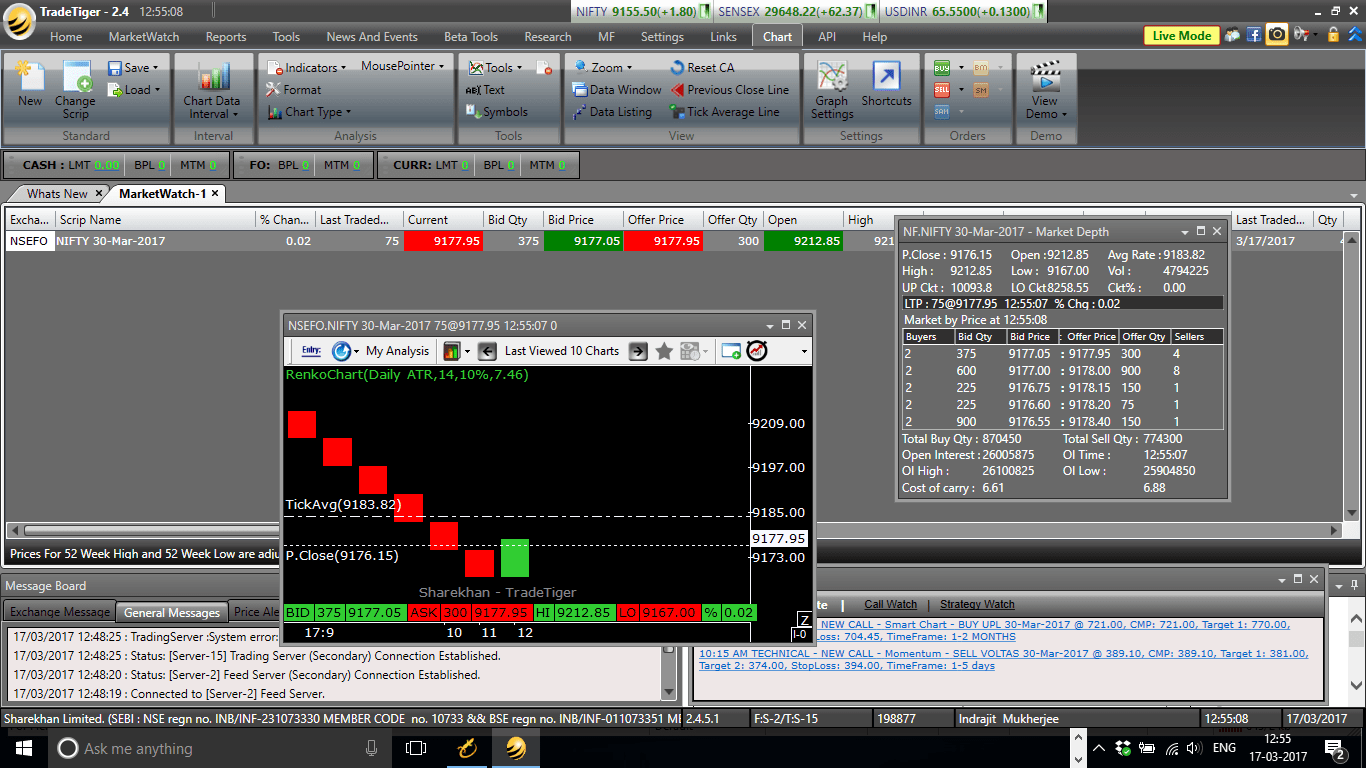
This will open the Renko chart for the day. The chart will look like the following image.
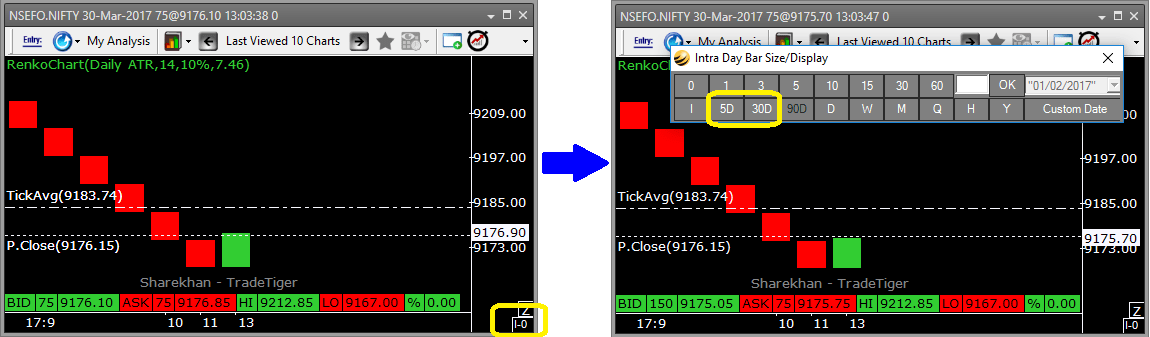
Now we need to increase the backfill time, instead of the single day, you can change the chart period to 5 days OR 30 days. Click on the extreme bottom right square in the chatbox. As shown in my image below.
Adding Studies to the Renko Trading System
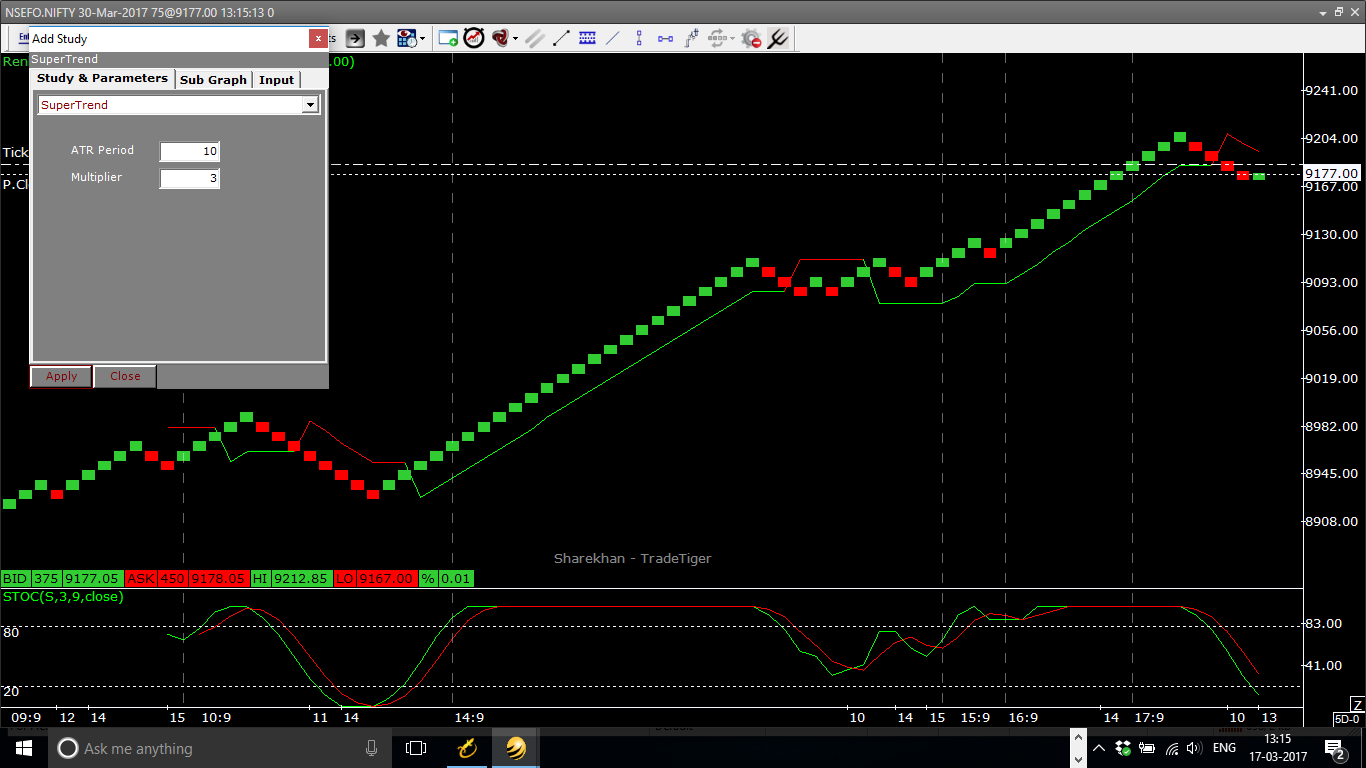
Now Renko chart is live. Hence, the final touch needed to create the Renko Trading System adding studies. To add a study right-click and select STUDY –> ADD STUDY.
You can add Stochastics OR Super Trend as the study. Entry-exit can be done on either 1) on the basis of Stochastics overbought/oversold and turning from there OR 2) on the basis of Super Trend signals.
Renko Trading System on Sharekhan Trade Tiger
So your Renko trading system is ready on TradeTiger. Just remember one thing, Renko charts are still in the R&D stage in most trading terminals. Readers can point us to any bug they notice. Also, we recommend proper paper trade before any live trading.
FAQ
To trade Renko for intraday, you need to first select the underlying asset and create a Renko chart on your trading platform. You can then use technical indicators such as Stochastics or Super Trend to identify entry and exit signals. Keep in mind that Renko charts may not be available on all trading platforms, so make sure to check if your platform offers this chart type before starting.
Renko charts can be useful for intraday trading as they filter out market noise and show clear trend direction. However, like any trading strategy, it’s important to backtest and analyze the effectiveness of Renko charts for your trading style and asset of choice. Additionally, keep in mind that Renko charts may not be suitable for all types of assets or market conditions.
There is no one-size-fits-all answer to this question as the best platform for Renko charts will depend on your individual trading needs and preferences. Some popular trading platforms that offer Renko charts include Sharekhan Trade Tiger, Zerodha Pi, and Zerodha Kite. However, it’s important to do your own research and compare the features and fees of different platforms to find the best one for you.
Intraday trading in Sharekhan involves buying and selling securities within the same trading day. To start intraday trading in Sharekhan, you need to first open a trading account and fund it. Then, you can log in to the Sharekhan Trade Tiger terminal and select the asset you want to trade. From there, you can create a Renko chart (if available) or use other chart types and technical indicators to identify potential trades. Keep in mind that intraday trading involves higher risk and requires careful risk management and discipline. You always need to secure your trading capital with proper knowledge.
Conclusion
In this post, we have discussed how to open Renko charts on Sharekhan Trade Tiger and how to add studies such as Stochastics or Super Trend to create a Renko trading system. We have also provided a reminder that Renko charts are still in the research and development stage in most trading terminals. If you have any questions or feedback, please share them in the comment box below.
Lastly, I recommend reading my post on the Murrey Math Lines.


How will manage stop loss and if make it more than 1 brick in little time what should we do ?
Manju, you can keep SL as per super trend OR can watch my other article here: 2 Ways To Minimize Whipsaw Using Nifty Renko Charts. Happy trading!!
Hi,
What is the recommended value for NIfty and BankNifty in points for creating the size of each brick?
Does TradeTiger,Kite or Pi enables us to set this value as 14 period ATR?
Thanks.
Parikshit brick size depends on traders to traders. As per my observations I prefer 10 points brick in Nifty, 20-25 points brick in Bank Nifty. Zerodha Pi OR Zerodha Kite can set default brick size for you. Not yet checked that feature in Sharekhan.
sir, do you trade renko charts + supertrend on regular basis. does it benifit you in making profit
Rajan, definitely renko is in my chart setup. I use a combination of Renko Donchian channel and stochastics. Check this post 2 Ways To Minimize Whipsaw Using Nifty Renko Charts.
hi,
do you trade regularly with renko + supertrend. does it benifit you.
Hi
this donchain channel is not available in sharekhan tiger, how do you think one should trade in the absence of the same. Also Tiger does not have brick size specified..
Prashant consider switching to Zerodha Kite ASAP. You can visit this page to join Zerodha.
is there any screener available for buy/sell signal ?
You can check this NSE stock screener.