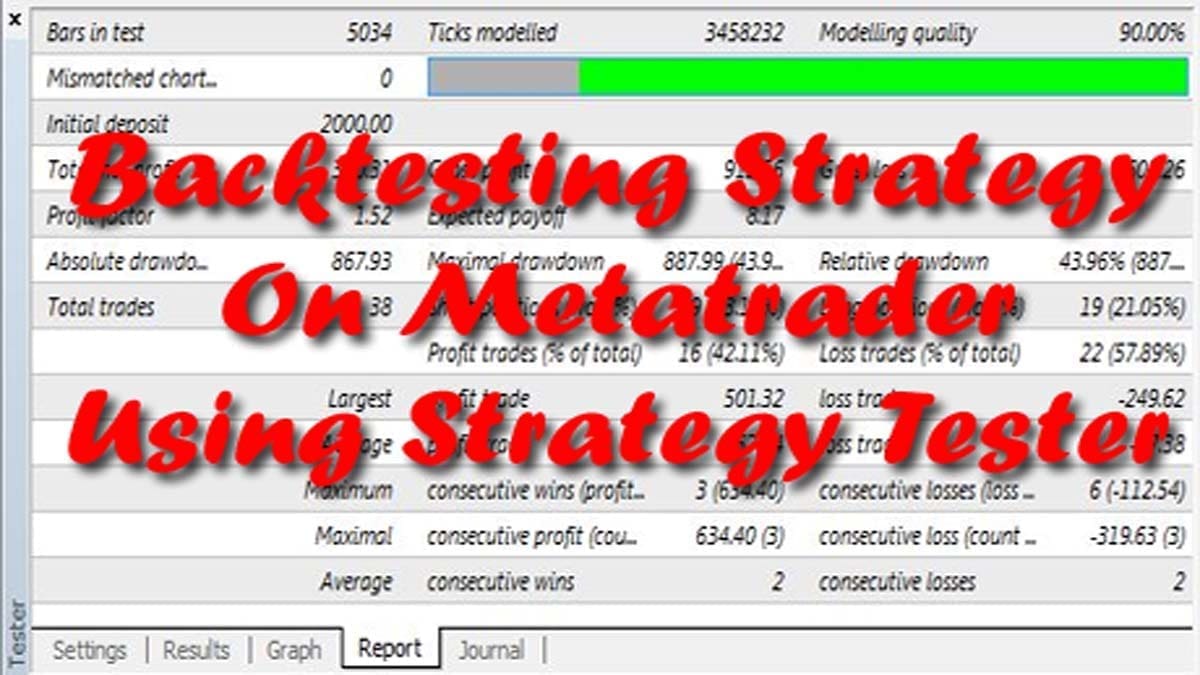
To get an effective trading system, you need to optimize and backtest your strategy by using MetaTrader’s Strategy Tester. Back testing or backtesting lets you simulate trading over a particular time frame in a few minutes. And with the optimized characteristic, one can find out which settings are carried out very best over a particular historical chart.
What is Back Testing?
Backtesting is an essential tool for newcomers in the Indian stock market. It can help them understand how a particular strategy would have performed in the past, giving them confidence in executing it in the present. Backtesting also provides an opportunity for traders to experiment with different strategies and tweak them as necessary without risking any capital. By doing so, traders can learn from their mistakes and improve their trading strategies over time.
Backtesting is the process by which we check the performance of the trading system as happened in the past. Firstly, we try to get trade-to-trade reports and try to figure out whether a trading system is profitable or not. Secondly, we can use various tools for backtesting. Lastly, we can backtest on Metatrader, TradingView, or on AmiBroker as the case may be.
Back Testing Tools
Backtesting on MetaTrader of MT4
There may be a debate on the accuracy of MetaTrader’s strategy tester. Mainly, back testing deals with a detailed approximation of how trades can be carried out in actual time. However, it’s the one device on hand to swiftly take a look at any strategy over a variety of trading eventualities. Thus you get a trading system that you simply must learn to use smartly.
In the MetaTrader or MT4, you already have the benefit of using a demo account before trying on real money. Despite this fact, you may want to backtest any FOREX Robot! Say, you want to do back testing of the WallStreet FOREX Robot or Forex Black Magic Robot.
How Backtesting on MetaTrader of MT4 Works
First, you must obtain historical data from the MetaTrader history center. Click on Instruments -> History Centre, or press the “F2” key on the keyboard. Within the checklist, to find the currency pair you simply need to again-check and double-click on it to amplify it. Click on “1 Minute (M1)” after which click on “Download”. When the downloading process is completed, double-click on “5 Minutes (M5)” and “15 Minutes (M15)” to download for these time frames too. Close the “History Center” window.




To open the “Strategy Tester” window click the “Strategy Tester” button of the MetaTrader menu, or press “Ctrl+R” on the keyboard. In the “Strategy Tester” window, chose your forex robot-like “MACD Sample” as shown here or any other robot you want to backtest. Then chose one of the supported currency pairs (EURUSD or GBPUSD). Now chose the M15 timeframe or your desired timeframe. Next chose the method “Every tick …”, as shown below. Click “Start” to start the back testing.

The backtest with “Every tick” is generally the most exact, however, it is rather gradual. In case you want to test on a lower time frame then you can run the backtest on the M1 timeframe.
Important things to know while back testing on MT4
If you’re doing a backtest take a look at the most profitable time frame that you got from the results. Once you start live forex trading, you can use that time frame on the chart in live trading mode. However, for lower configuration computers, back testing process may overload your MetaTrader 4 terminal and could lead to a MetaTrader 4 terminal crash.
Backtesting on AmiBroker
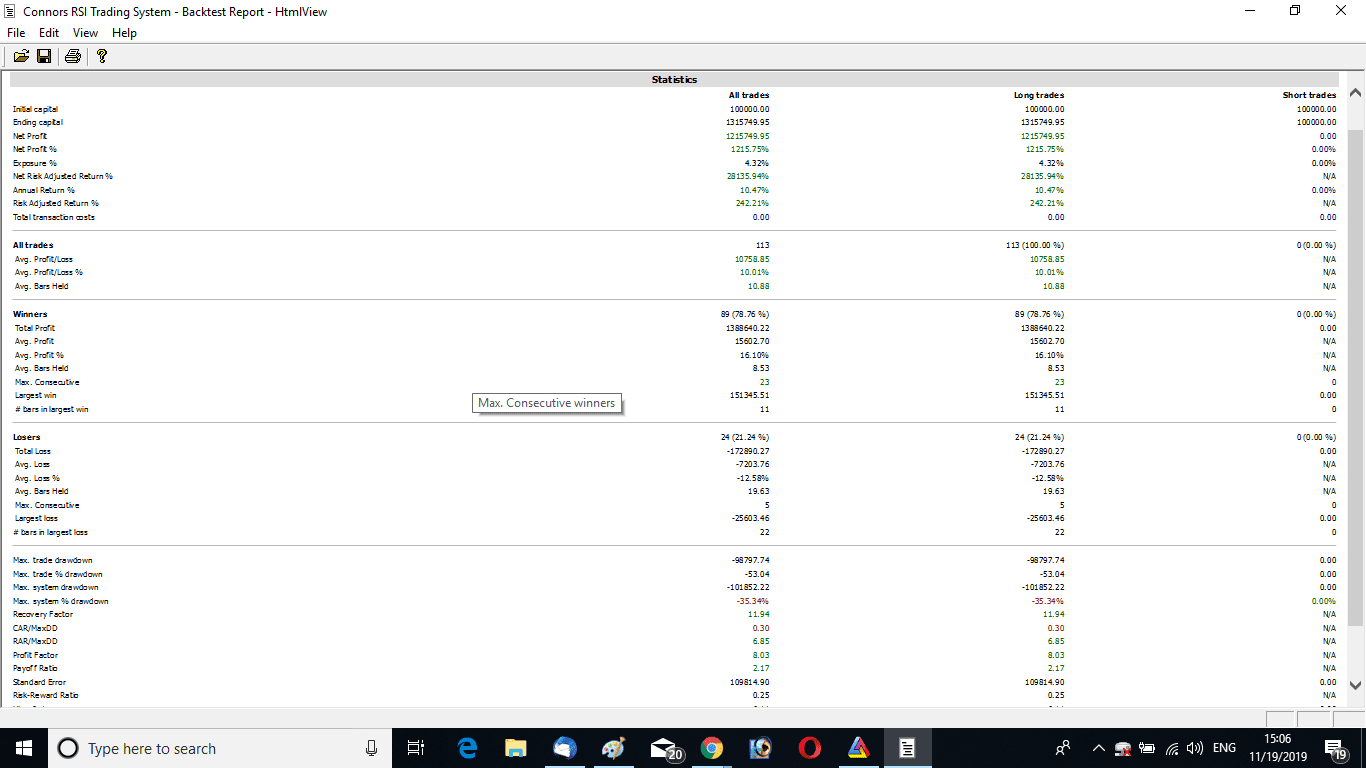
Just like MT4 backtesting can be done on the AmiBroker platform too. For that, first, you need to choose a trading system. Suppose we have selected the Connors RSI Trading System.
How Backtesting on AmiBroker Works
We will open the New Analysis window. Select the formula and select the stocks we want to backtest. Here we are back testing all the future and options stocks. So we will create a filter and select the stocks from a pre-defined watchlist.
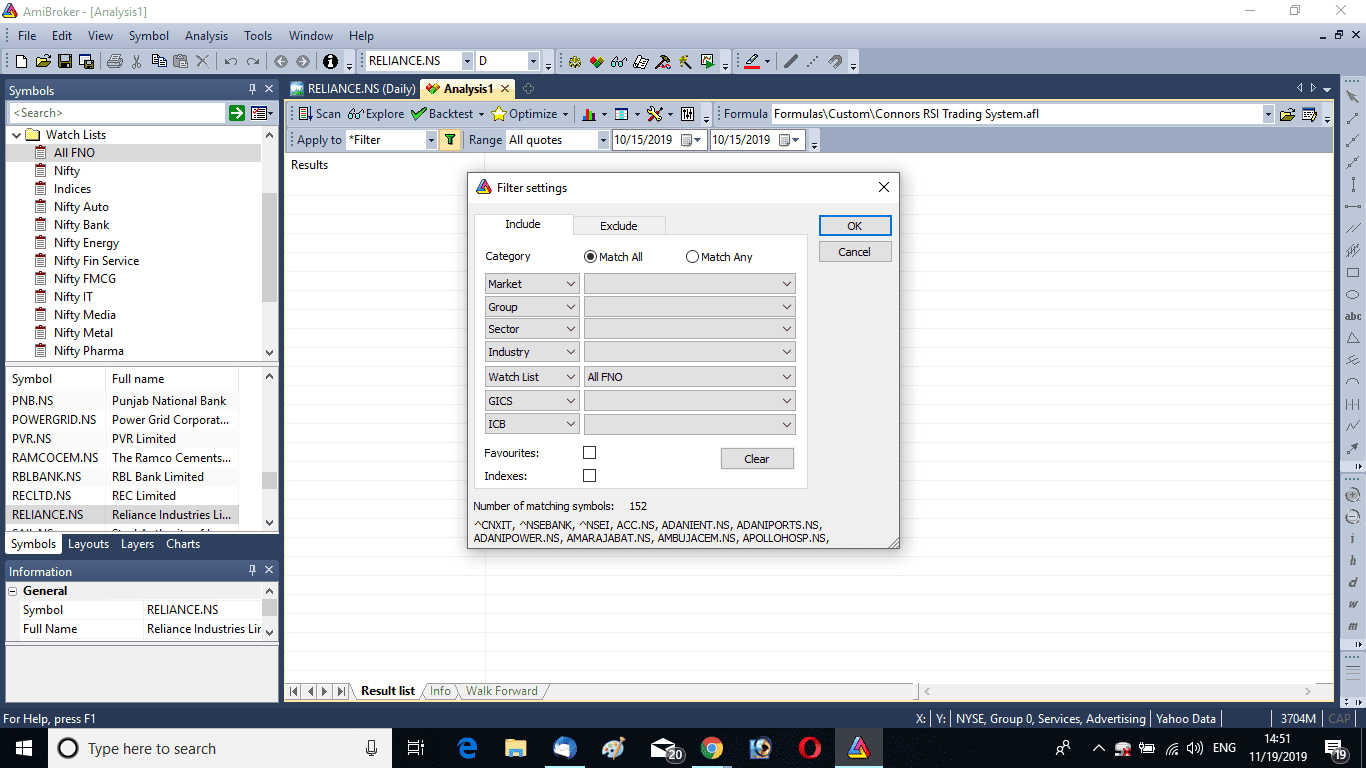
Next, we will select the time frame we want to test. Here, I selected the daily time frame. We will also select the capital we want to test. We will select the backtesting period. Here I have kept All Quotes to test all the data present. Now we will click on the Backtest button. This will test the entire data and produce the result.
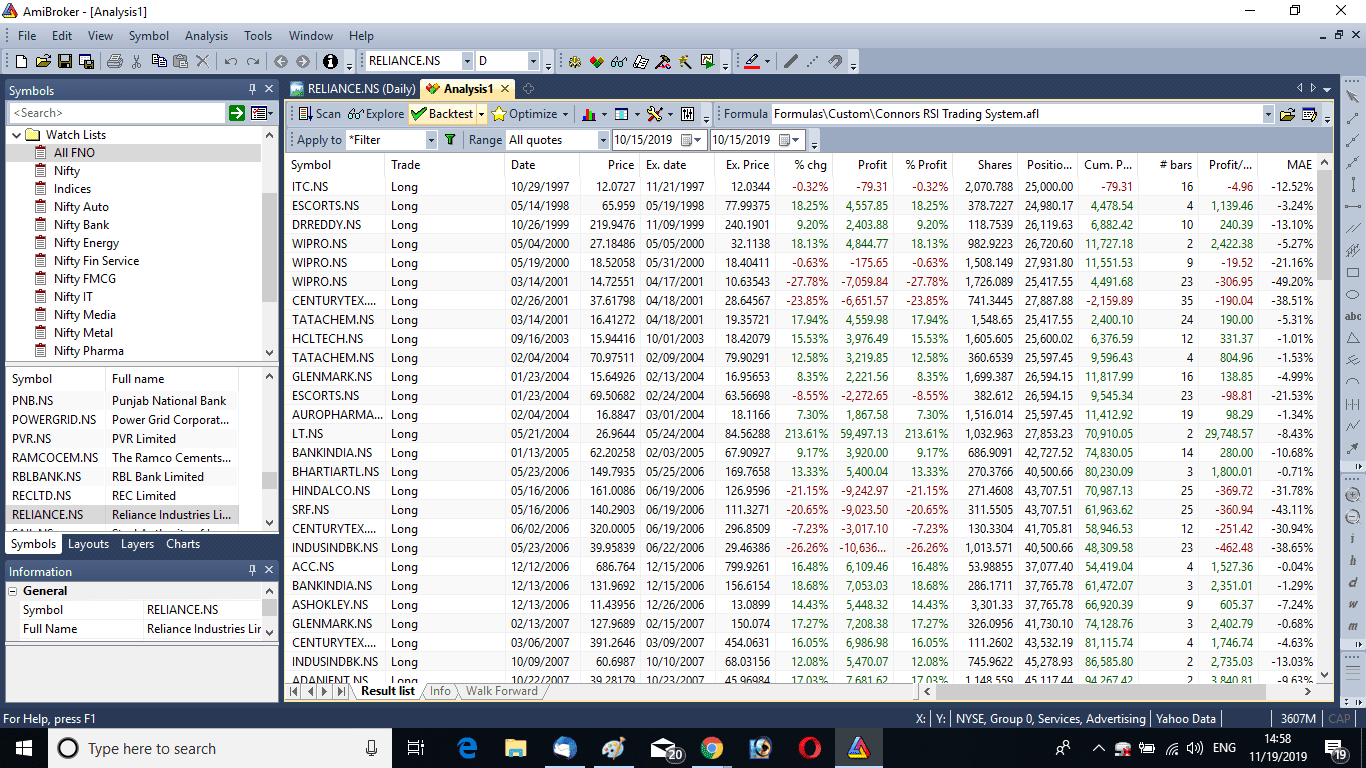
We have seen that Rs. 1 lakh has grown to over Rs. 13 lakhs over this period. We will also get the percentage of winners, here 78.76%. We will get the annual return and also the risk-adjusted return. Watch the image below to understand the back testing process in AmiBroker.
Backtesting on TradingView
TradingView offers numerous benefits when it comes to backtesting. It provides access to historical market data for a range of markets, including the Indian stock market. Traders can backtest their Pine Script strategies on multiple timeframes, allowing them to analyze their performance in different market conditions. TradingView also offers a user-friendly interface that is easy to navigate, making it accessible to newcomers in the Indian stock market. Overall, backtesting on TradingView is a powerful tool for traders looking to improve their trading strategies and make informed decisions when investing in the Indian stock market.
FAQ on Back Testing
Back testing is a technique used to test a trading strategy on historical data. It involves applying a set of rules to past market data to evaluate how profitable the strategy would have been if it had been used during that time period.
To perform a backtest, you first need to choose a trading strategy that you want to test. Then, you need to gather historical data on the market you’re interested in and feed it into a backtesting software. Finally, you’ll run the strategy on the historical data and analyze the results to determine how well it would have performed.
Examples of backtesting strategies include moving average crossovers, relative strength index (RSI), and support and resistance levels. These are all technical analysis tools that traders use to identify potential market trends and patterns.
Back testing is done on historical data while forward testing is done in real-time. Back testing allows you to evaluate a trading strategy’s performance based on past data, while forward testing evaluates a strategy’s performance on current data. Forward testing is also called paper trading, which means testing a trading strategy using a simulated account, without using real money. As an example, traders can forward test on a virtual trading platform called Neostox.
Suggested Reading and Conclusion
As a suggested reading, I will recommend the following book: Finding #1 Stocks: Screening, Backtesting and Time-Proven Strategies (The Zacks Series).

In conclusion, we can say backtesting is an important subject for traders. A trading system must be tested thoroughly on past data before we use it for live trading. If it works well in the test result then only we can use a system on live markets. Many trading software are having a backtesting feature. We have already covered how to backtest on MT4, TradingView, and AmiBroker in this article. Overall, back testing is an important part of a trading system. Traders must always backtest their strategies thoroughly before taking them to live.