Introduction
Sharekhan has recently launched a new mobile trading application to address the difficulties posed by its previous mobile app and to meet the investors’ demands. In this post, we will discuss the pros and cons of the Sharekhan mobile app and provide ways to download it.
Where to Download Sharekhan Mobile App
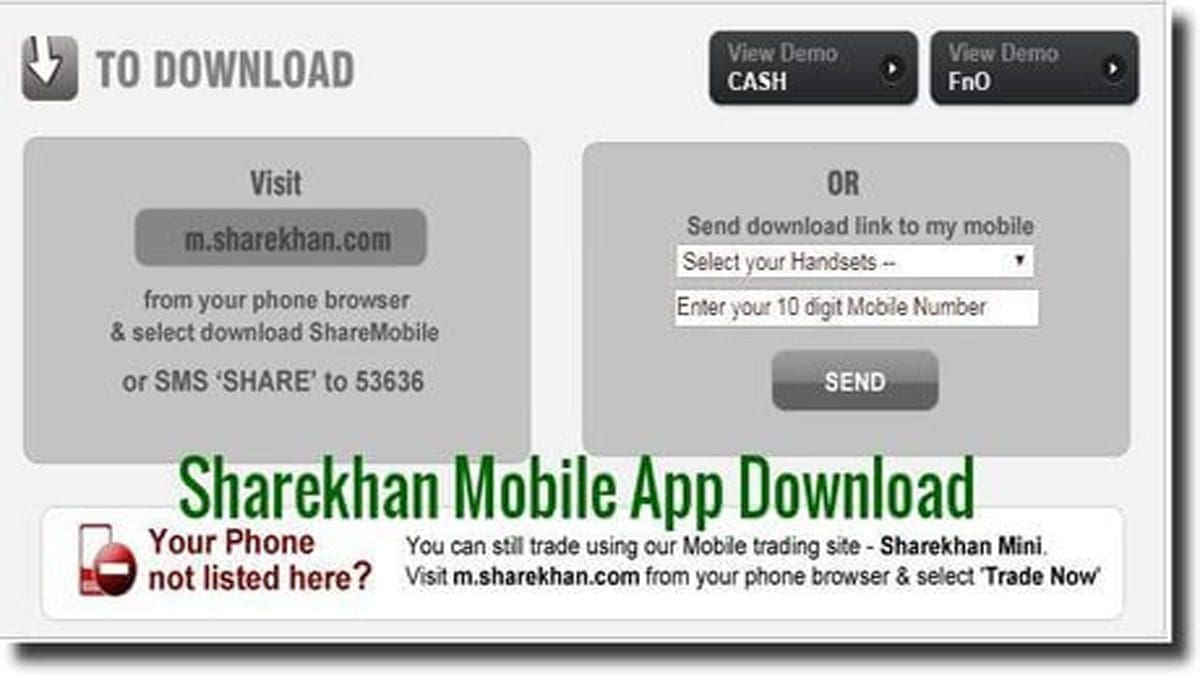
To download the Sharekhan mobile app, you can visit the following options:
- Click on this link to download the Sharemobile app.
- SMS ‘SHARE’ to 53636 from your mobile phone.
- Go to the ‘send download link to my mobile’ box, choose the type of your handset from the drop-down menu, and enter your 10-digit mobile no.
- The company will send you the download link on your mobile.
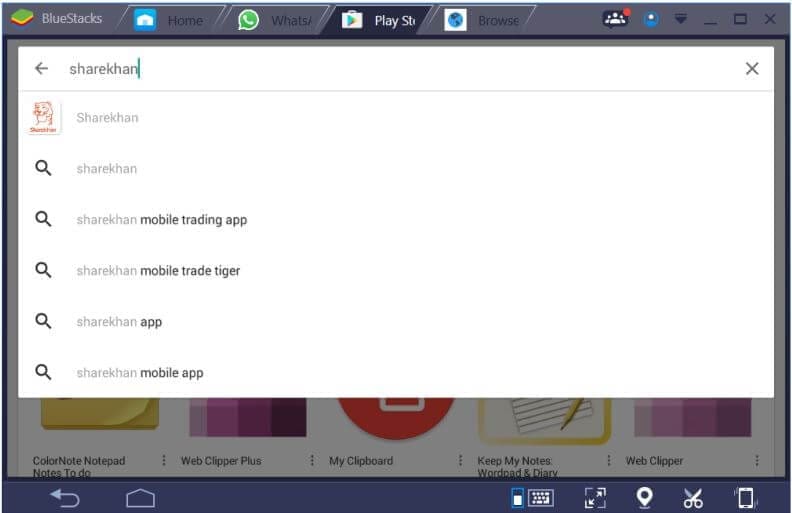
- You can also go to ‘Google Play Store’ directly and type ‘Sharekhan’ to download the app.
Setting Up Sharekhan Mobile App
Once you have downloaded the Sharekhan mobile app, you can set it up for your phone as per your requirement for charts and technical indicators.
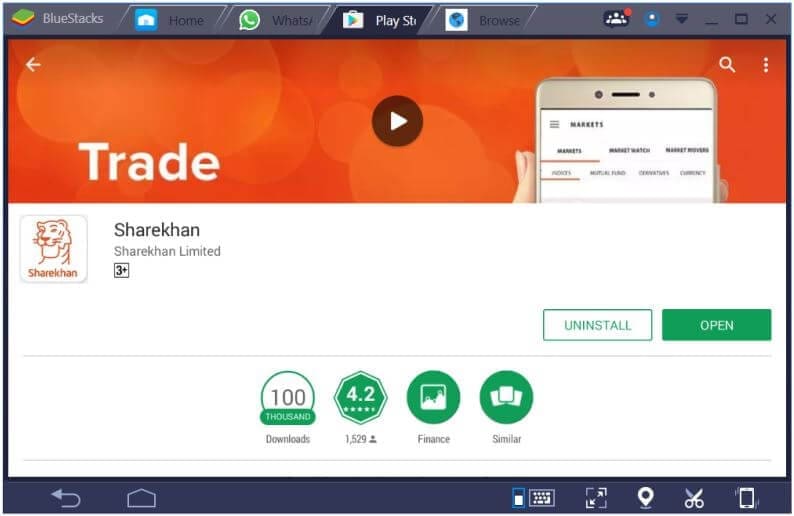
After the download is complete, click ‘open’ to launch the app, and the ‘Home’ screen appears.
Using Sharekhan Mobile App
The Sharekhan mobile app comes with various features to help you trade conveniently. Here are some of the key features:
World Indices and Market Status
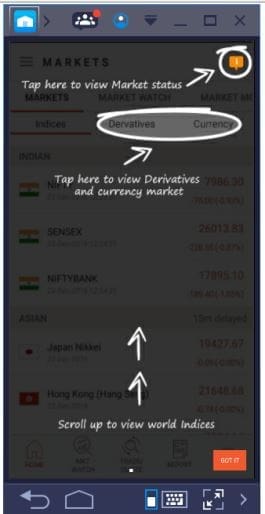
From the ‘Home’ screen, you can view ‘World Indices’, check the ‘Derivatives and Currency Markets’, or get the live market status in ‘Marketwatch’.
MarketWatch and Portfolio
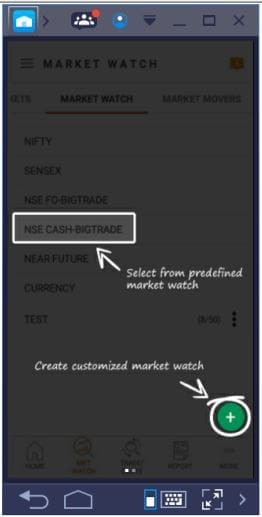
You can select from predefined ‘MarketWatch’ or customize it.






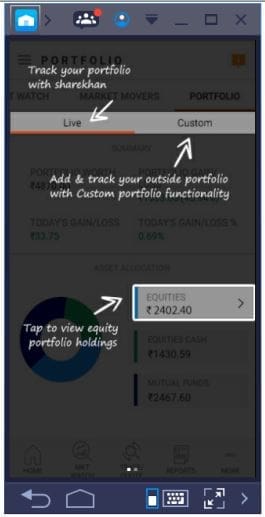
Check ‘market movers’ and track your portfolio. Even make pie charts to view the performance of your portfolio.
Charts and Technical Indicators
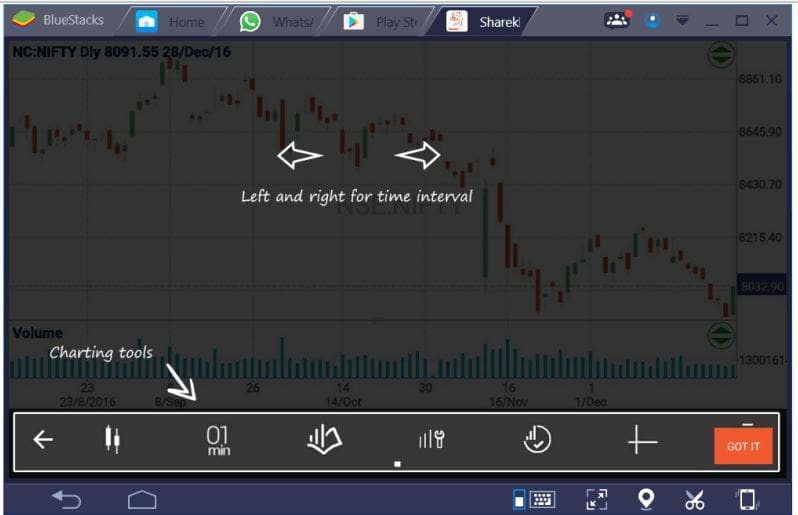
You can set up charts and customize charts with technical indicators which you can choose from a great collection of them.
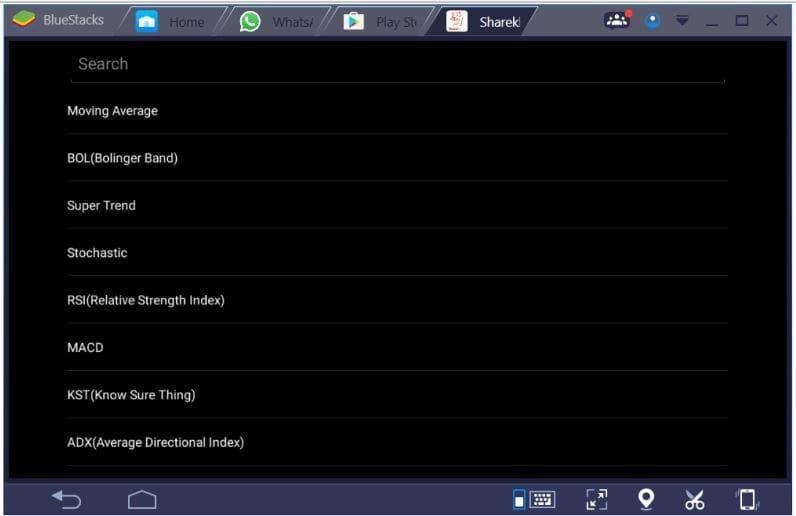
Similarly, you can search for various indicators like Stochastics, Know Sure Thing, ADX, various other oscillators, etc.
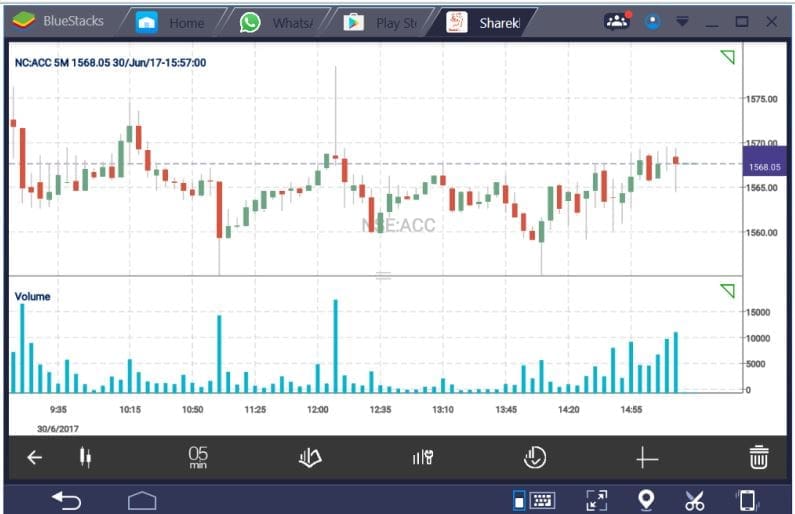
And, you can check candlestick charts with the volume underlay indicator.
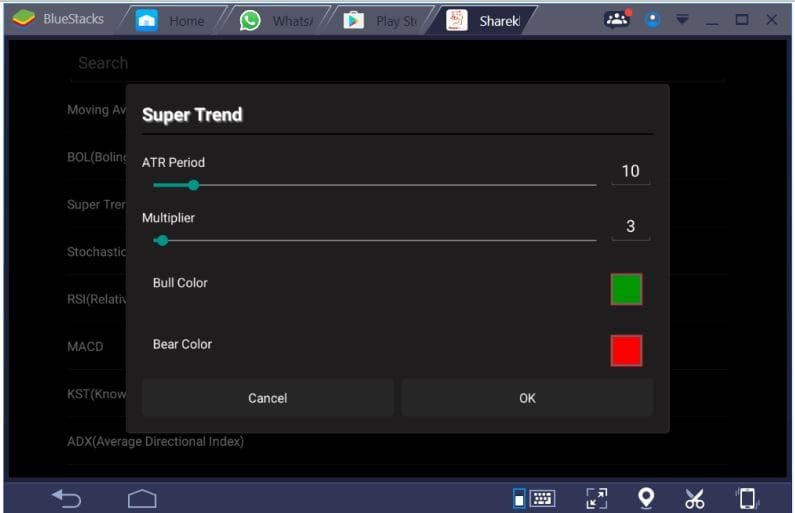
Here’s how to set up the ‘Supertrend Indicator’: You can also change the ATR Period and Multiplier to customize the indicator.
This is what the chart looks like after attaching the Super Trend indicator.
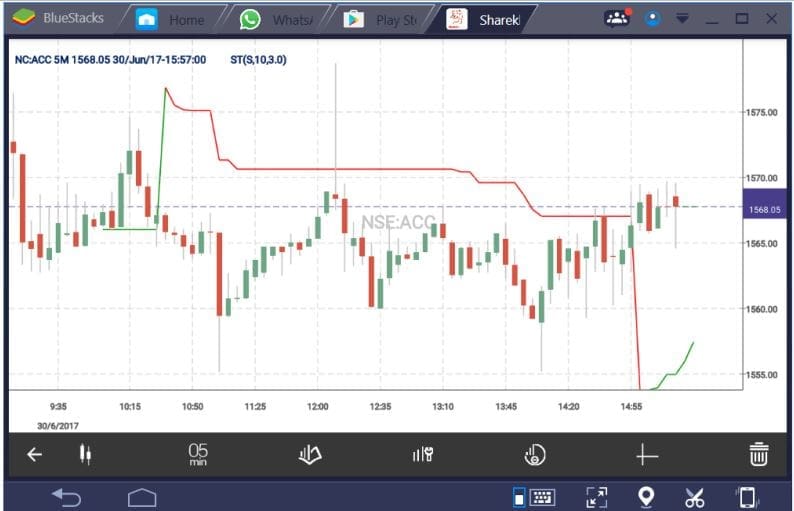
You can attach more than one indicator. Just as an example, I have attached Super Trend with Volume.
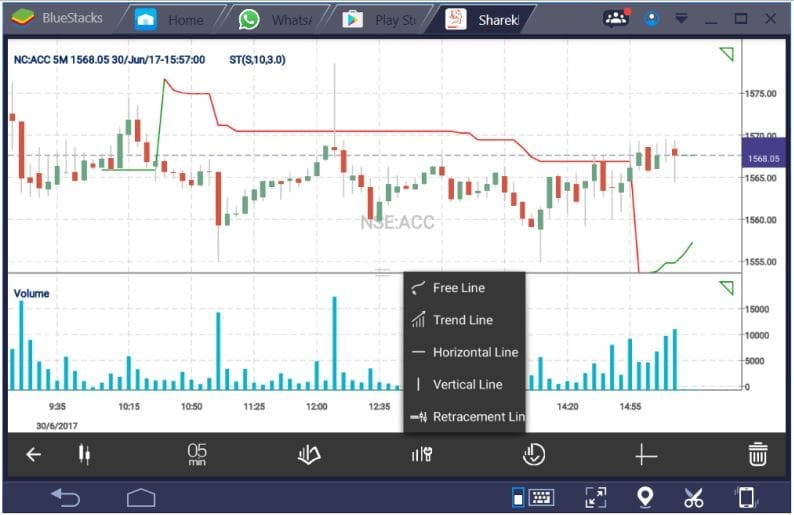
Here’s how to draw free lines, trend lines, etc., in a chart:
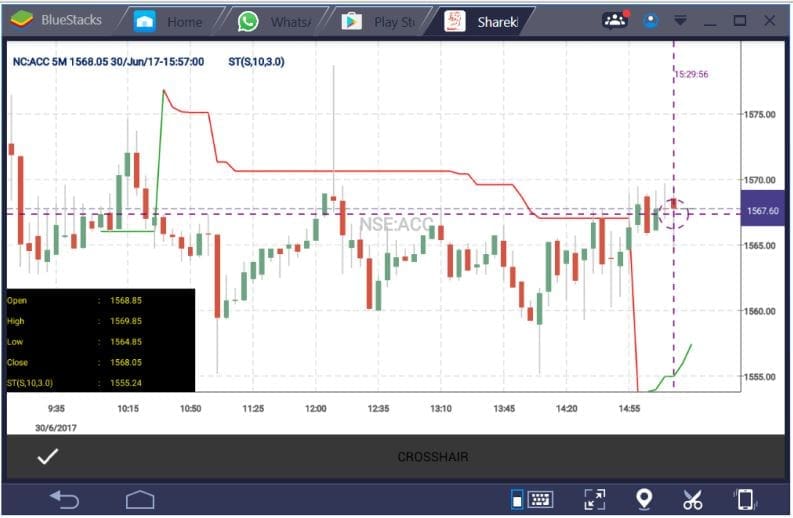
And finally, here’s how to activate crosshairs in a chart in Sharekhan mobile app:
New Features
The app has several new features added compared to the old app as per Sharekhan, including:
- Introduction of currency segment
- Top traded scrip as per volume
- Top gainers and losers, turnover – all features at your fingertips
- Find any key action within three clicks
- Advanced charting for analysis
Conclusion
In conclusion, Sharekhan’s new mobile trading application offers a convenient and user-friendly platform for investors and traders. Hence, they can stay updated with the stock market trends and trade on the go. The application comes with various features like world indices, derivatives, currency markets, live market status, market movers, and customized charts with technical indicators. These make it easier for users to track their investments and make informed decisions.
Moreover, Sharekhan’s new mobile trading application is an improvement over the previous version and has new features like currency trading, advanced charting, and easy navigation that make it more appealing to users. The application can be downloaded from various sources like their website, and Google Play Store, and by sending an SMS to 53636.
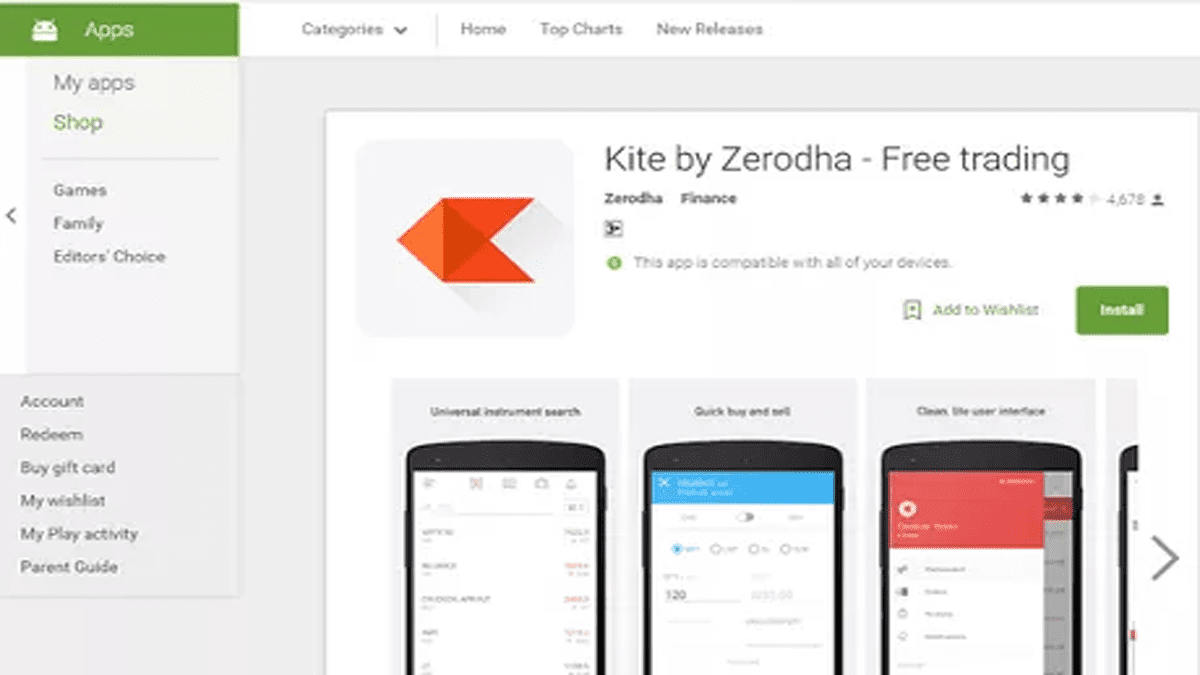
However, for those seeking an even more advanced charting experience on their mobile phones, it is suggested to switch to Zerodha Kite. Overall, Sharekhan’s mobile trading application is a great addition to the services provided by the company and is a must-try for investors and traders looking for a convenient and reliable platform to trade on.