
As we all know that the last date to link Aadhaar with a Demat account is 31st March 2018. If you do not link your Demat to your Aadhaar card by that period, the broker can freeze your Demat account, and your trading or investing activity can stop. Hence, let me quickly guide you on how to link Aadhaar with the Demat account online.
How to Link Your Aadhar with Zerodha Demat Account Online?
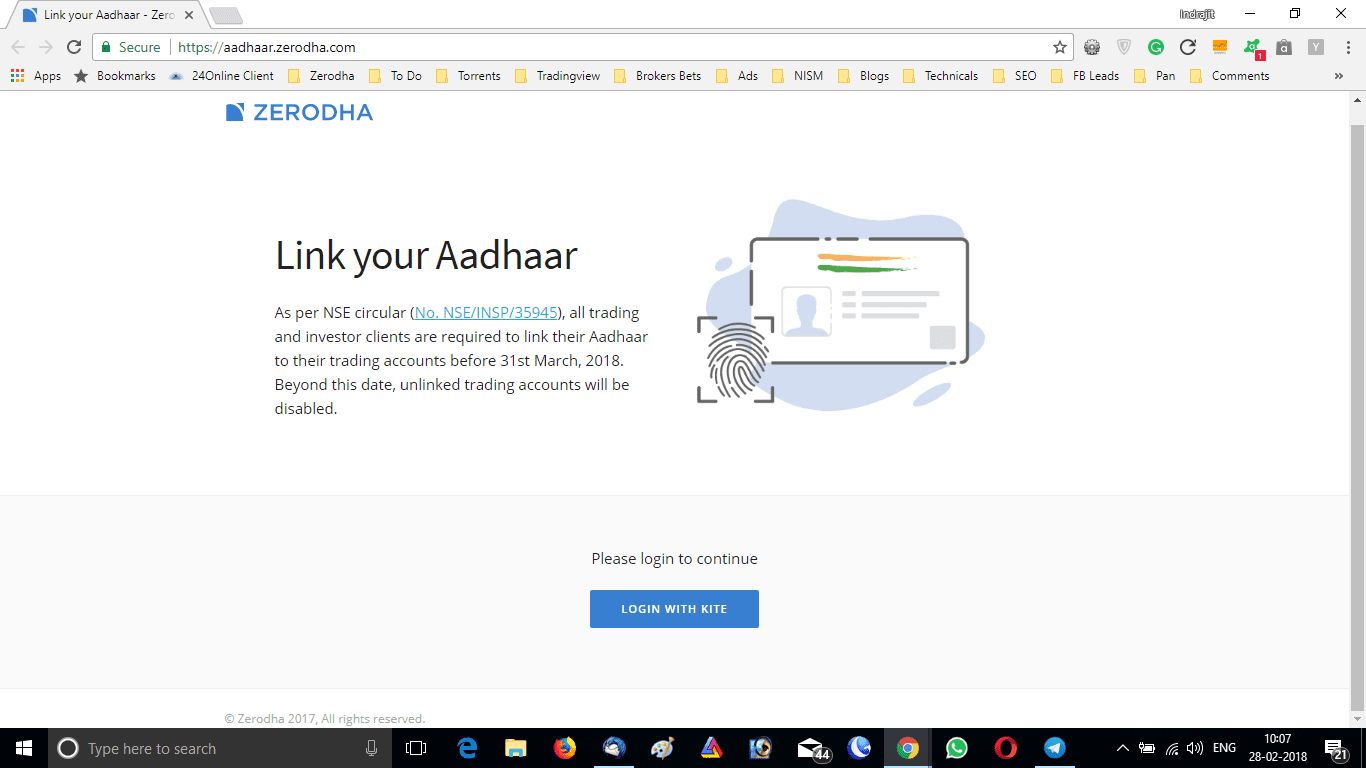
As I have an a/c in Zerodha, I will guide you through the process of how to link your Aadhaar with the Demat account online in Zerodha. But more or less the Aadhaar linking process in other brokers is almost the same, so you can follow this procedure. To link Aadhaar in Zerodha Demat account, open aadhaar.zerodha.com in your web browser.
Login to Your Demat Account
There is an option LOGIN WITH KITE, You can click that and log in to the system with your Zerodha Kite user id and password. This will verify you as the user in the system. A new window will open, where you can see your name and your user id.






Verify the Aadhar Number
There will be a place to input your Aadhaar number and date of birth.
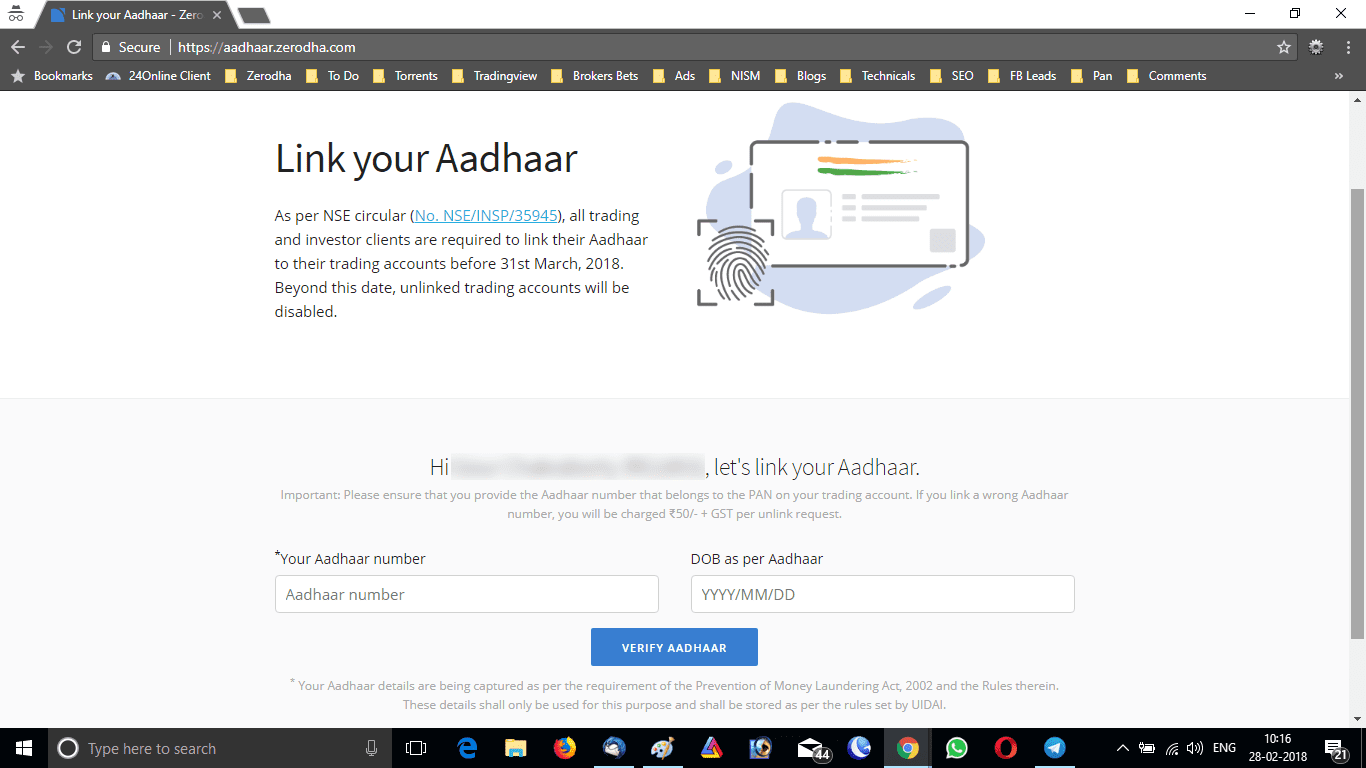
Now, just input your Aadhaar number and date of birth in the respective fields and click on VERIFY AADHAAR BUTTON. This will take you to the official UIDAI website where it will ask you to enter an OTP. If your mobile is linked with your Aadhaar card, a one-time password (OTP) will come to your Aadhaar registered mobile number. Just input the OTP in the field and click on SUBMIT.
The Final Steps of Linking Aadhar with Demat Account Online
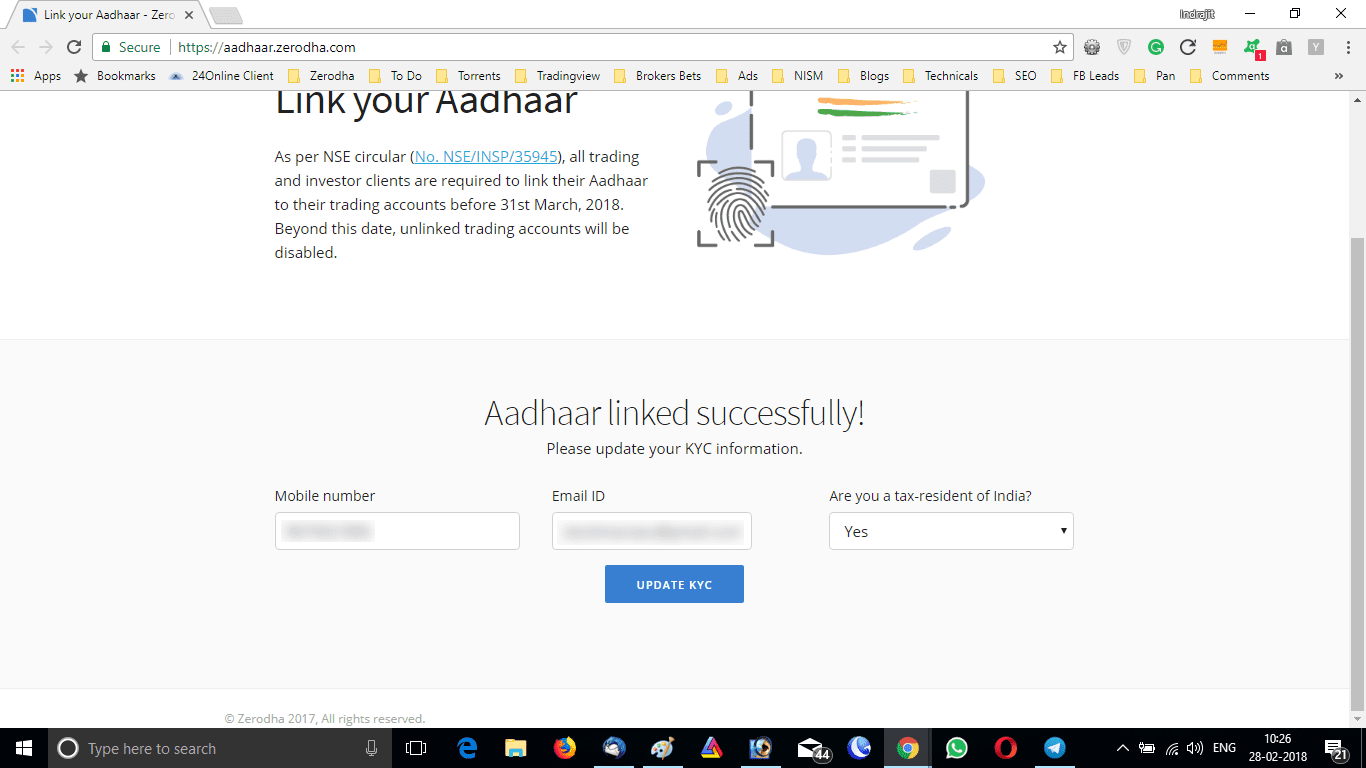
This will redirect you to the broker’s site and the page will now show that your Aadhaar is verified successfully. Moreover, if you want to change your phone number and email id or other KYC details you can do it on this page.
So you have understood the procedure of how to link an Aadhaar with a Demat account online. If you are trading with a broker other than Zerodha, almost the same type of procedure will be there too. But if you can’t figure out where to start, you can contact the helpline number of your broker.
FAQ
You can link your Aadhaar card with your Demat account by submitting a duly filled and signed KYC form, along with self-attested Xerox copies of your PAN card and Aadhaar card to the respective depository participant.
Yes, it is mandatory to link Aadhar with PAN while opening a demat account.
To link your Aadhar quota in Zerodha Demat, you need to log in to Kite then go to My Profile > Documents & Forms > Download KYC forms. Thereafter complete the details like name, address, etc, and attach necessary documents including copies of both pan and Adhaar cards > Submit the form for processing.
Yes, for any investment activity (such as equity trading), linking your Aadhaar number is mandatory when registering or updating any existing demat account/s on National Securities Depositories Limited (NSDL).
Conclusion:
The whole process can take at most 5 minutes to complete. However, this procedure requires your Aadhaar card to be already linked to your mobile to receive an OTP. If your aAadhaar is not linked to your mobile, you can get it linked by visiting your nearest Aadhaar correction center. It generally takes 72 hours to link the mobile to the Aadhaar card. Once you complete the linking process you can follow the above-mentioned procedure.