Introduction
An Aadhaar card is a vital identity document that serves a range of purposes. It enables digital signatures, facilitates the opening of trading and demat accounts, and more. To make the most of your Aadhaar card, it’s essential to keep it updated with the correct details, including your name, date of birth, address, mobile number, and email ID. In this post, we’ll discuss the online Aadhar card correction procedure and the steps involved.
Connecting Your Mobile Number with Aadhaar
The first step in the online Aadhar card correction procedure is to connect your mobile number with your Aadhaar card. This is necessary for receiving the one-time password (OTP) required for the online correction process.
You can connect your mobile number to your Aadhaar card at your local mobile store. However, this only updates the Aadhaar number in the mobile operator’s database. To update your mobile number on the Aadhaar database, you need to visit your local Aadhaar center with a copy of your Aadhaar card.






At the center, they will check your fingerprints and retina and update/correct your name, mobile number, date of birth, address, etc. You will also receive a printed proof of the update or correction. Generally, the changes are updated on the Aadhaar database within three working days.
Online Aadhaar Card Correction Procedure – Step-by-Step Guide
Once your Aadhaar card is updated with your mobile number, you can start the online correction process. Here is a step-by-step guide:
- Open the official UIDAI website from this link: https://uidai.gov.in/
- In the middle of the page, you’ll see an “AADHAAR UPDATE” section.
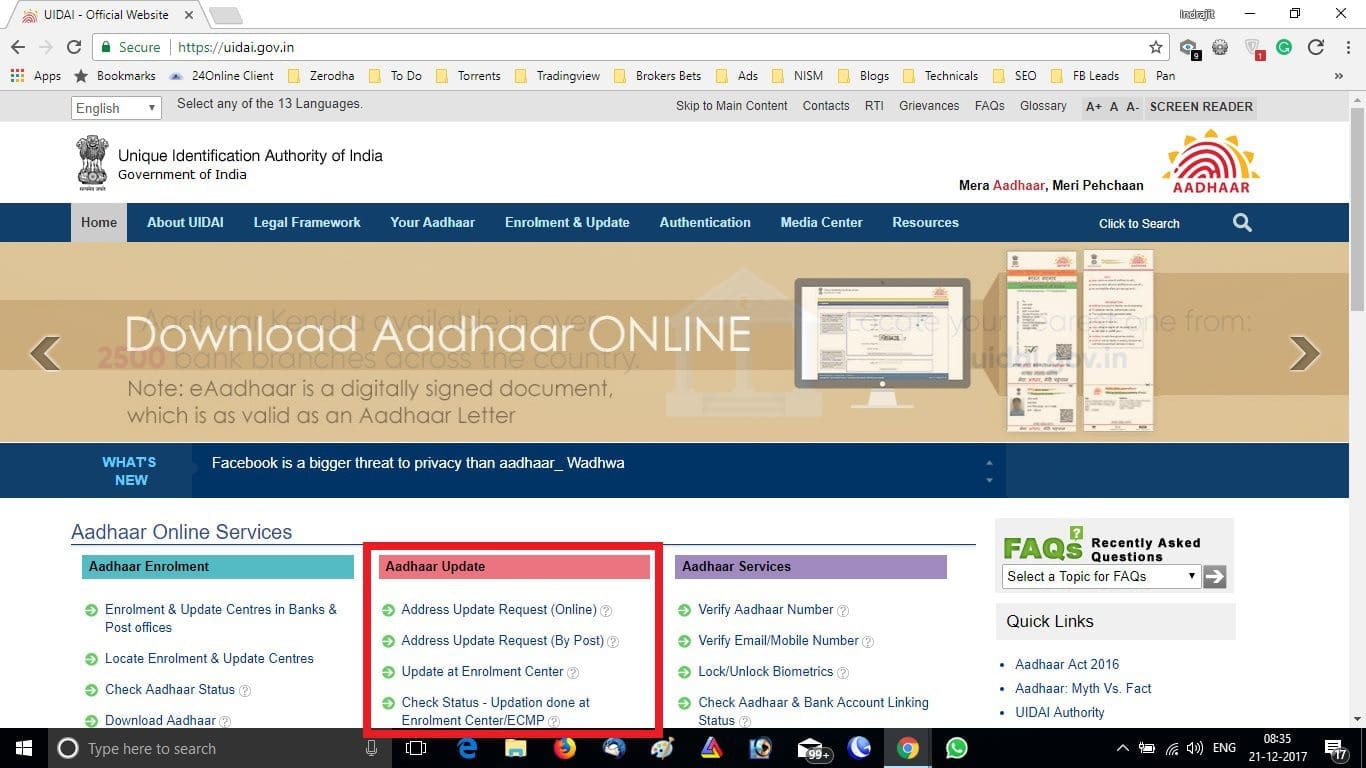
- The first link is “Address Update Request (Online),” the second link is “Address Update Request (By Post),” and the third link is “Update at Enrolment Center.” Since we have already discussed how to update Aadhaar details in the enrolment center, let’s leave the third link.
- Click on the first link, “Address Update Request (Online).”
- On the next page, click on “Proceed” to submit your address update/correction request.
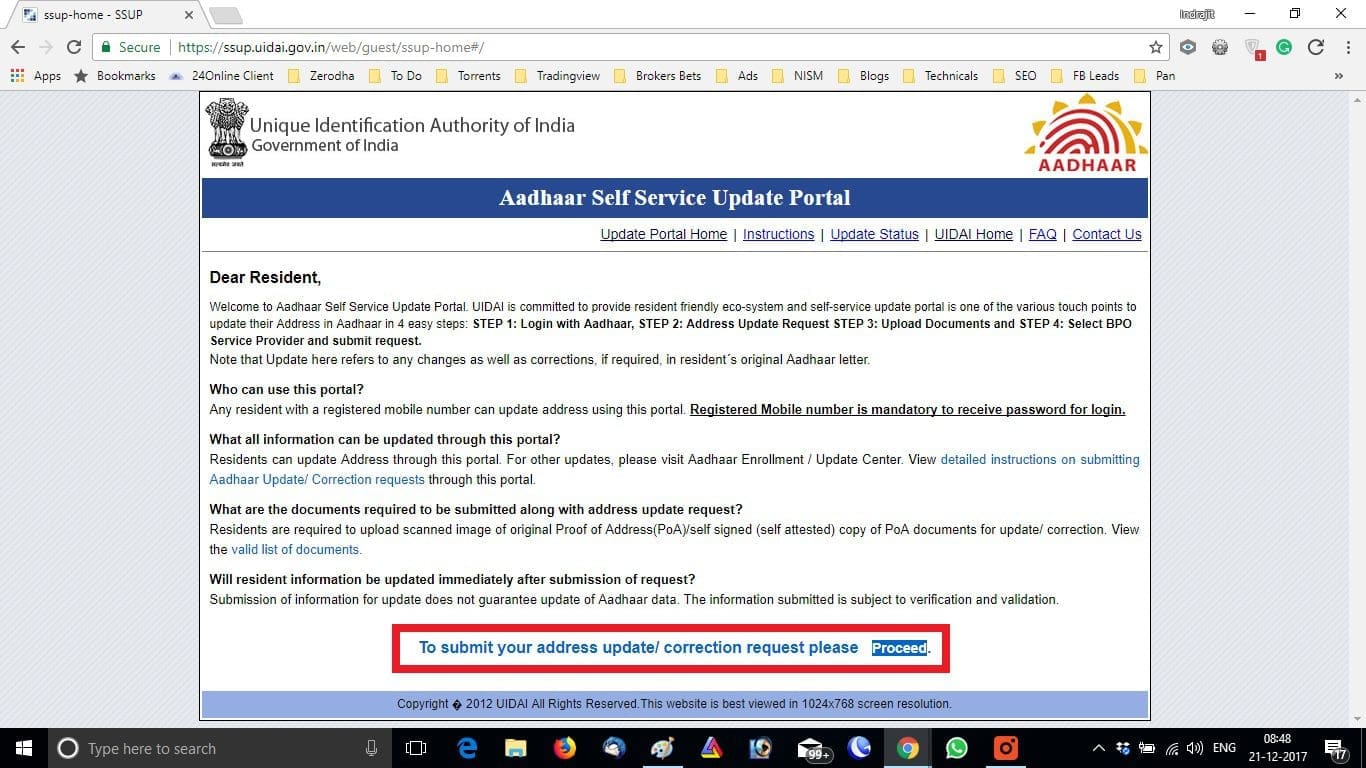
- Enter your Aadhaar number and captcha, then click “Send OTP.”
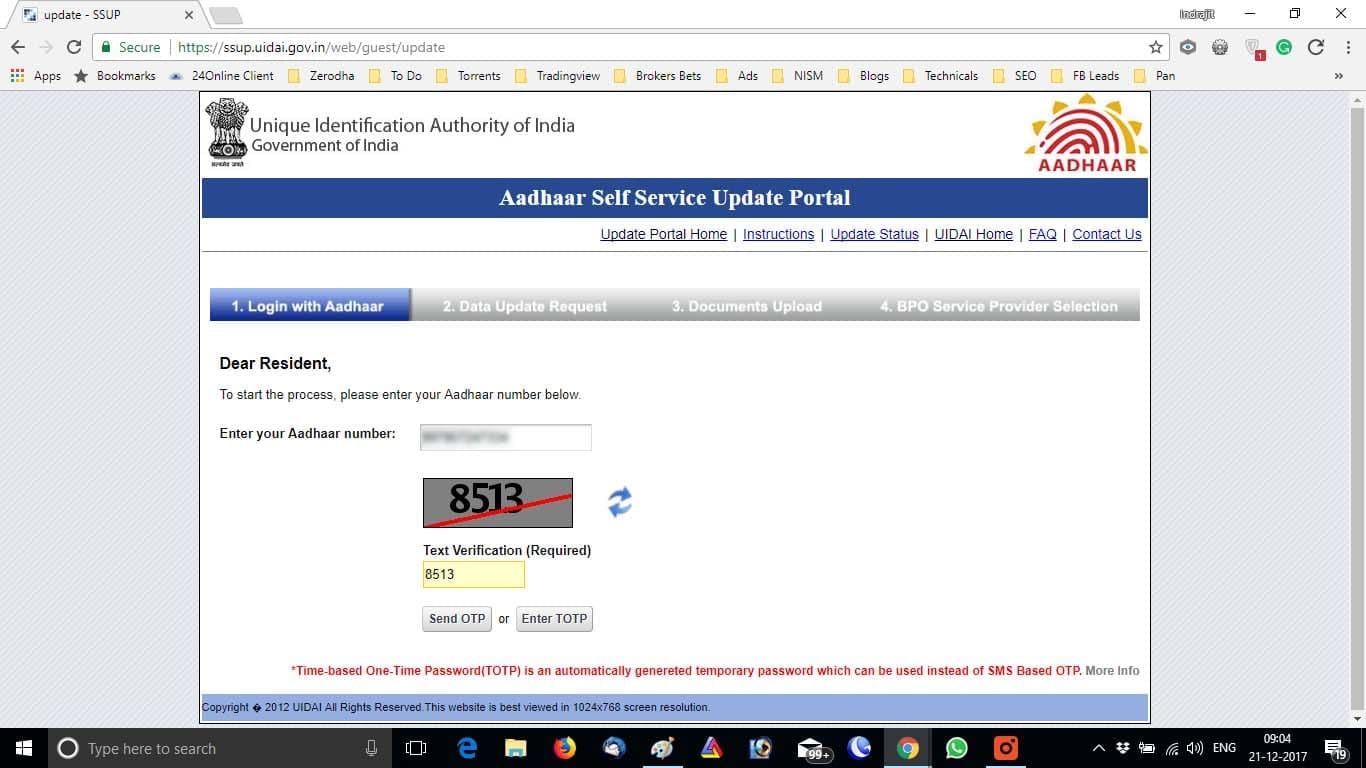
- You’ll receive the OTP on your registered mobile number. Input the OTP and click on “Login.”
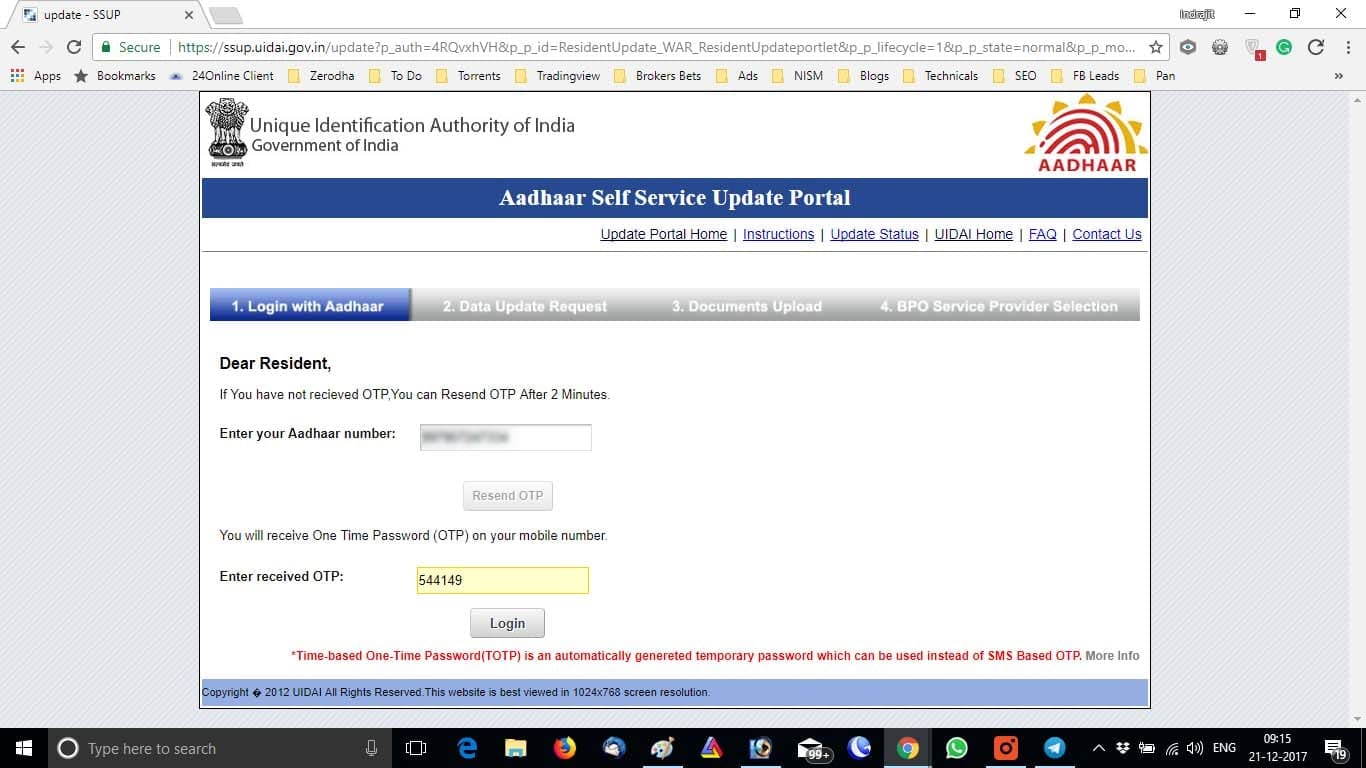
- Select the “Address” checkbox on the next screen, then click “Submit.”
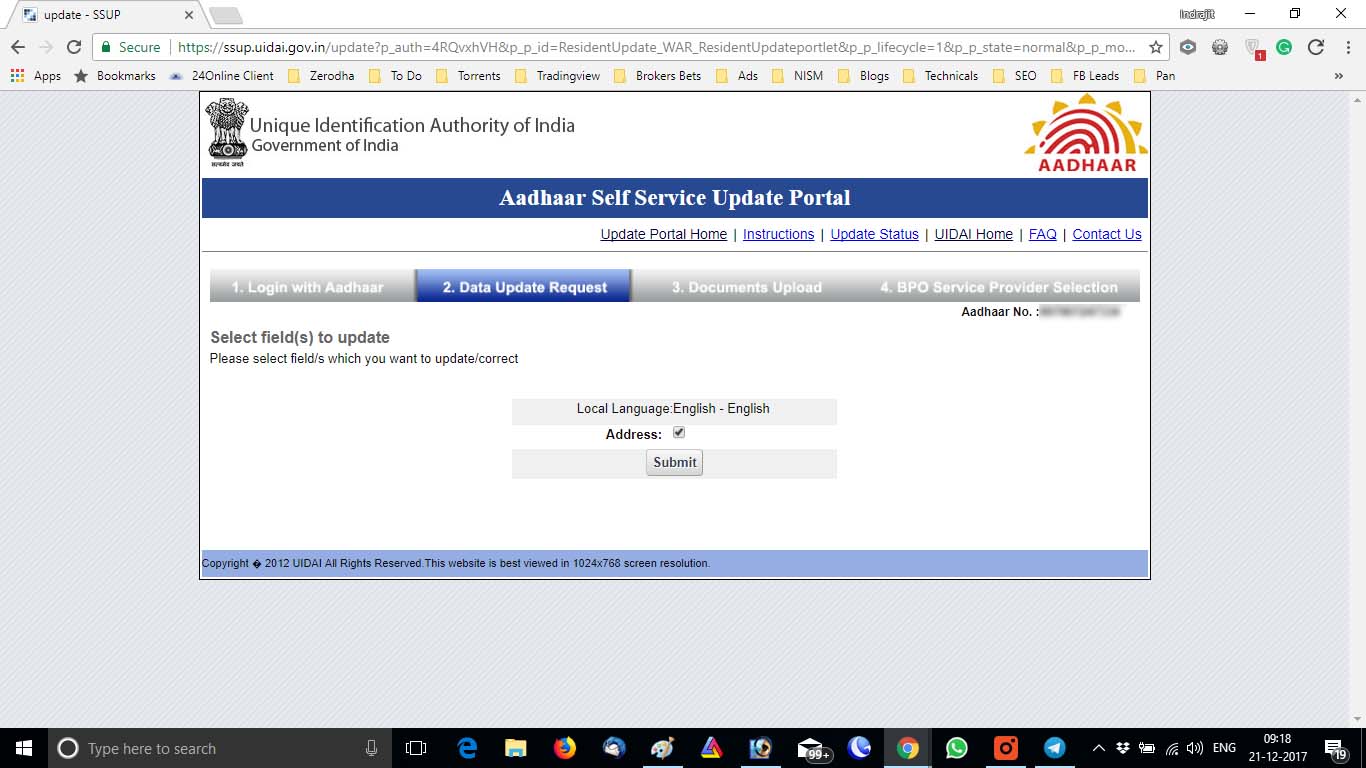
- Update your address fields as required.
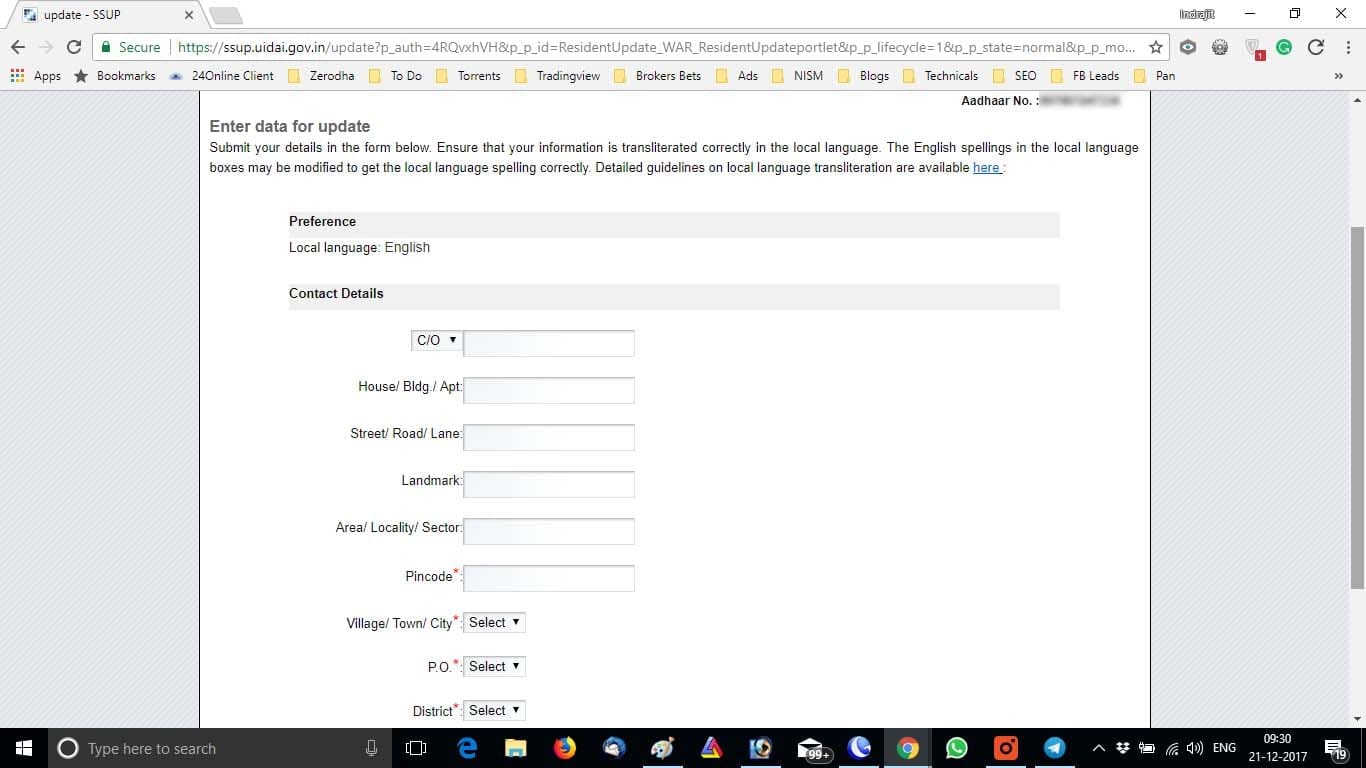
- Upload any necessary documents as proof (if asked for) and select your BPO service provider.
- Once you’ve completed the online Aadhar card correction procedure, wait for three working days for the changes to be saved in the UIDAI database.
Conclusion
Keeping your Aadhaar card up to date is crucial, particularly for online usage. With the online Aadhar card correction procedure, you can easily update your address details from the comfort of your home. By following the steps outlined above, you can ensure that your Aadhaar card remains accurate and up to date.