
NSE Pathshala OR NSE Paathshaala is the virtual trading platform created and maintained by the Nation Stock Exchange of India. It is specifically useful for beginners and newbies who can test their trading skills without risking their real money. It is like the demo account of the Interactive Brokers. Omnesys India Limited maintains this, are the creators of Nest Trader. In this post, I will take you through a step-by-step guide on the NSE Pathshala tutorial.
What is Virtual Trading?
Virtual Trading is trading on a test or demo platform without risking real money. Generally, the broker or the exchange provides virtual cash to the trader or investor which he can use just like real money for trading. He can trade as per the margin available. Orders will be generated and fired to the exchanges, trades will be executed, the only catch is that the orders will not be traded in reality. But it is very useful to create a stimulating environment and to prepare the trader for real money trading.
What is the difference between Paper Trading and Virtual Trading?
In paper trading, the traders take trade notionally, which means they fix a trade price in mind and write it down. He again writes down the square of the price, but he does not trade in reality. Paper traders need to maintain the notional trade profit loss details in Excel. But in virtual trading, the trader’s trade practically incurs profit or loss but it does not affect his pocket as the trades are taken of virtual money. So in that sense, virtual trading is better than paper trading as it also gives a practical trading experience to a trader.


NSE Pathshala Tutorial
Login in NSE Pathshala
- Open the NSE Pathshala site HERE.
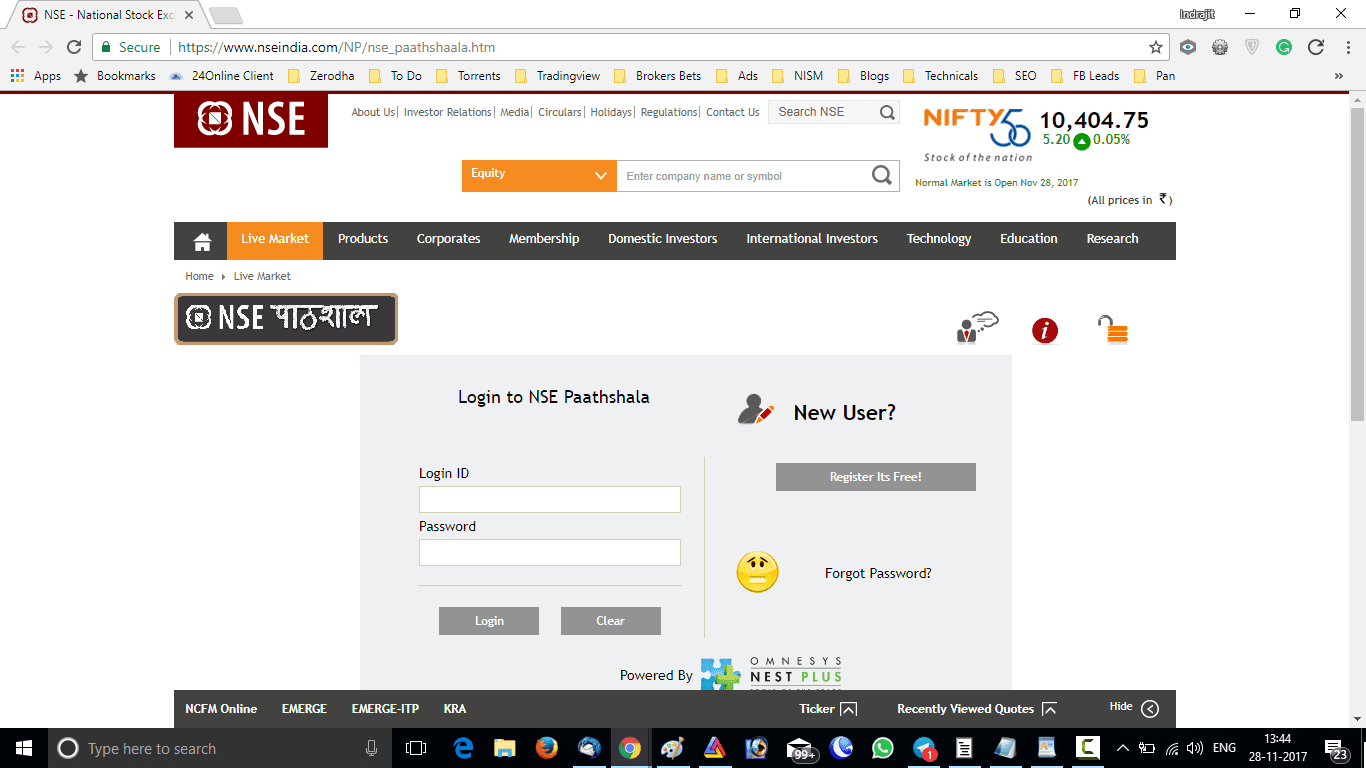
- You will find a NEW USER section as well as a log-in section.
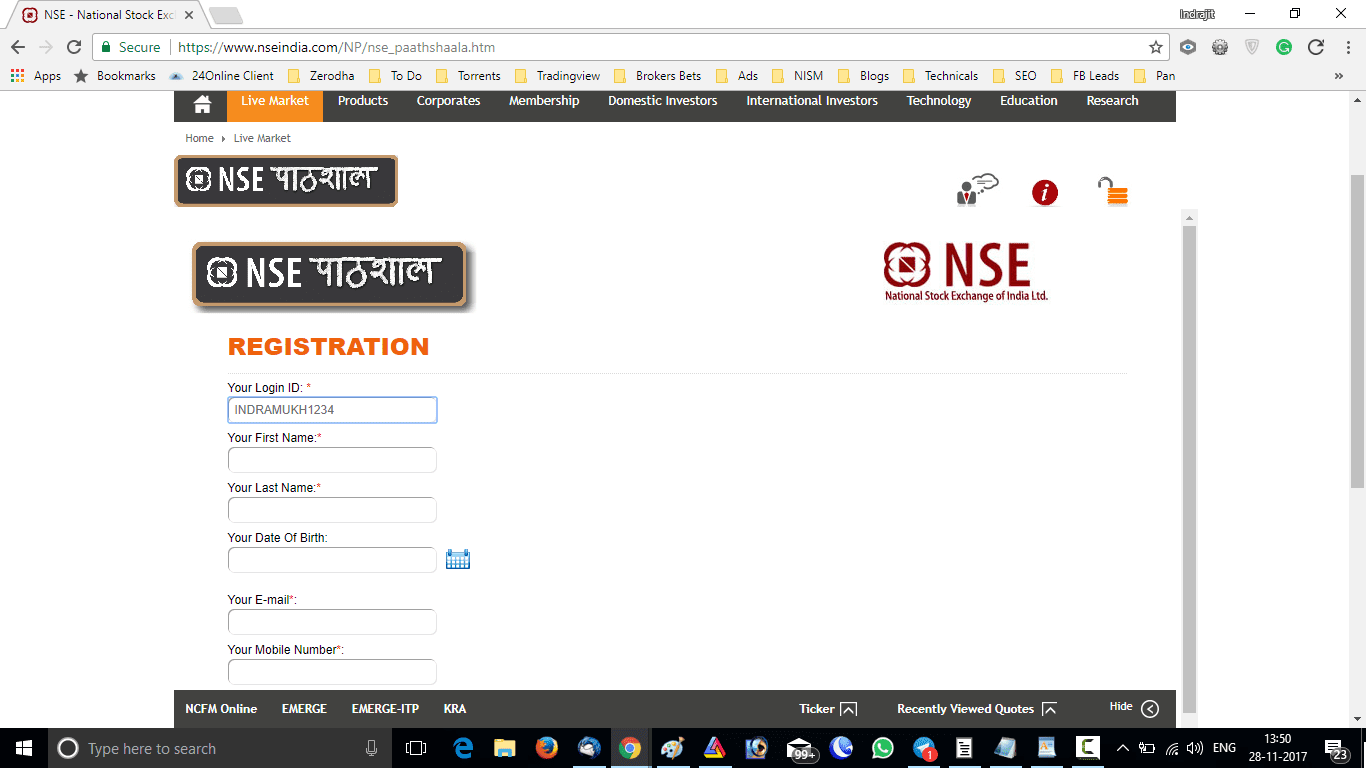
- If you are A new user please register as per the image below:
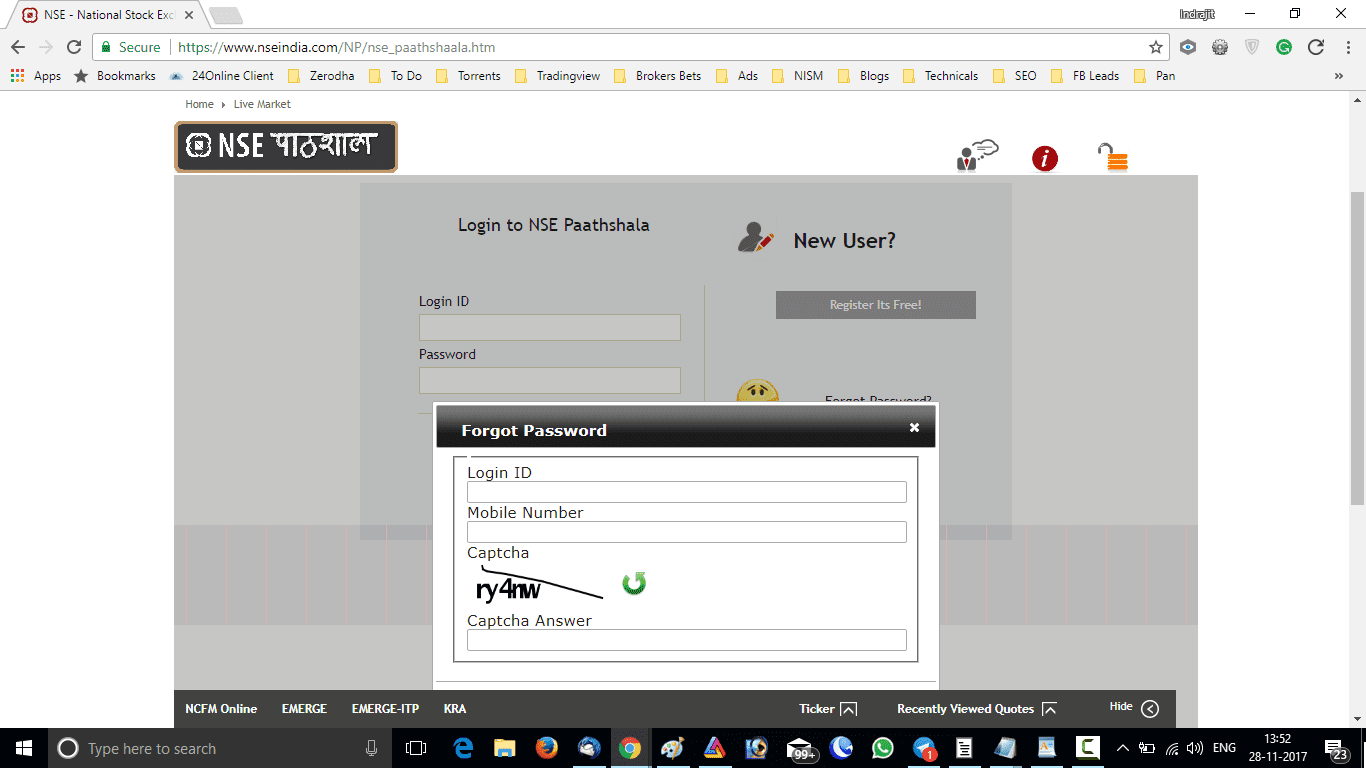
- You will receive your password in your registered mail or mobile. If you do not get your password or forget your password, then create a new password using FORGOT PASSWORD option on the main page.
- New users when logged in for the first time please don’t forget to change your password.
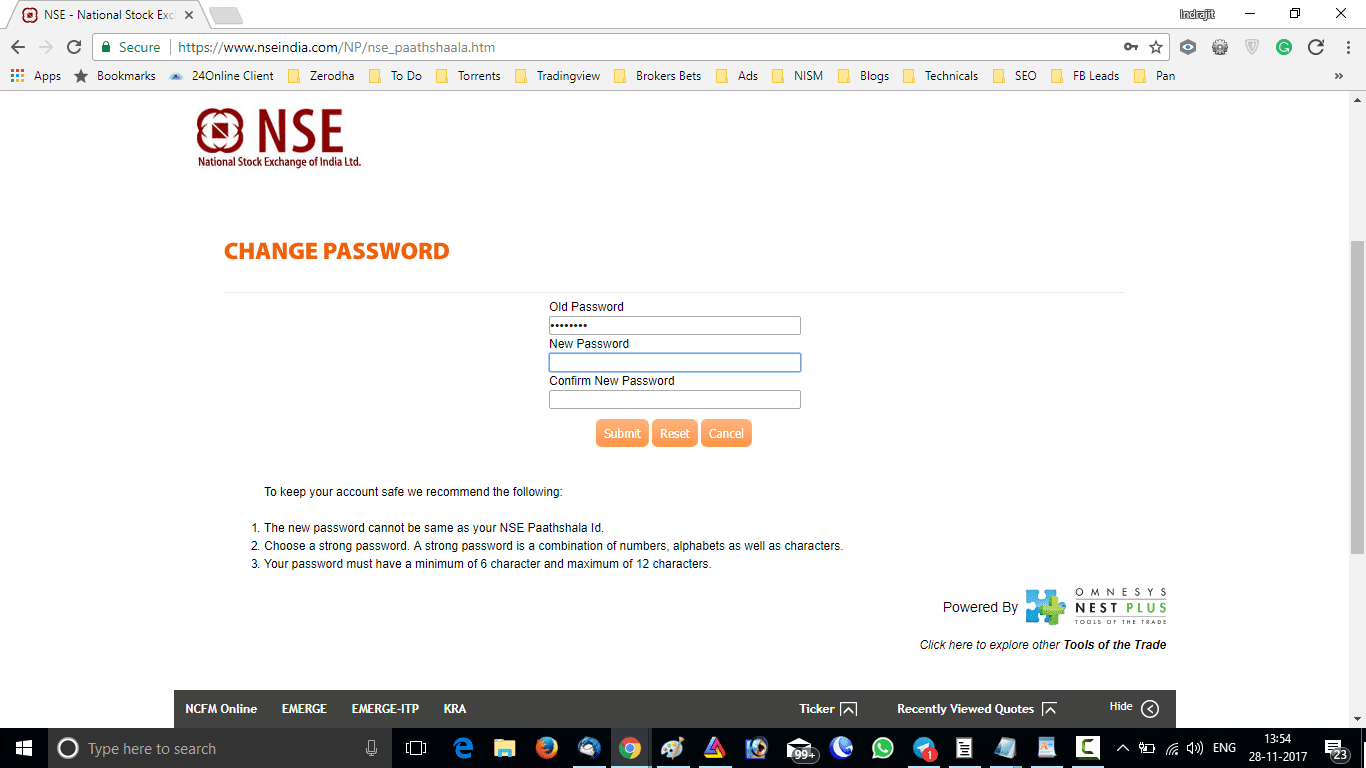
Demo Trading
- You will be redirected to the dashboard for the first time.
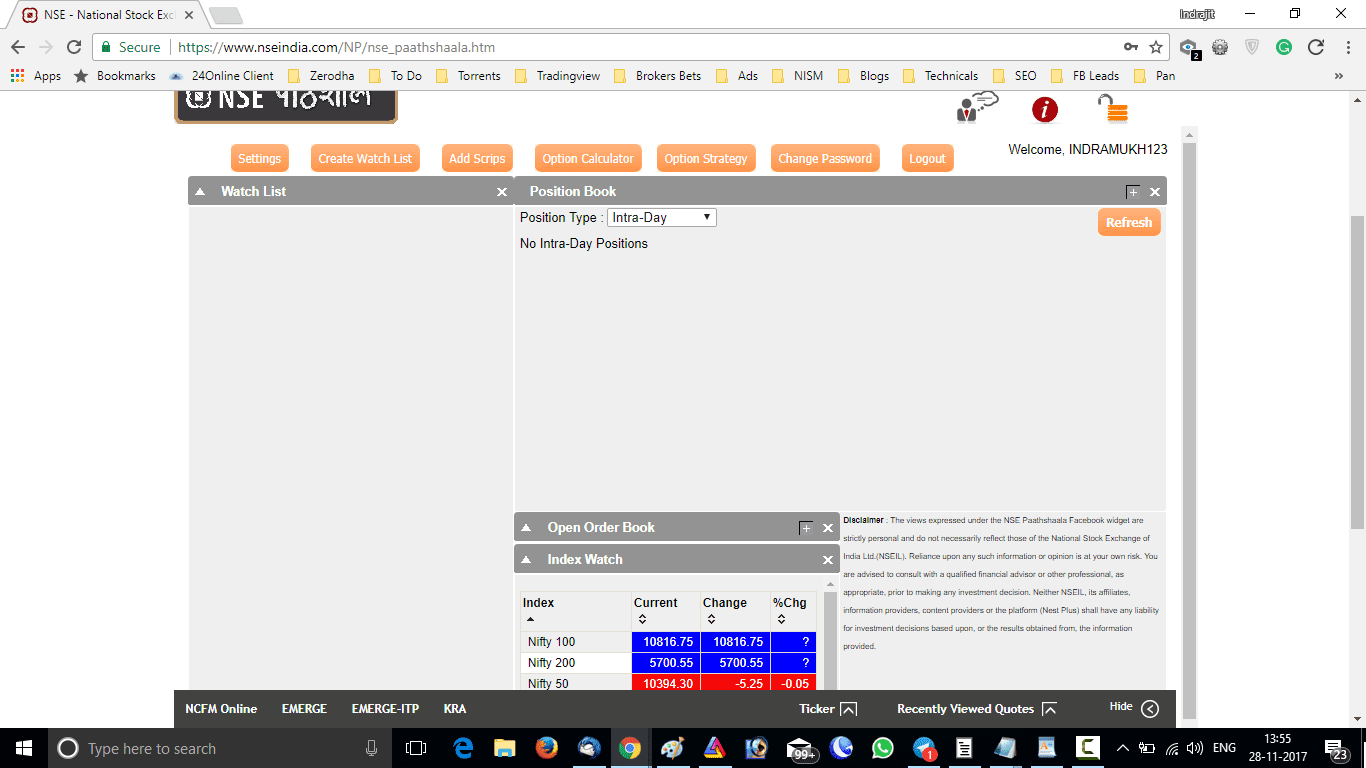
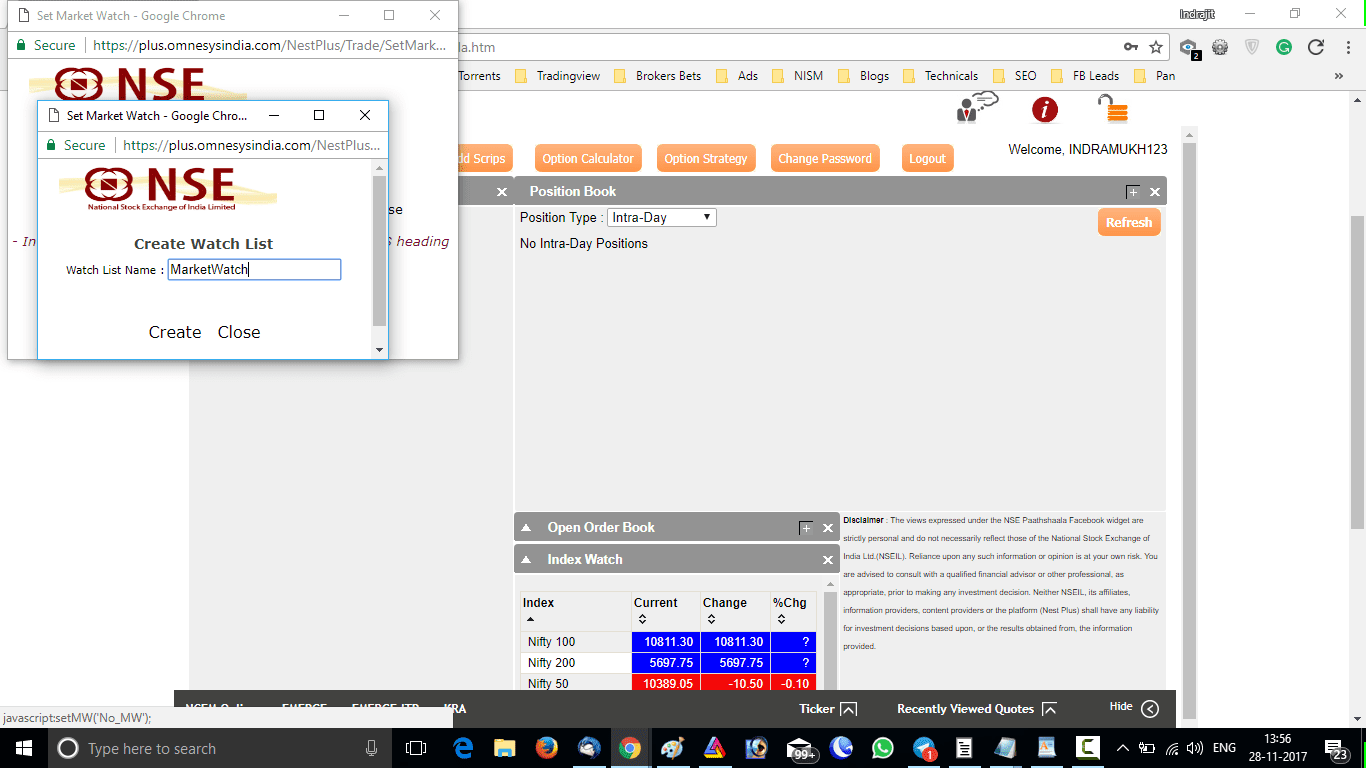
- Create your first-ever market watch or watch list and add scrips to your market watch.
- Once your watch list is ready you can put orders, track orders, and check your fund position from this virtual terminal.
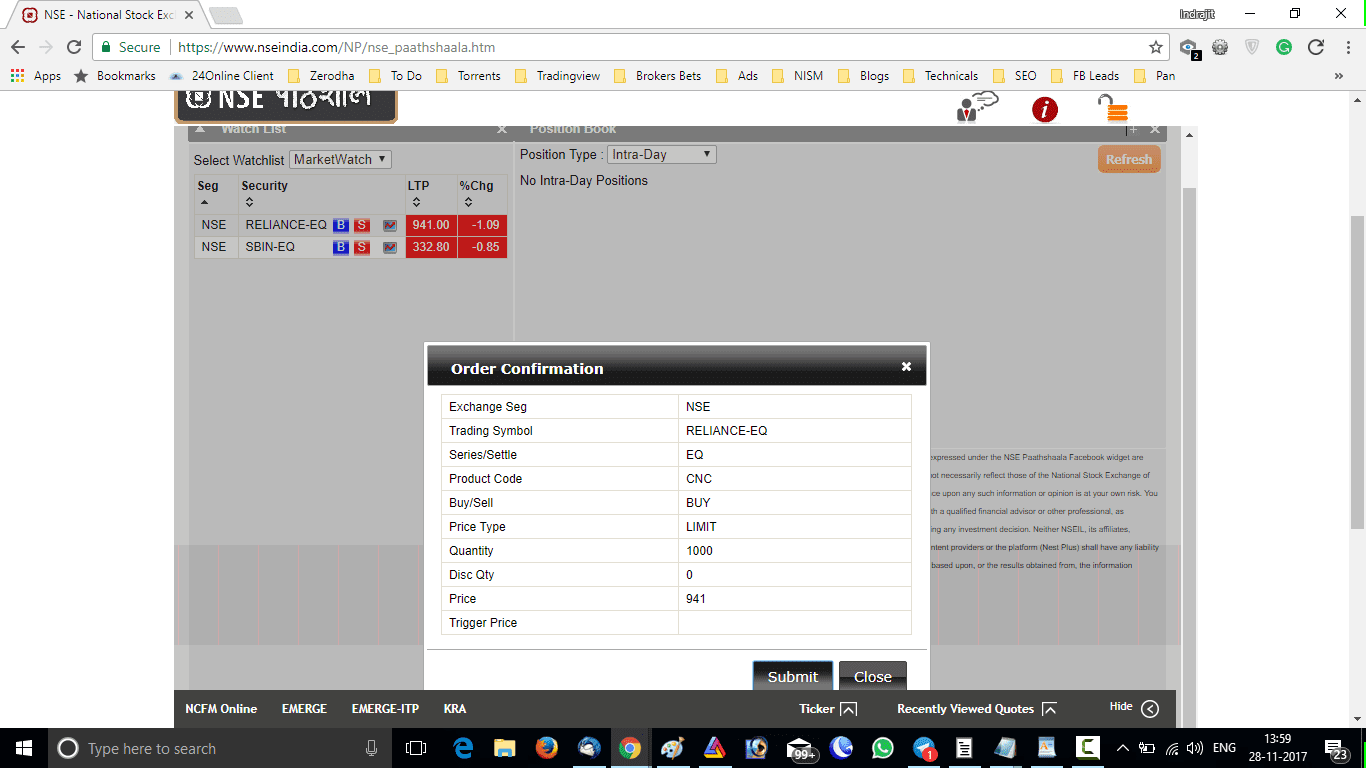
- New orders can be given as well as old orders can be modified or deleted just like any fully functional trading terminal.
- You can also track your limit and MTM profit or loss from the NSE Pathsala terminal.
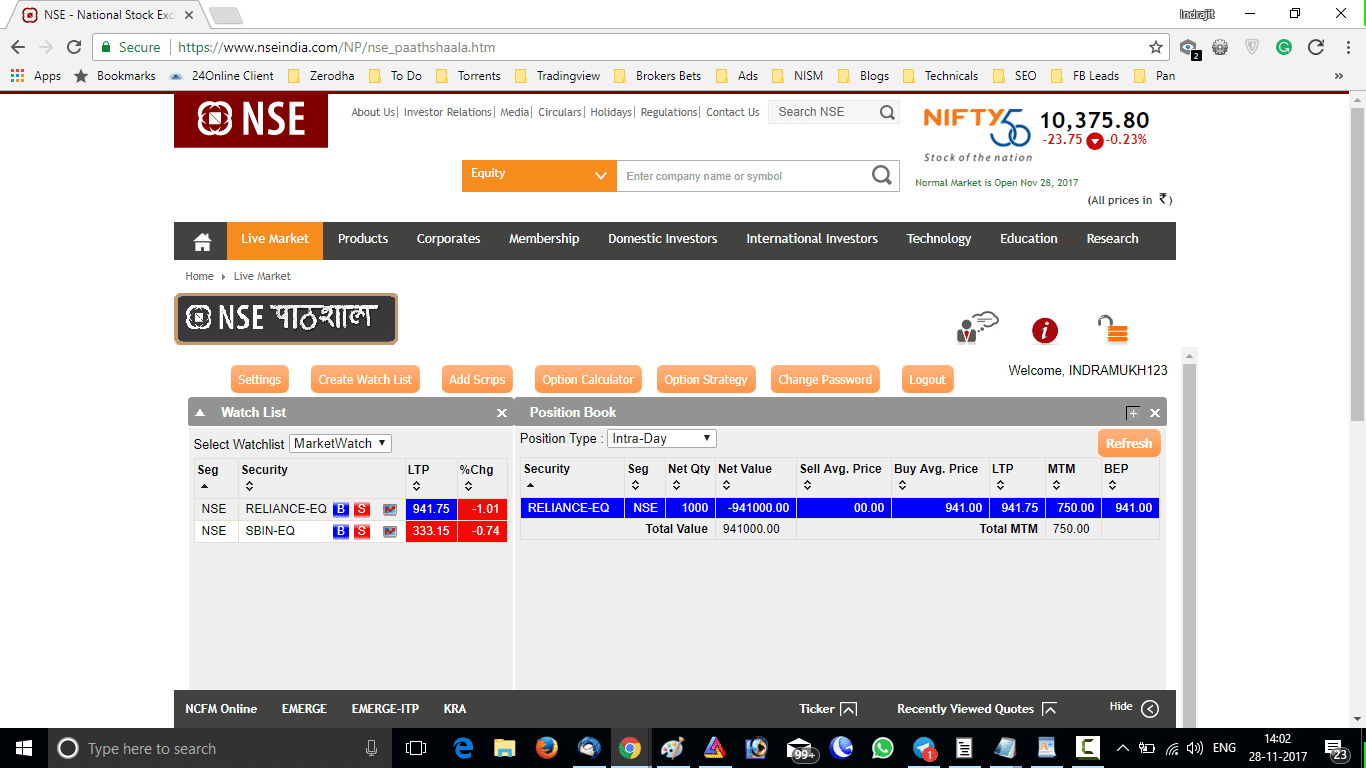
Video Tutorial on NSE Pathshala
Watch this video on NSE Pathshala below:
I will discuss more on other demo platforms in the coming days. I will love to answer your queries on this subject in the comment section below.
Important Updates (as of 2020 Feb)
As per our latest information on this tutorial, the NSE Pathshala is currently unavailable. In the future, if it opens again, we will let you know. And for that keep an eye out for further updated news.+
Conclusion
The NSE Pathshala was a nice tool for novice traders to practice their trades. With time Omnesys became obsolete and the NSE exchange has withdrawn this service. Nowadays you will get modern websites like Neostox which gives the same facility to newcomers.
Puja complex pandu rang nath nagar B.S.L
Aadesh can you WhatsApp your details to +91-9674321856?
If I have to use gann theory can I take ATP (premium) for index option of strike price.
Deepak, I have never experimented on options, spot price works well, however you can do a paper trade in options and let me know.