
Upstox, one of the leading discount brokerage firms in India, was incorporated in the year 2011 by RKSV Securities. The popular discount broker offers online equity, commodity, and currency derivatives trading services at the exchanges of BSE, NSE, and MCX. The platform makes it easy to place orders through mobile or web browsers. The faster and free trading platform is appropriate for online trading, analysis, charting, and advanced trading features. Here, we’ve come up with a guideline on How to Change the Mobile Number in Upstox.
Why the Mobile Number is Mandatory While Opening a Upstox Account?
Upstox uses the mobile number to identify customers and comply with Anti-Money Laundering regulations. Upstox requires that customers opening accounts provide personal information (such as date of birth, PAN Card, and address) along with a valid phone number. This helps verify identity, preventing fraudulent activities such as money laundering or terrorist funding. Additionally, having access to a valid contact phone number also allows us to promptly contact customers in case of any important KYC/account-related updates/alerts.
How to Change Mobile Number in Upstox?
In order to open an account in Upstox, one must provide his email id, phone number, and other details. After opening an account, if any user wants to modify or change his mobile number or any other details, he has to go through some of the easy procedures.
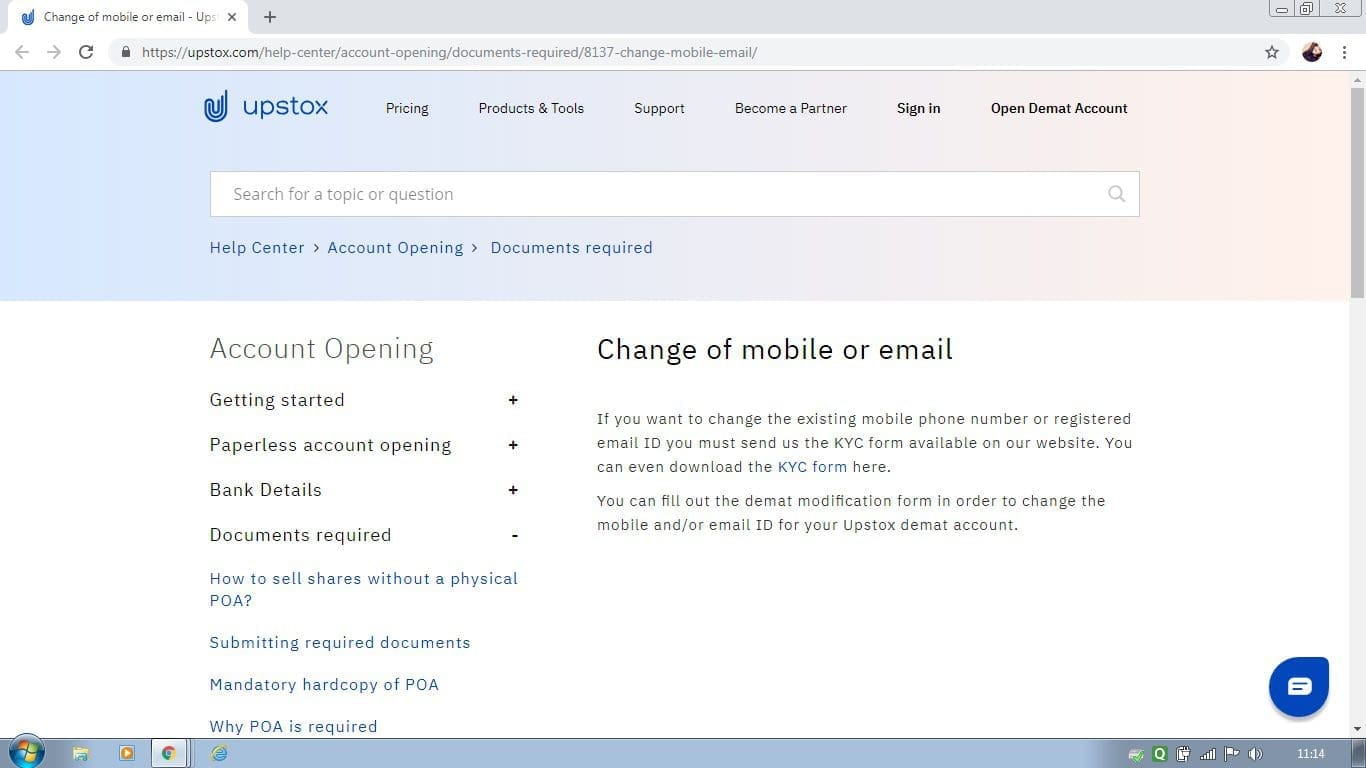
Access the Help Center
First, one has to go through the steps like Help Center, Account Opening, and Documents Required options. After that, a window will be opened. Here, you will be able to see the full details or process of modification.






The KYC Form
As per the process, if anyone wants to modify the existing mobile number or registered mail-id, he has to send Upstox the KYC (Know Your Customer) form. You can download the KYC form from the particular window. The form looks like this.
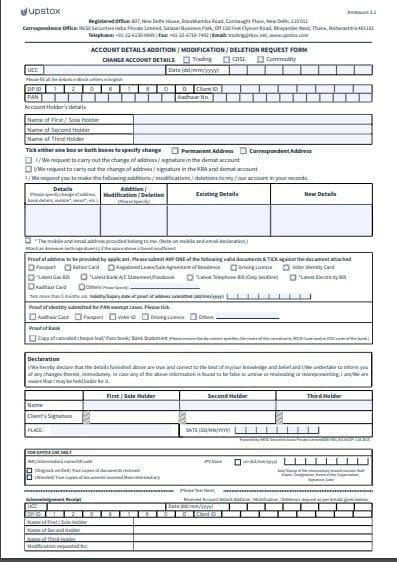
As the form name suggests, it helps in account details addition, modification, and deletion. Here, users need to fill up all the required space over there. The most important data is existing and new details. After filling up the details, users need to send it to the Upstox website.
Updating Other Data
The process is not applicable only for the mobile number modification, the same process can also be applied for other data modifications also.
After submitting the form, it will take some time to process. Upstox will let you know about the updated status. The steps are quite simple to follow. However, if for any reason, users face difficulties, they may contact the Upstox service center directly for running smoothly their trading accounts.
Conclusion
In conclusion, Upstox makes it easy for customers to change their mobile numbers in a few simple steps. By following the above instructions, you can easily update your account information and keep your investments safe.