
TradingView charts in Zerodha Kite is a new addition to Zerodha. Though TradingView is quite a renowned trading platform among investors, a brief introduction is needed for the newbies. Therefore besides stating the TradingView charts in Zerodha Kite, the features and advantages of the tool will also be given.
Introduction to TradingView
TradingView is a technical analysis tool which provides advanced and powerful charting software along with real-time data, a modern browser and a lot more. Earlier, few limited discount brokerage firms have begun to use the software, recently Zerodha (No.1 discount broker in India) launched TradingView at absolutely FREE of cost.
How to get FREE TradingView Charts in Zerodha Kite?
Kite USERS must be acquainted with the previous and only version of the charting tool ChartIQ, now they can get preference on both ChartIQ and TradingView. Obviously, for valid reasons, TradingView is a lot more advanced and strong technology in comparison to ChartIQ.
Here, you must note one thing, if you use the technical tool directly from the TradingView site, it will cost a lump sum amount while Zerodha provides it FREELY. The facility is only applicable to Zerodha users only.
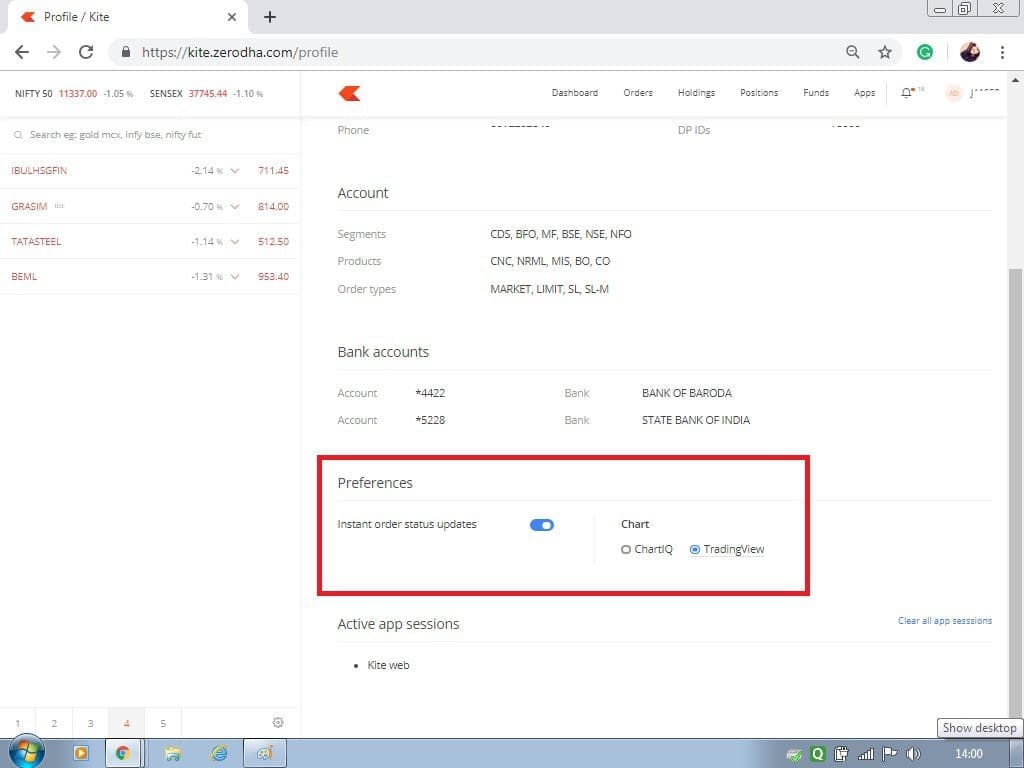
Access the Profile Section
First of all, users need to access their own accounts and go to the profile section. There, you can get the preference options between ChartIQ and TradingvVew. You just have to select your preference there.
Features of TradingView Charts in Zerodha Kite
We’re able to jot down some of the important features of TradingView charts. These are as follows:


Multi Timeframe Chart Settings
From the layout options, one can open multi-timeframe charts. After opening the layouts, one can select charts as per his requirements.
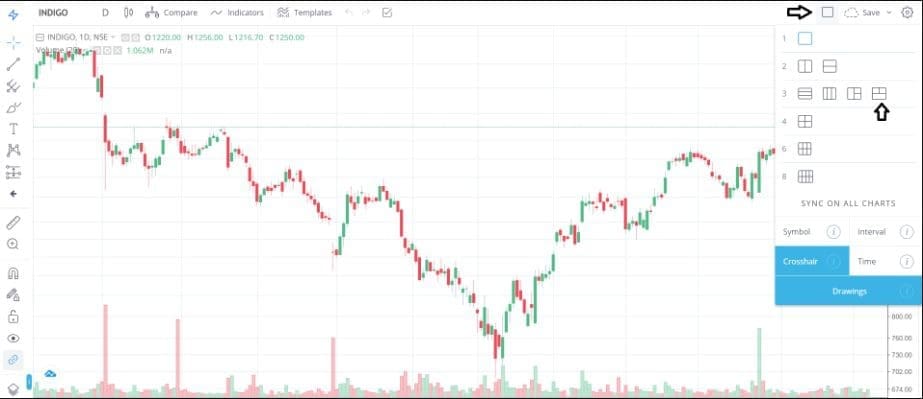
As you can see in the above picture that there are multiple layout options available here. Traders can choose according to them.
Undo-Redo Facility
This is one of the most useful as well as fun features in TradingView’s Undo-redo facility. Sometimes, traders mess up the charts by placing the wrong trend line and indicators which doesn’t make any sense. In most of the charting software, you have to delete it by yourself manually but here you may undo or redo it.
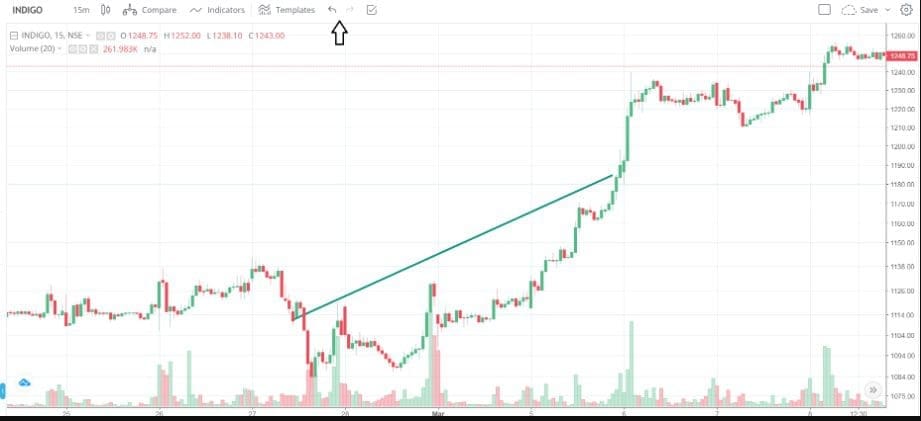
For example, here a wrong trend line is given and you may undo it by using the above option.
Visibility Benefit
It is also one of the most important features. The particular setting helps to visualize a certain drawing only in a certain time period.
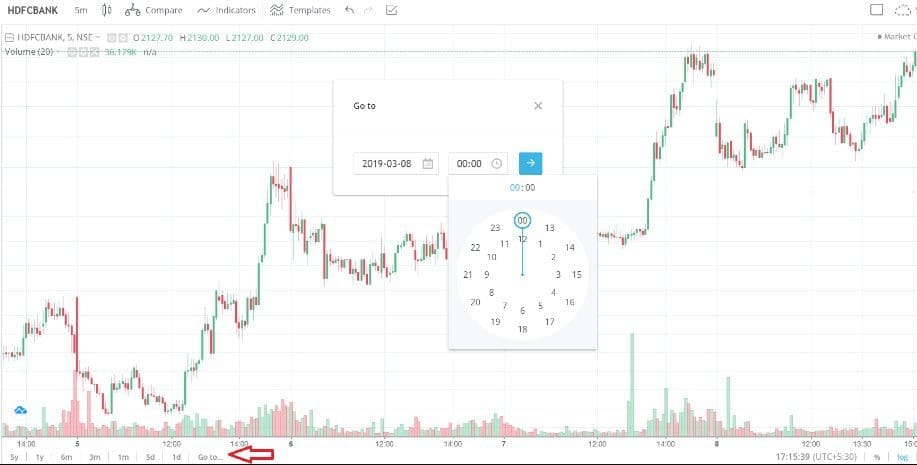
Go to Date Settings
Sometimes, the situation arises when traders want to figure out how the stock price behaved on a certain date and time. To figure this out, one has to scroll through the charts but here, you need to only put the date and time. The exact candlestick will automatically come up.
HD Images
Sometimes, the requirement of taking a screenshot is high but at the same time, the picture quality comes out not so good. Here, you will get an option to take a high-quality image from the charting tool.
Video on TradingView Charts in Zerodha Kite
We’ve created a video to explain how you can use TradingView charts in Zerodha Kite.
Conclusion
Overall, Zerodha Kite with TradingView Charts is a great tool to have when trading stocks. They offer a simple yet powerful set of features that enable traders to quickly analyze data and make informed trading decisions. The combination of these two tools can give any trader an edge when trading in the stock market. With their unlimited range of features and low cost, both software solutions can be a sound investment for any serious stock trader looking for success in the markets.


The information that you have given hoe to use trading view charting in zerodha is very useful.
Thanks 🙂
although it is useful, trading view subscription has whole lot more advantages, like creating your own trendline, which can be viewed at a click of button, list of stocks, filteration of stocks on the basis of break out. here you need to draw it again, custom indicators, whole variety of indicators when you use trading view,
You are correct. Nowadays TradingView has made a lot of improvements in their main platform. Even for free users it is good.