
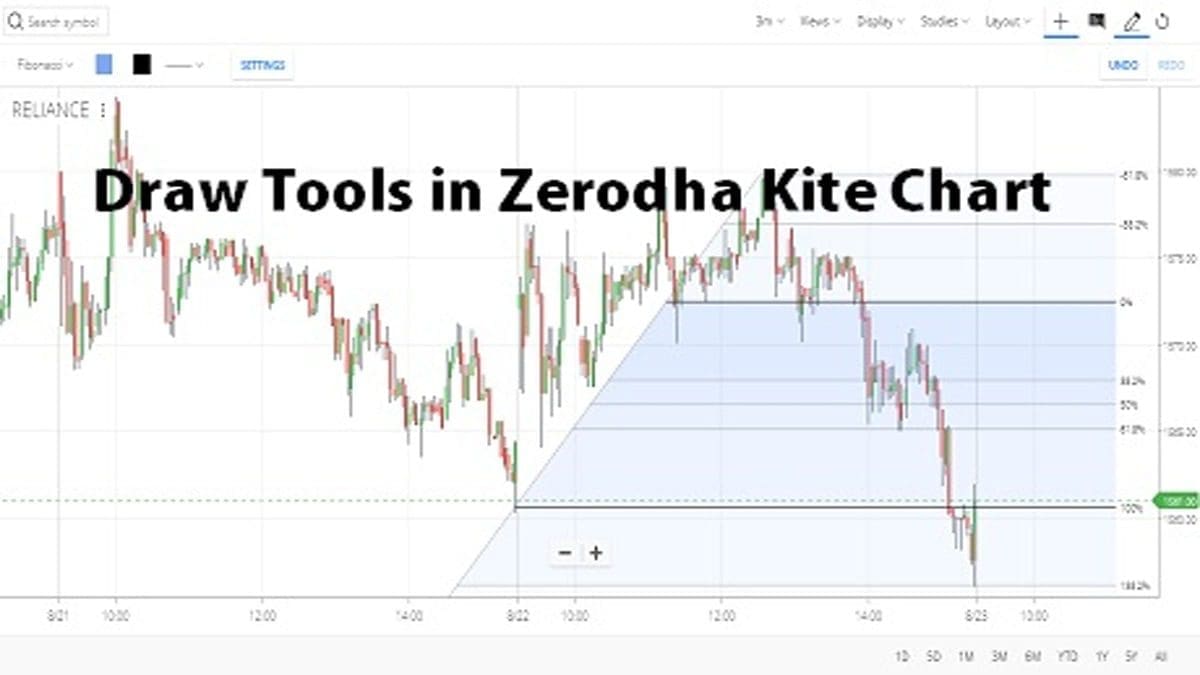
After becoming the No.1 brokerage firm in India, there is no need for an introduction for Zerodha. Zerodha kite is an example of an advanced trading charting platform with various technical tools. Besides setting up hundreds of indicators and oscillators, traders may draw tools in the Zerodha Kite chart. The topic will provide basic guidance regarding Draw tools in Zerodha Kite Chart.
What are Draw Tools in Zerodha Kite Chart?
Firstly, users need to log in to Zerodha Kite with passwords and client id details. You can log in and get the drawing tool benefits from anywhere mob, laptop, or PC. There is no restriction on it. After completing the login process in Zerodha Kite, add the security in the market watch window. From there, open the chart of your preferred security. In the chart window, users can get a full list of drawing tools. For your understanding purpose, I give screenshots of both Mobile and Laptop devices.
Get Drawing Tools on a Mobile
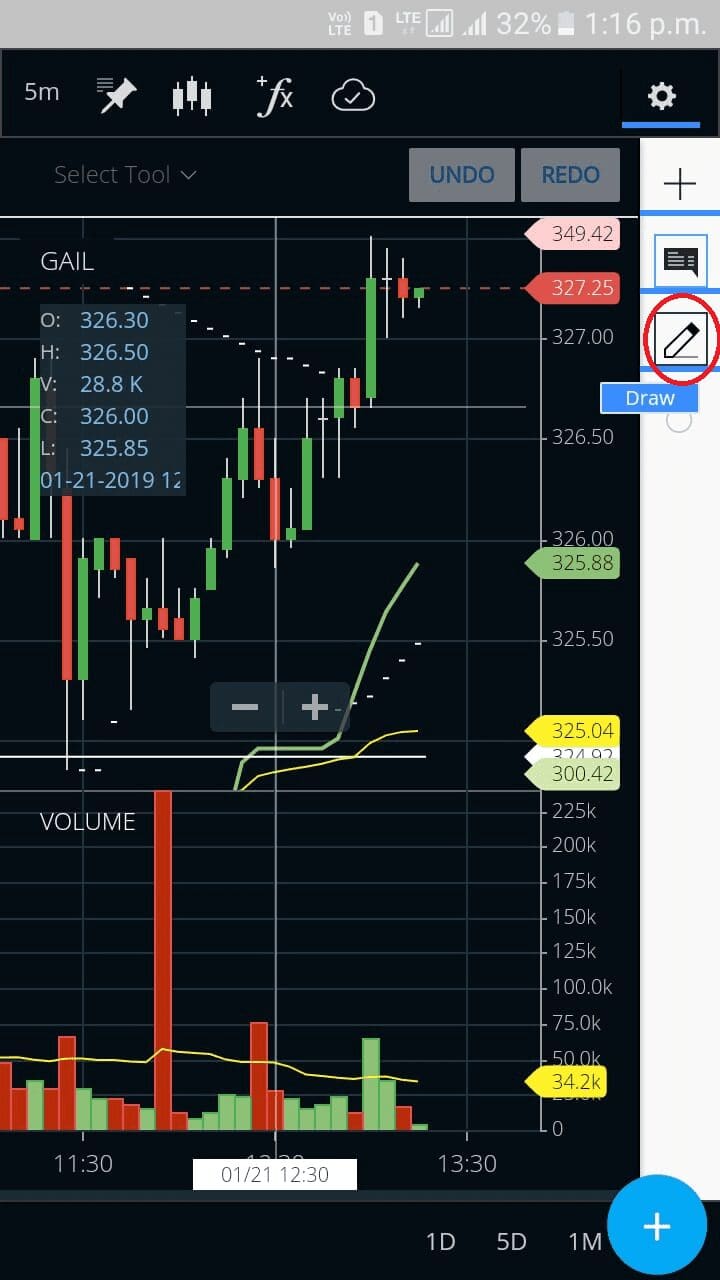
The first step is the same for every device, users need to log in to Kite and add the stock in the market watch window. After opening the chart of the selected stock, Right-up corner side of the screen, users get More Option. By clicking on it, a Pen like symbol will appear, referred to as Draw.






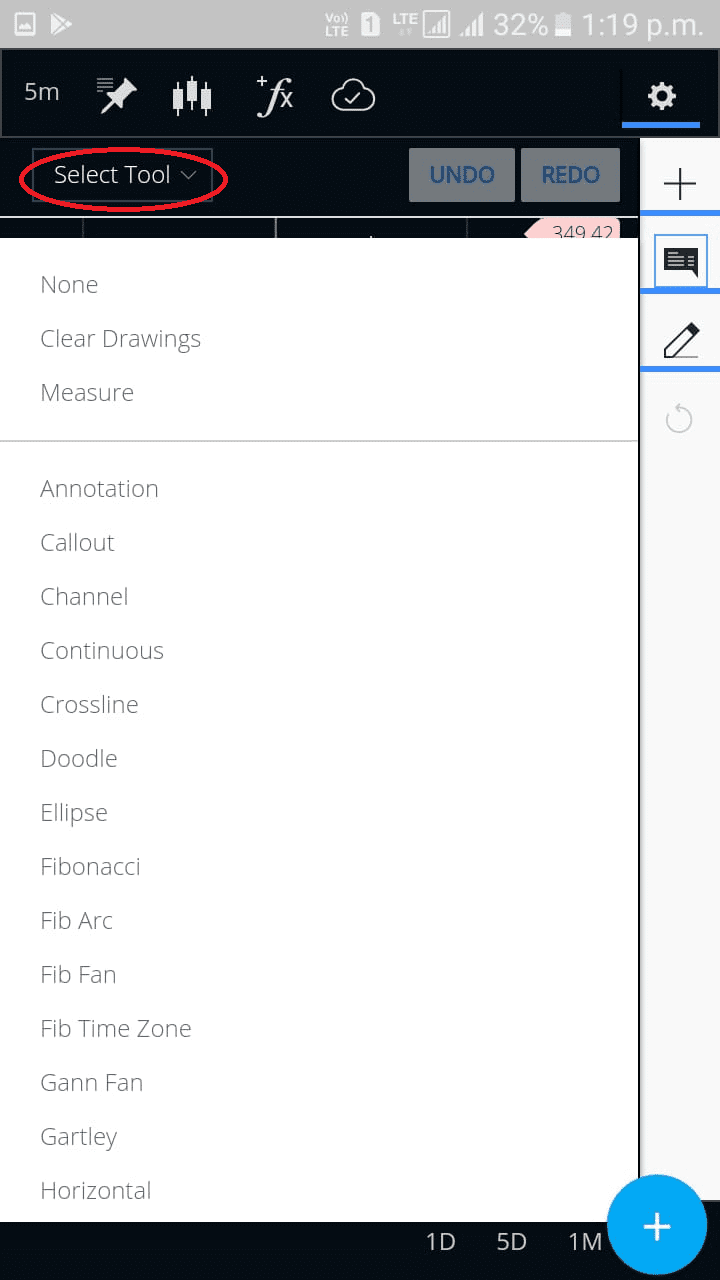
Lastly, on the left-up side, an option “select tool” will appear, from there, you can get the entire list of drawing tools.
Get Drawing Tools from a Laptop or PC
The basic process is the same as Mobile, just the settings are slightly different. After log-in in go to the chart of your selected stock. After opening the Chart, go for the Drawing Tool option (a pen-like Symbol).
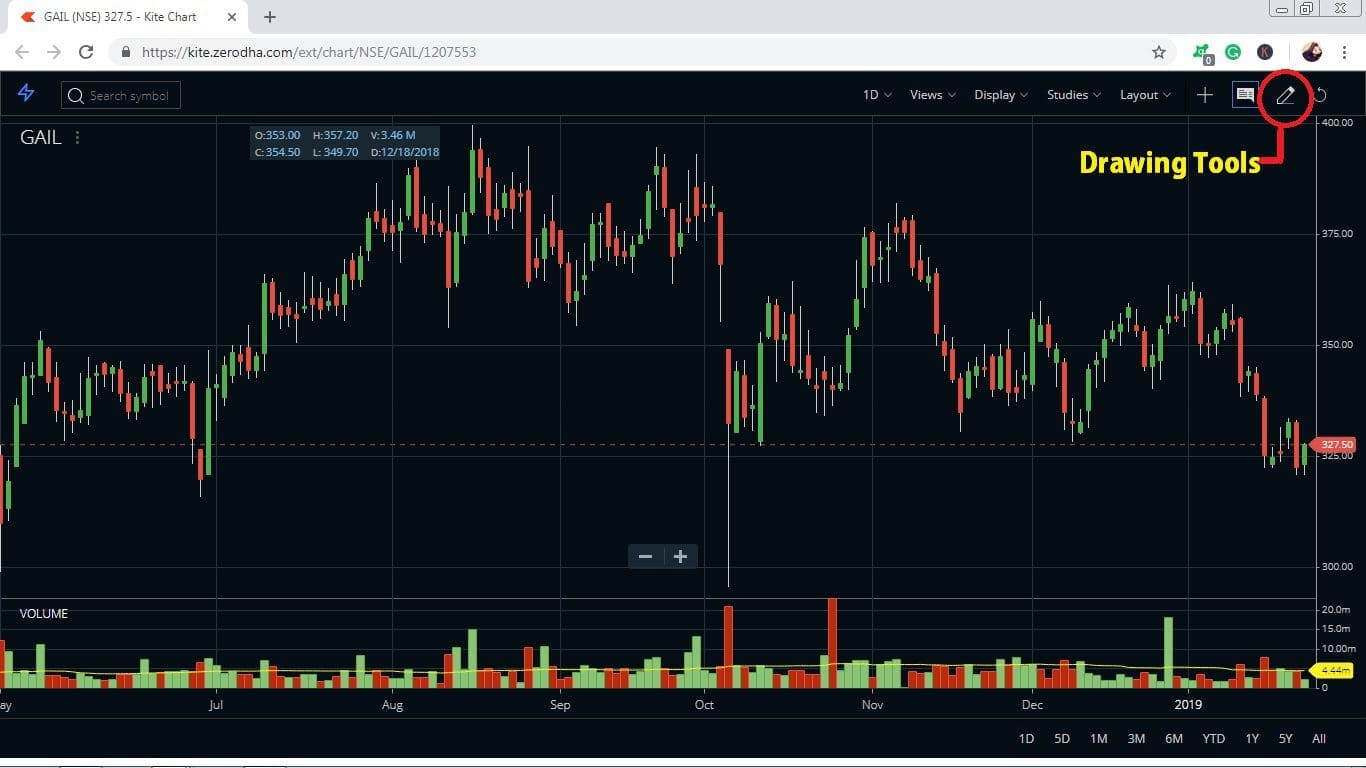
Then, click on it, and get various drawing tools from the Select Tools Option.
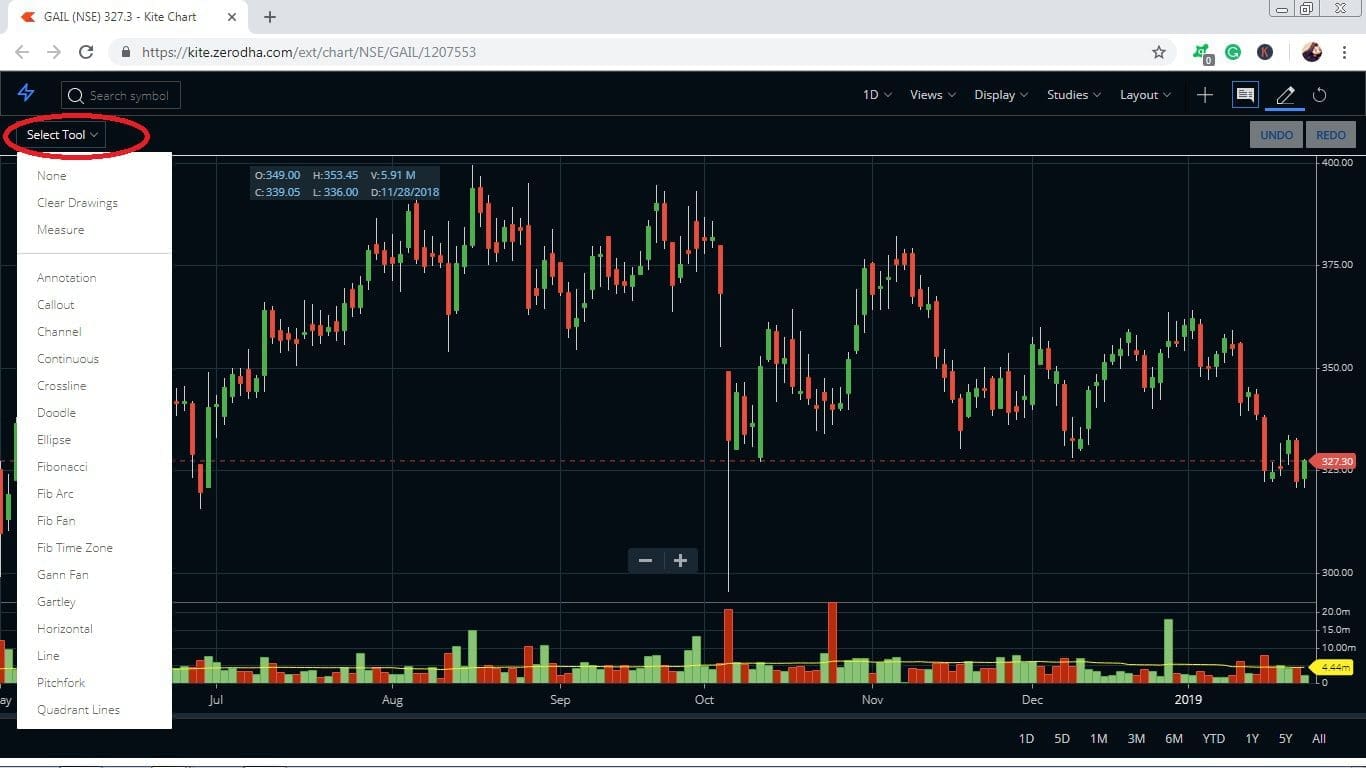
Component of Drawing Tools on Zerodha Kite
The drawing tool panel displays multiple tools like Annotation, Line, Fibonacci, Horizontal, Fib Arc, etc. The usage of these drawing tools is vast and effective.
- These drawing tools play an effective role in analyzing the market and security price.
- Without taking any help from technical indicators, traders can easily analyze by applying these drawing tools.
- Fibonacci Retracement and Price Action are some of the popular and famous technical analysis processes which can be drawn with the help of Drawing tools.
- The accuracy level is quite good in the drawing tool analytical method.
Conclusion
Overall, the draw tools in Zerodha Kite Chart are a very useful and versatile tool that can help you analyze data more effectively when trading on the financial markets. It allows traders of all levels to better visualize market movements and study trends, enabling them to make sound decisions. The advanced features allow for more efficient technical analysis so you can stay ahead with your trades at any given time. In conclusion, if you become a master of drawing tools, you may get profitable trades from it.