Previously, we’ve written about the RMO ATM. Today, we are going to discuss the Rahul Mohindar Oscillator, or RMO, and its usage on AmiBroker. The RMO Trading System contains 4 modules which are described below.
What is the Rahul Mohindar Oscillator (RMO)?
The RMO is a complete trading system coded by Mr. Rahul Mohindar. He is associated with Viratech India. The system was mainly coded for Metastock software. But here we coded and tested the system on AmiBroker.
RMO Components
The RMO Ribbon
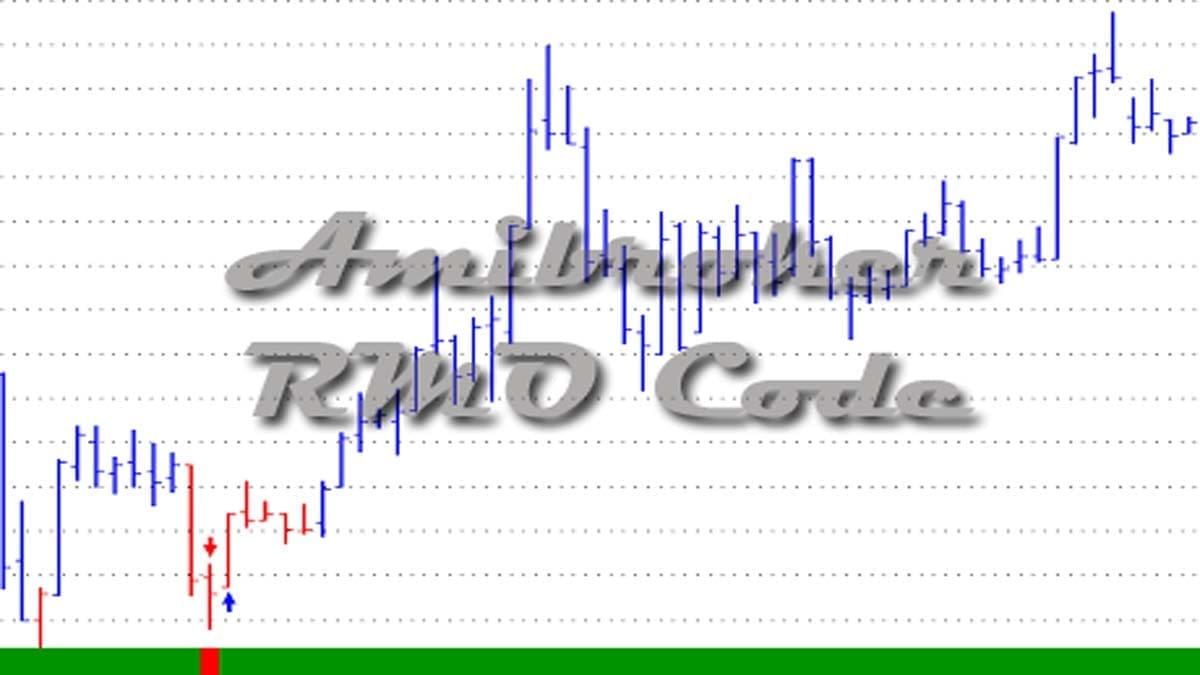
This module detects the main trend and is used to smoothen out a couple of market swings. If the RMO Ribbon is green, it indicates the long-term or main trend is UP. In this case, we ideally search for blue buy arrows with blue bars to place on a long trade.
If the RMO Ribbon is red in color, it refers to the long-term or main trend is DOWN. In this scenario, we search for red sell arrows with red bars to a position on the short sell side.
Sentiment Detector
This RMO system colors the OHLC chart bars red (bearish) or blue (bullish) indicating the existing sentiment.





When the colored bars change color, it signals the primary indication of a trend change or breakout. We can simply check this with red and blue bars in the Rahul Mohindar Oscillator. For an extra tier of safety, we expect a trend to begin when the high of a blue breakout bar is crossed. Similarly, it is a downtrend when the low of a red breakdown bar is breached.
Impulse Detector
This RMO generates the buy or sell signals. A short sell signal (bearish) or buy signal (bullish) indicates the present sentiment.
Exit Swing Signal (ESS)
Traders use this when exiting a winning trade. It may well work as a trailing stop loss and likewise works smartly as a partial profit-taking mechanism.
This is most effective once you have entered a trade. Once you are profitable into a long-term trend, you must use the ESS. You should consider taking partial profits in longs below the low of the bar when the EXIT Swing Signal leaves the oversold area. That is when the ESS goes below 75. Likewise, consider taking partial profits in a short trade above the high of the bar when the Exit Swing Signal exits the oversold area. That is when the ESS goes above 25 marks.
How to Trade with the Rahul Mohindar Oscillator?
Below are two trade setups using the RMO as a trading indicator.
“Trade with the Trend” Buy Setup
- Swing Trading: BUY Arrow (Blue)
- Sentiment: BLUE Bars
- RMO: Green
- This setup is a robust buy trade as the main trend is up. An upswing is prevailing in and in addition, the sentiment is bullish.
- As we’re trading with the Major Pattern (RMO), this setup is much more correct & dependable.
“Aggressive BUY Breakout” Buy Setup
- Swing Trading: BUY Arrow (Blue)
- Sentiment: BLUE Bars
- RMO: Red
- With this setup, you might be primarily anticipating that the market sentiment will change. It will change when you see the bars change to blue color and the swing trade buy arrow displays up.
- Then again, as the main trend (RMO) continues to be bearish, it’s possible you’ll wish to take trades in smaller quantities. Instead of trading futures, you can also trade options here.
“Trade with the Trend” Sell Setup
- Swing Trading: SELL Arrow (Red)
- Sentiment: Red Bars
- RMO: Red
- This setup is a robust sell setup as the main trend is down. Also, a downswing is prevailing and in addition, the sentiment is bearish.
- As we’re trading with the Main Trend (RMO), this setup is much more correct & dependable.
“Aggressive SELL Breakdown” Sell Setup
- Swing Trading: SELL Arrow (Red)
- Sentiment: RED Bars
- RMO: Green
- With this setup, you’re primarily anticipating that the market sentiment will change when you see the bars switch to red color and the swing trade sell arrow appears up.
- On the other hand, as the main trend (RMO) remains to be bullish, chances are you’ll wish to trade in smaller quantities. Instead of selling futures, you can simply buy put options.

Rahul Mohindar Oscillator AmiBroker AFL
We have collected and tweaked a simple Amibroker AFL formula for this RMO Trading System. You can freely download the AFL by clicking here.
Now you copy and paste the 2 AFL formulas into your Amibroker’s formula folder and attach them to your charts. Then you can see the RMO trade setups in your Amibroker charting platform.
Conclusion
The RMO is a trading system that I followed since I started using the AmiBroker platform. This is still relevant in the sense that it can detect trends as well as it can detect false breakouts. The best part of it is the Exit Swing Signal because most trading systems do not have any exit policy. In conclusion, the Rahul Mohinder oscillator is a valuable addition to AmiBroker users.