
Google Finance considers a great tool and application for retail investors all over the world. It works as an efficient personal portfolio manager at Free of Cost. Besides, acting as a portfolio builder, it plays a crucial role as an excellent stock screener. With the help of google finance, one can get the entire share market details in a single Google sheet. In the article, you will get step by step basic tutorial on Google Finance for Indian Stocks. Google sheet is almost similar to Excel but with more advanced features.
What is Google Finance?
Google Finance is a free website that provides access to the latest financial information and market news. It features tools like a stock screener, portfolio tracker, currency converter, and various charts to help you track investments in stocks or funds. With Google Finance, you can get real-time quotes on any publicly traded company’s stock price as well as view key financial data such as earnings history, dividend yield, and balance sheet info all in one convenient place! You can also research industry trends and compare companies across sectors. It’s an easy way for investors to keep tabs on their investments at any time from anywhere with an internet connection!
Introducing Google Finance for Indian Stocks
Though Google Finance’s product was mainly meant for the United States of America, later it extended the services to India, France, China, Germany, the UK, Australia, Singapore, etc, overall 37 countries in the world. Let’s get into the steps of how to create google sheets from the drive.
Step #1 How to Create Google Sheets?
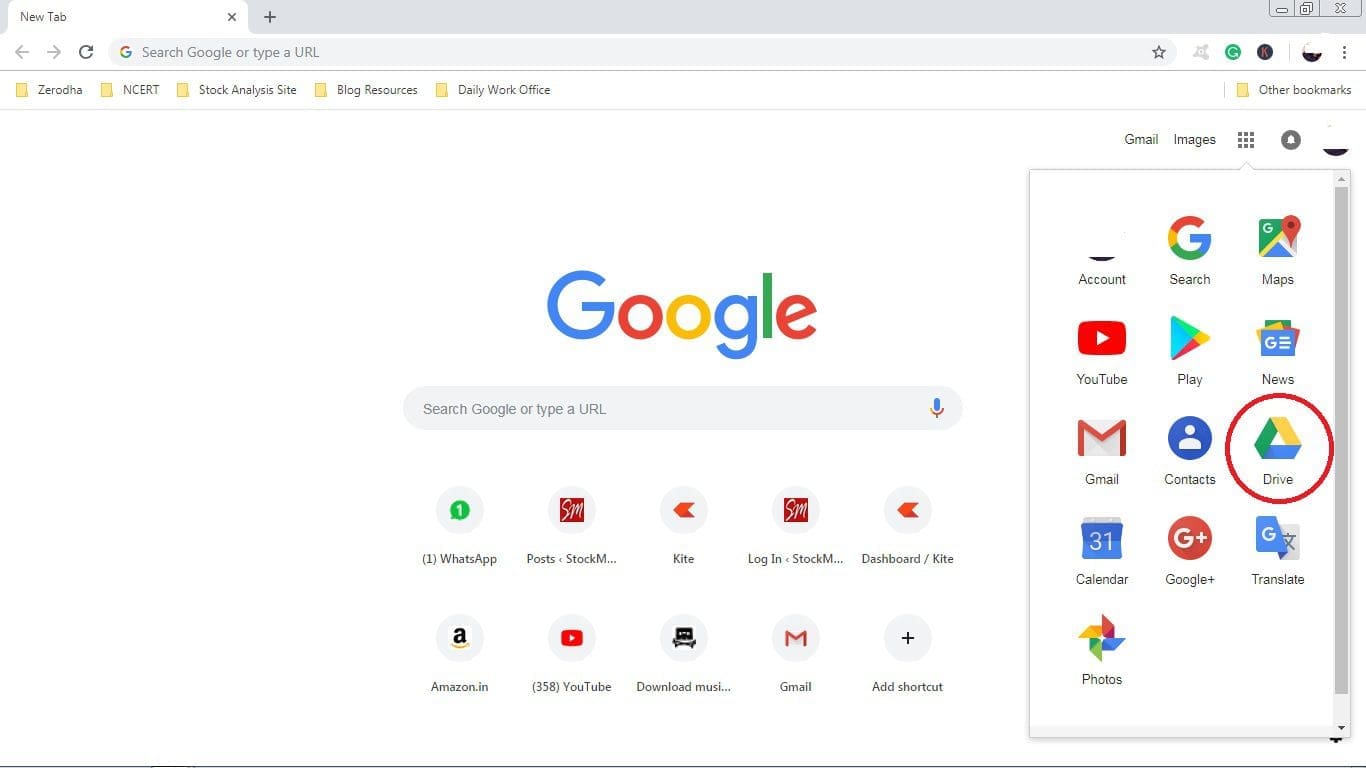
Firstly, one must have a Gmail account under Google. From there open google drive, if you don’t have an account, then create one. In order to find google drive, look at the right-top corner of the window, you will find the google drive option. If you already have an account under Google, the drive will automatically be opened.
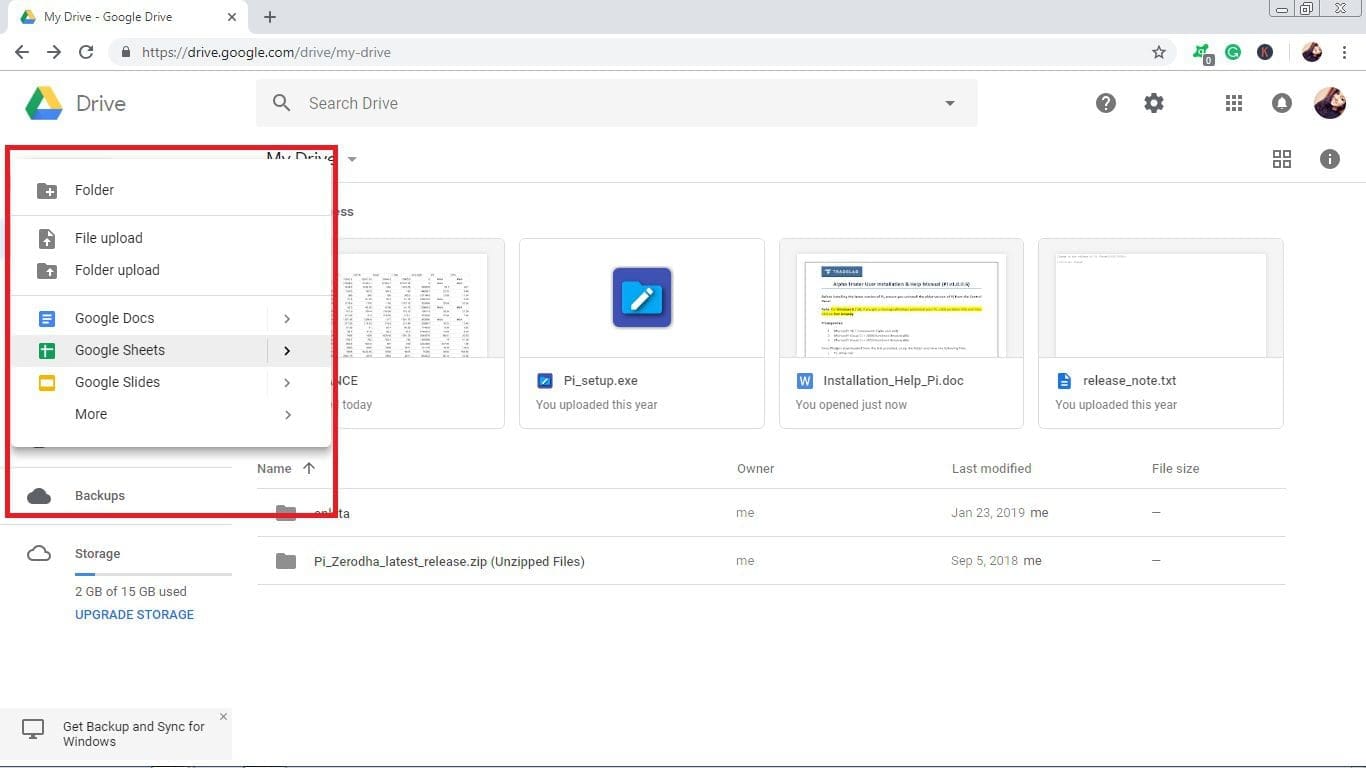
After clicking on the Drive, a new window will be opened. There left-up corner, you will find a NEW option, just behind the Drive. Under the new option, there are google sheets. There you can find a blank spreadsheet option. From there, you may open the sheets.





Step #2 How to Get the Symbols for Google Sheets?
From google finance, copy the code and simply put it in the Google sheet. According to your requirements, you can add and update data and information. In order to clarify the subject more accurately, I have attached some pictures below:
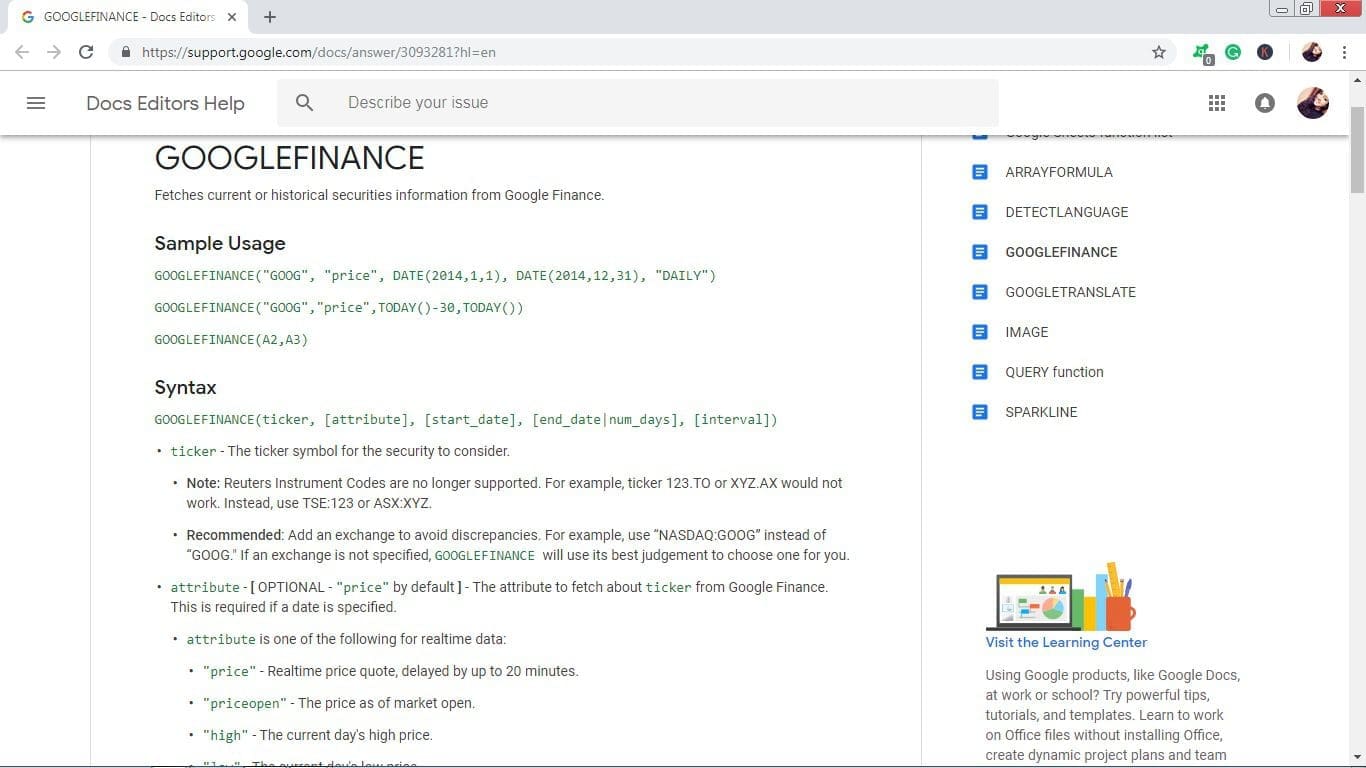
From the above window pic, we can see the symbols. You can get entire details of high, low, open price, volume, etc.
Step #3 How Can We Add Symbols in Google Sheets?
In order to make a proper Sheet, you need to make some basic columns like Ticker, CMP (current market price), Open, High, Low, Volume, PE Ratio, and EPS or Earnings per Share. Now, come to the main part, how we can do it.
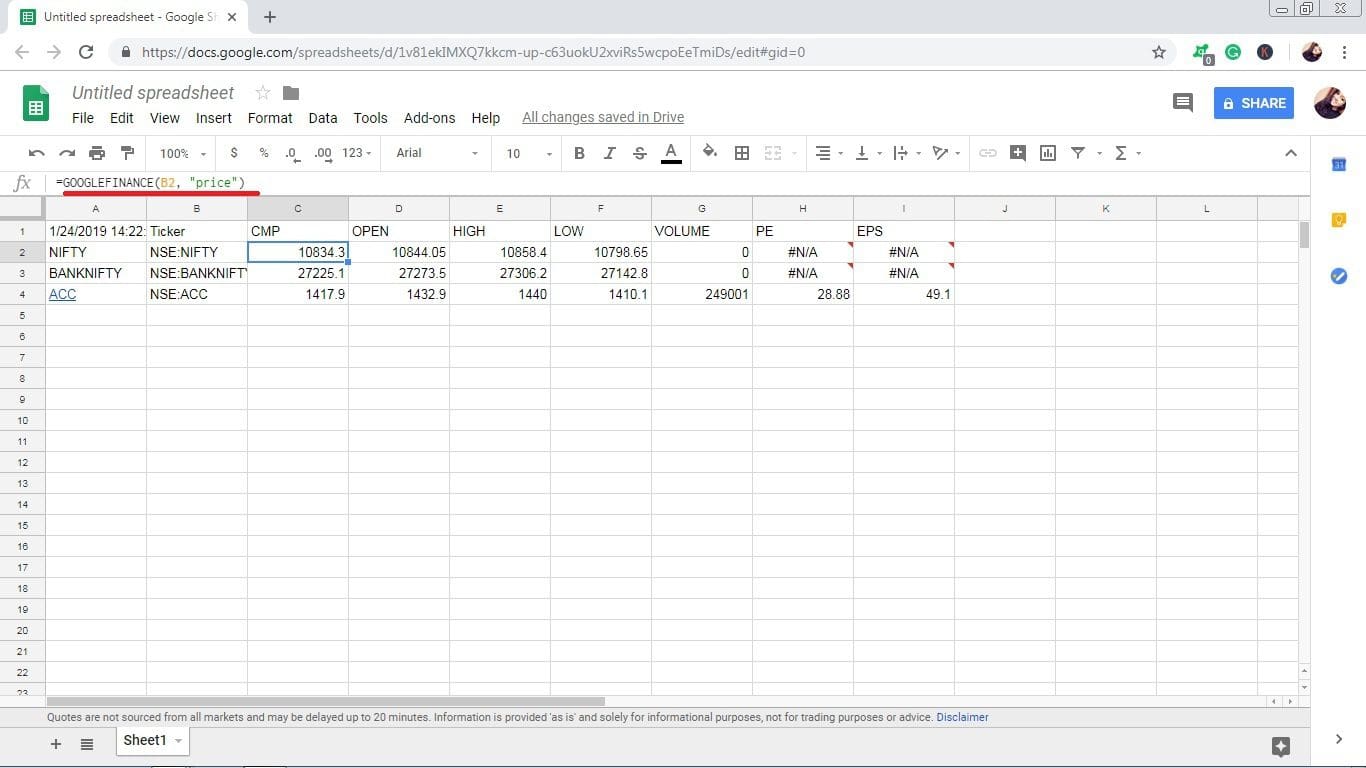
On the above page, for example, purpose, I show you an example of the CMP symbol, (=GOOGLEFINANCE(B2, “price”).
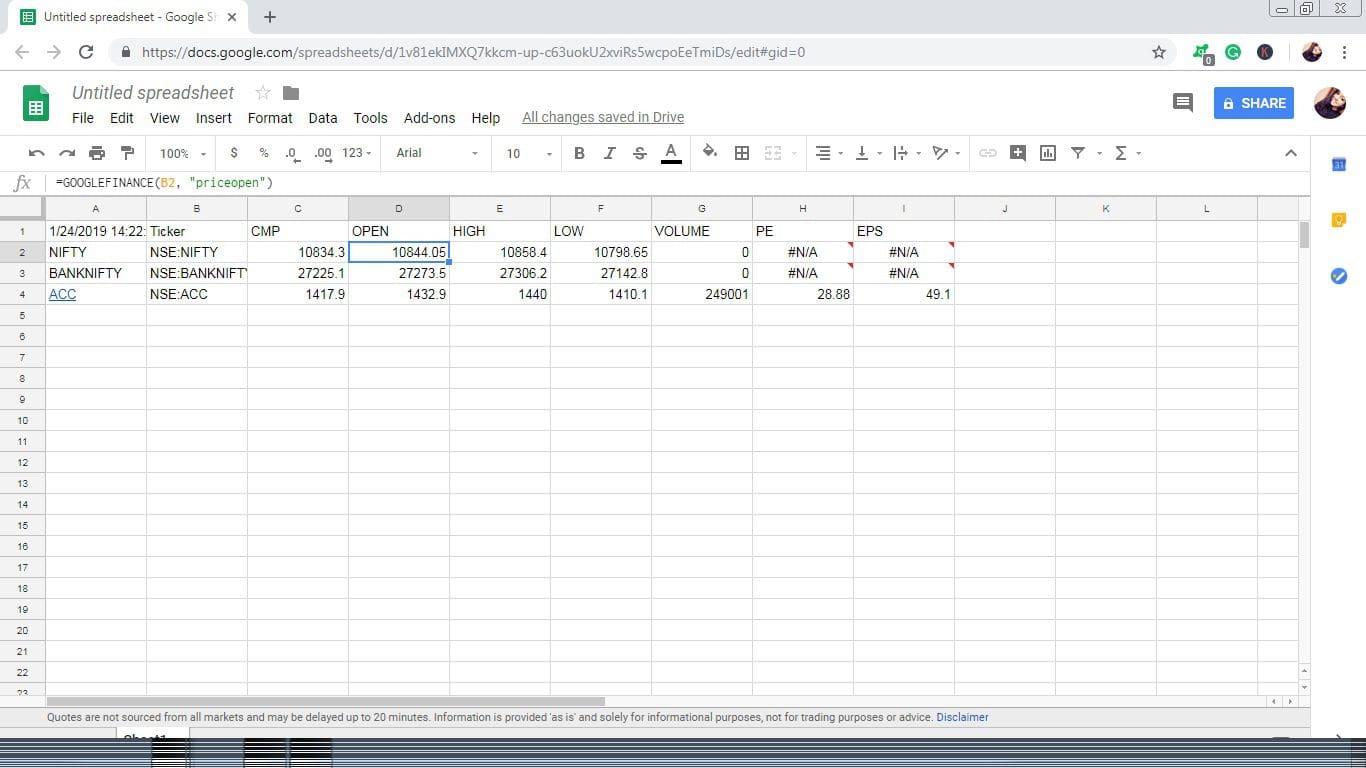
This is an example of an Open Price. For this, you can put symbols of high, low. volume, PE, EPS, etc.
Step #4 Update the Data
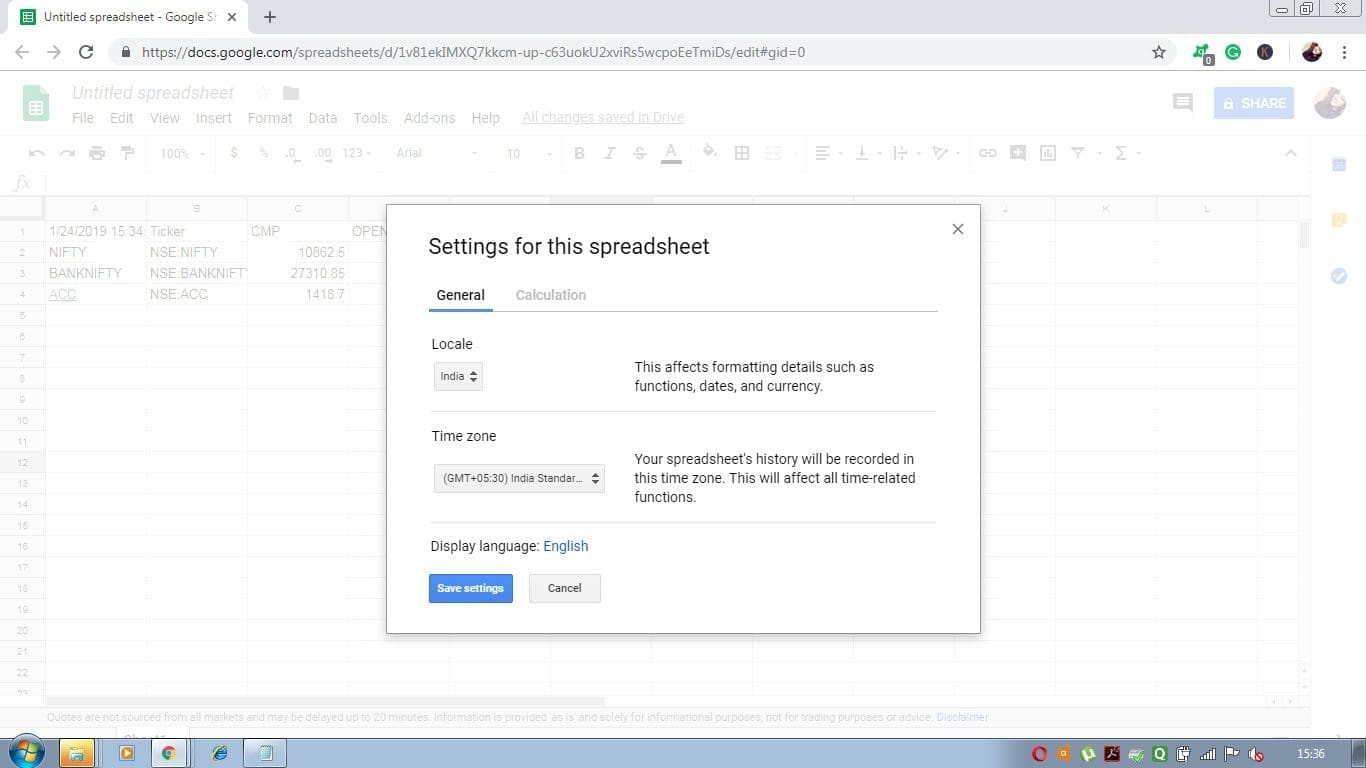
Static data without any automated update is almost valueless. Google Sheets can be updated automatically. From the file, you have to go to the spreadsheet settings, there you will get a small window that contains general and calculation settings. In general, select your country and, time zone and in calculation select the update setting.
FAQs on Google Finance for Indian Stock Market
Yes, you can use Google Sheets and the GOOGLE FINANCE function to get information on stocks listed in India’s BSE (Bombay Stock Exchange) and NSE (National Stock Exchange).
With the help of an add-on called Stock Connector, you can quickly connect your spreadsheet with live market data from Indian stock exchanges. After installation of the extension, Search “Indian Markets” in the sidebar and select National Stock Exchange or Bombay Stock Exchange to access tracking and charting data.
Yes, GOOGLE FINANCE works with both BSE as well as NSE. You just need to specify the ticker symbol associated with a company listed at either exchange when using this function.
No, Google Finance is a research tool used to track securities, view historical data, analyze trends, etc, but does not include any direct brokerage functionality such as buying/selling shares directly through it.
Conclusion:
Google Finance for Indian Stocks has become an invaluable tool for both novice and experienced investors. It provides access to all the necessary information including stock prices, market analysis, news feeds, and tax calculators in a single platform that can be accessed easily anytime anywhere interest-free. This makes it convenient for traders to make trading decisions at any time of day or night as they know their finances are safe with Google Finance For Indian Stocks. Thus, overall Google Finance For Indian stocks has proven itself as the go-to source of financial data related to stocks.