If you’ve chosen Bluehost as your web hosting provider, then you’ve made a great choice. Bluehost is a reliable and affordable hosting provider that offers a wide range of features and services to help you get your website up and running quickly. In this post, we will guide you on how to install WordPress on Bluehost. We will cover everything from signing up for a Bluehost account to installing WordPress on your domain. So, let’s get started.

Step 1: Sign up for a Bluehost account
To get started, go to Bluehost’s login page by clicking HERE. Once you’re on the Bluehost login page, click the big button that says “GET STARTED NOW.”

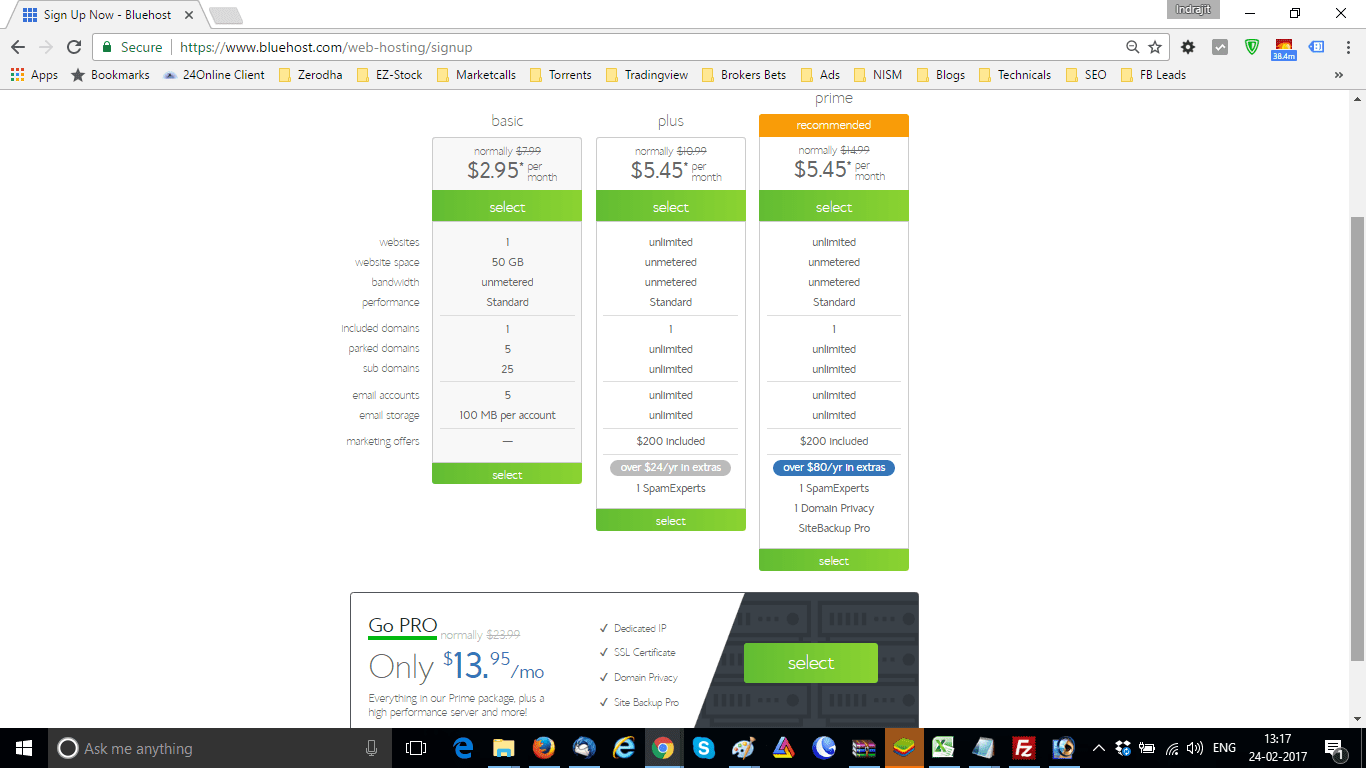
This will take you to the web hosting signup page. We recommend that you choose the Prime or Pro pack as they provide the most value for money. The Prime plan offers unlimited websites, web space, bandwidth, performance, a free domain, and more for just $5.95 per month. The Pro plan includes all the features of the Prime plan plus a dedicated IP, SSL certificate, domain privacy, site backup facility, and more.
Once you’ve chosen your plan, proceed to payment and choose your new free domain name. If the domain name is available, proceed to payment. Once the service is paid, you will receive an email containing your purchase information. Shortly after, you will receive login credentials to your cPanel, which is where you will start setting up your website.






Step 2: Log in to your cPanel
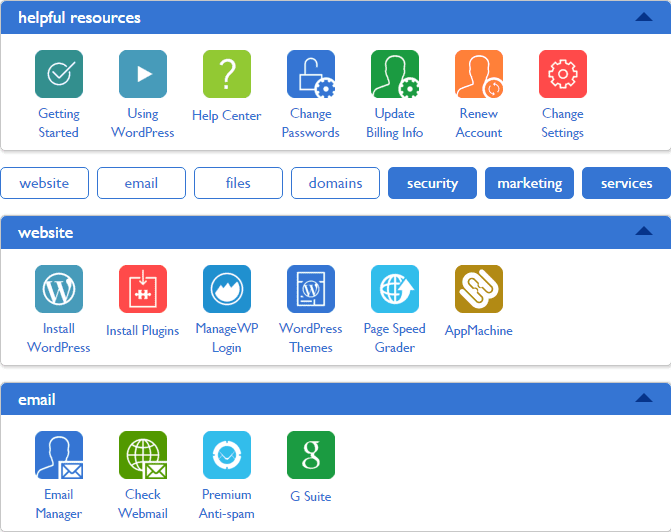
Now that you have your login credentials, log in to your cPanel. It should look like the following:
Step 3: Assign your domain to your cPanel
Before you can install WordPress on Bluehost, you need to assign your newly purchased domain to your cPanel. Once we do that, Bluehost will automatically create a subfolder named after your domain.
Step 4: Install WordPress on Bluehost
Now that you’ve assigned your domain to your cPanel, you can install WordPress on Bluehost. To do this, go to the section labeled “Install WordPress” in your cPanel. Clicking on it will open the install WordPress commands.
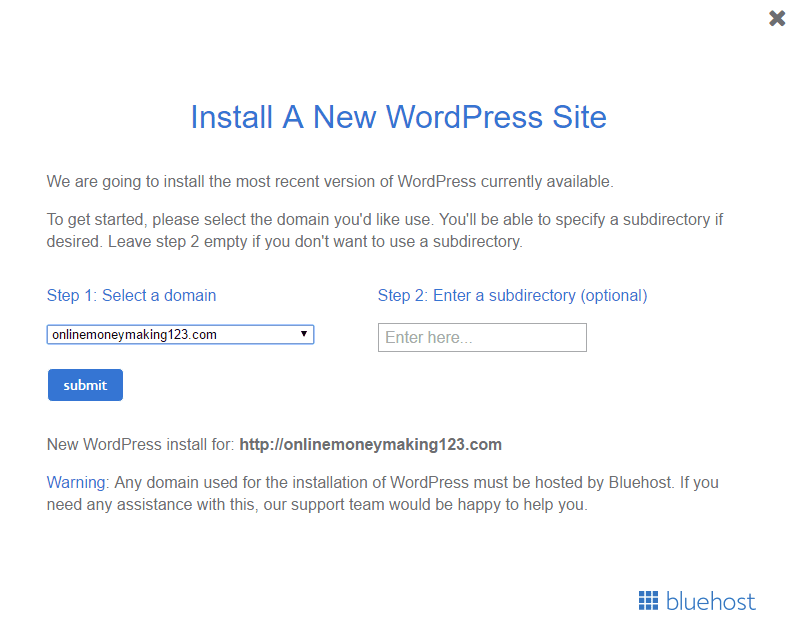
Choose the domain where you want to install WordPress and click “submit.” WordPress will be installed shortly, and you can choose your WordPress username and password.
Step 5: Log in to your WordPress dashboard after installing on Bluehost
Once WordPress is installed, go to the WordPress login page by visiting yourdomain.com/wp-login.php. Enter your WordPress username and password to log in to your WordPress dashboard.
From here, you can start customizing your website and adding content to it. Bluehost offers great support for WordPress, so if you need any assistance, their support team is always available to help.
FAQs on installing WordPress in Bluehost
You can manually install WordPress on Bluehost by downloading the WordPress installation files from WordPress.org and uploading them to your Bluehost account via FTP. Once the files are uploaded, you can run the WordPress installer to complete the installation process.
Yes, Bluehost offers an automatic WordPress installation feature that makes it easy to install WordPress on your domain with just a few clicks.
Yes, Bluehost offers an automatic WordPress installation feature that makes it easy to install WordPress on your domain with just a few clicks.
Installing WordPress on Bluehost is a quick and easy process that usually takes less than five minutes.
If you encounter any issues during the installation process, Bluehost has a knowledgeable support team that is available 24/7 to help you with any issues you may face.
Conclusion
Installing WordPress on Bluehost is a quick and easy process that bloggers or webmasters can do in just a few clicks. With Bluehost’s affordable hosting plans, excellent support, and user-friendly interface, creating a website has never been easier. By following the steps outlined in this guide, you’ll be up and running with WordPress in no time. So, what are you waiting for? Sign up for Bluehost today and start building the website of your dreams.