
Introduction
In this post, we will go through the process of downloading Nifty future historical data (bhavcopy) and NSE BSE bhavcopy, and then importing the data to Amibroker. We will use a small utility called GetBhavCopy by Hemen Kapadia to download the data.
Downloading GetBhavCopy for Nifty Future Historical Data and NSE BSE Bhavcopy
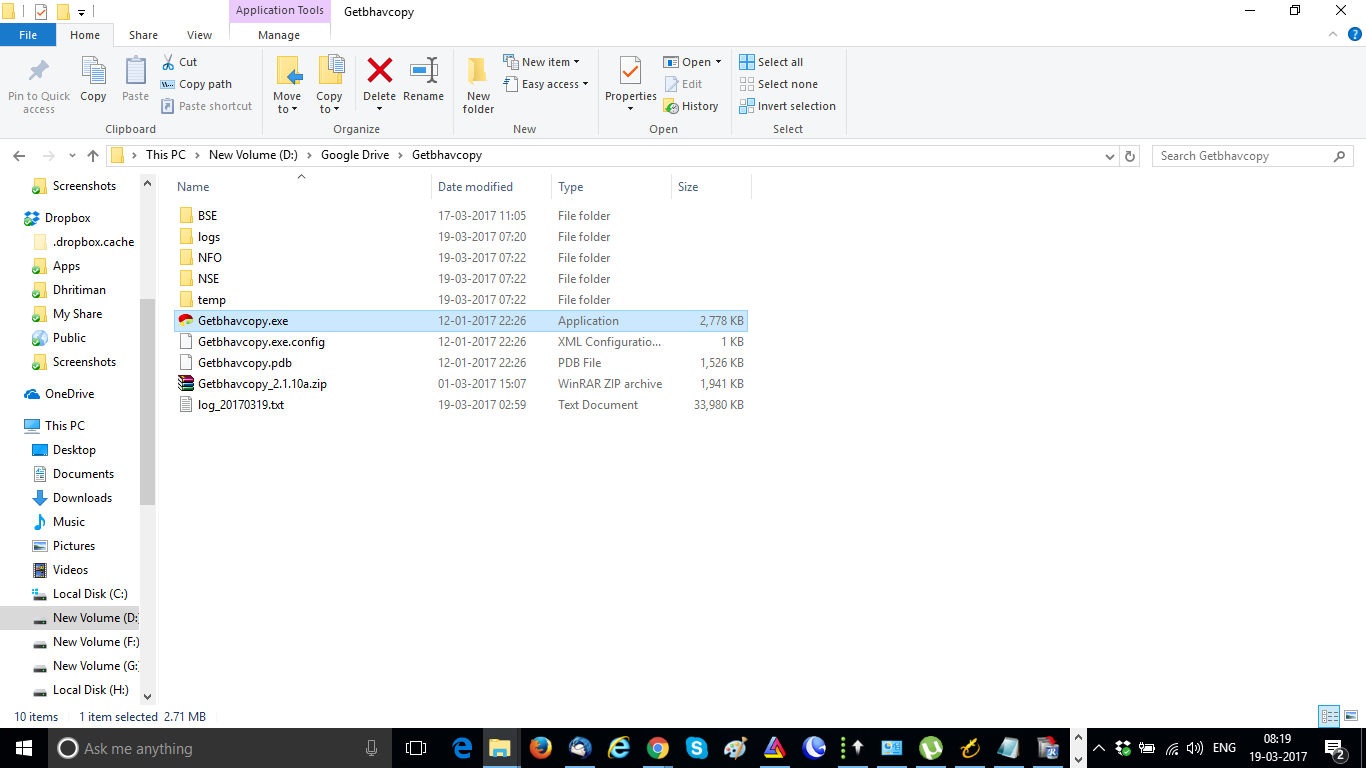
To get started, you’ll need to download GetBhavCopy from the link provided at the end of this post. Once you’ve downloaded the zip file, save it to your computer and unzip the file. You should see the Getbhavcopy.exe file.
It’s a good idea to create three folders in the same location where you’ll be downloading the bhavcopy – one for NSE, one for NFO, and one for BSE. This will help keep your files organized.
Setting Up GetBhavCopy for NSE and BSE Bhavcopy
Now that you have the GetBhavCopy utility downloaded and your folders organized, it’s time to set up the software. This is a one-time setup where you need to specify which data you will download and also the data download folders.






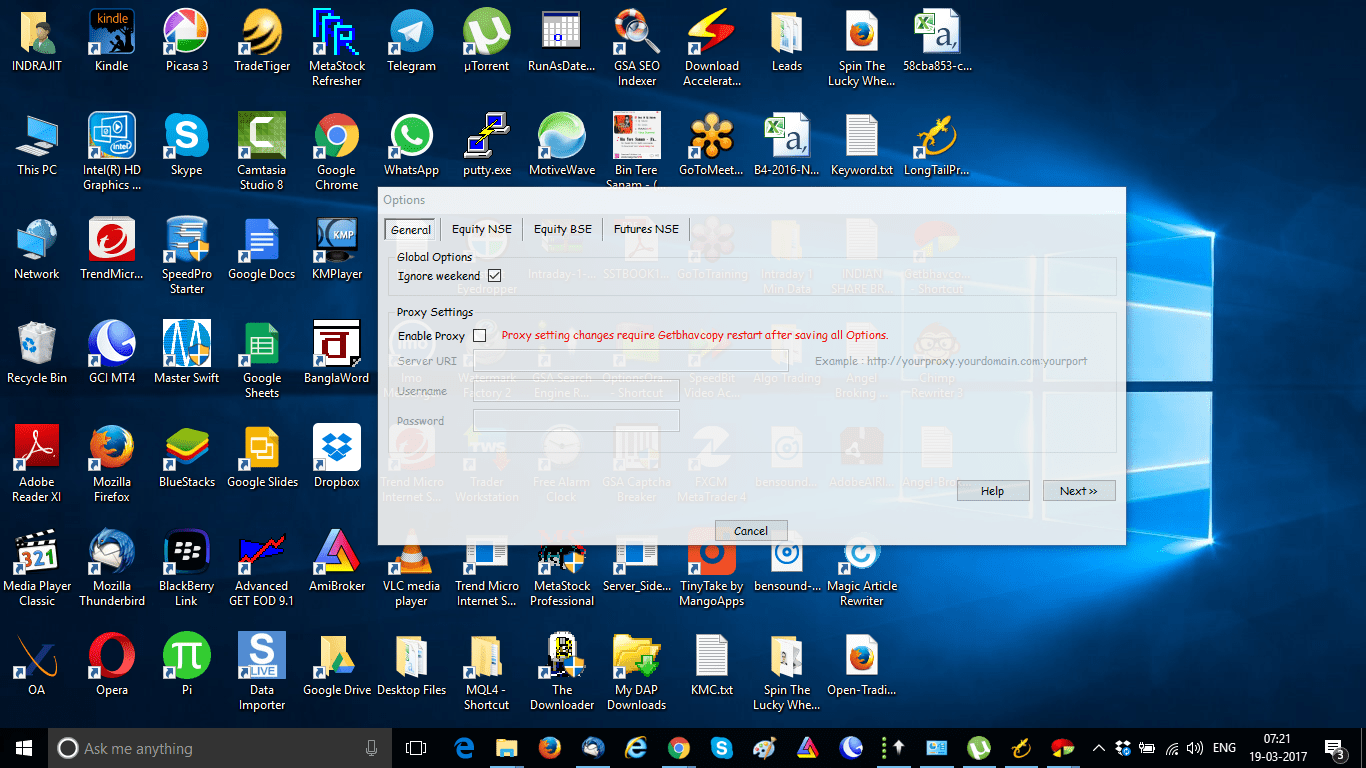
- Run the GetBhavCopy.exe file and click on OPTIONS.
- On the GENERAL tab, check IGNORE WEEKEND and click NEXT.
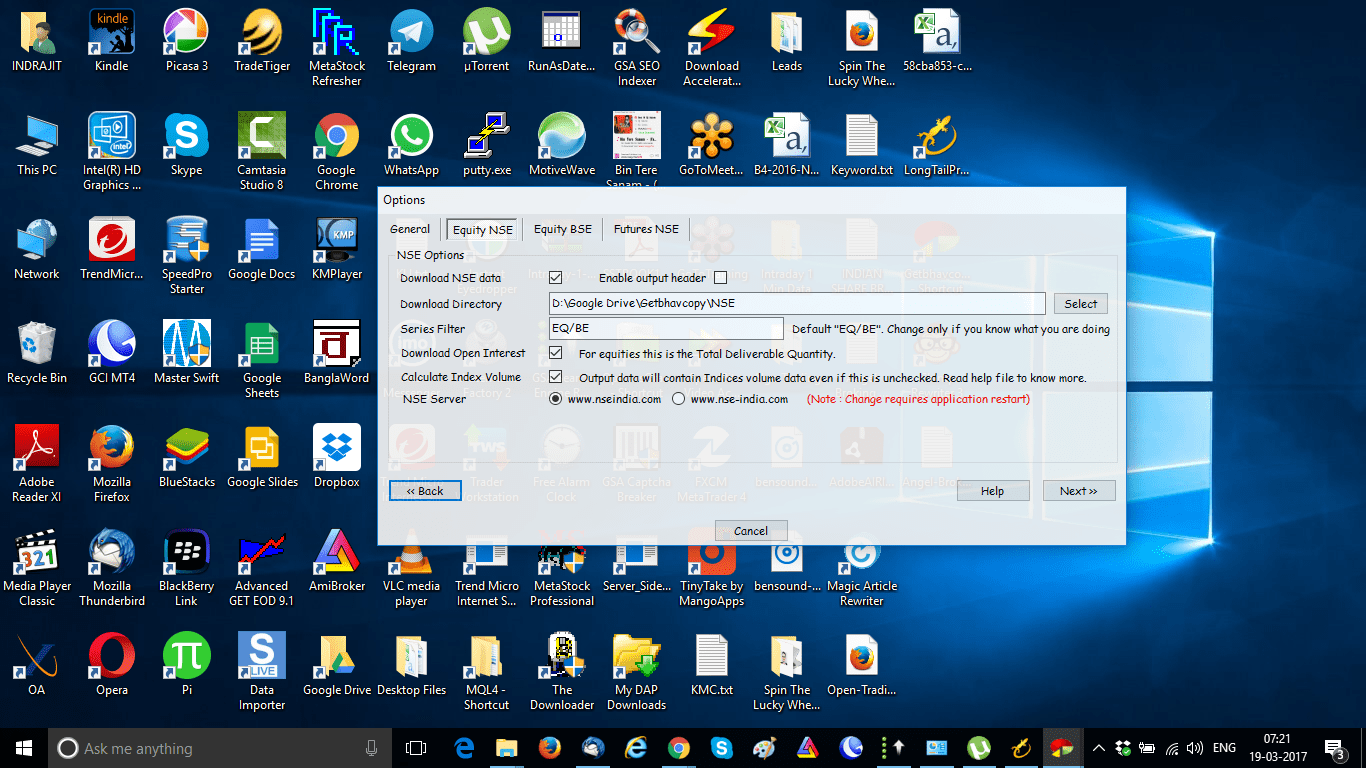
- On the EQUITY NSE tab, select your NSE bhavcopy download folder and click NEXT.
- On the EQUITY BSE tab, select your BSE data download folder and click NEXT. If you don’t download BSE data, leave the DOWNLOAD BSE DATA box unchecked.
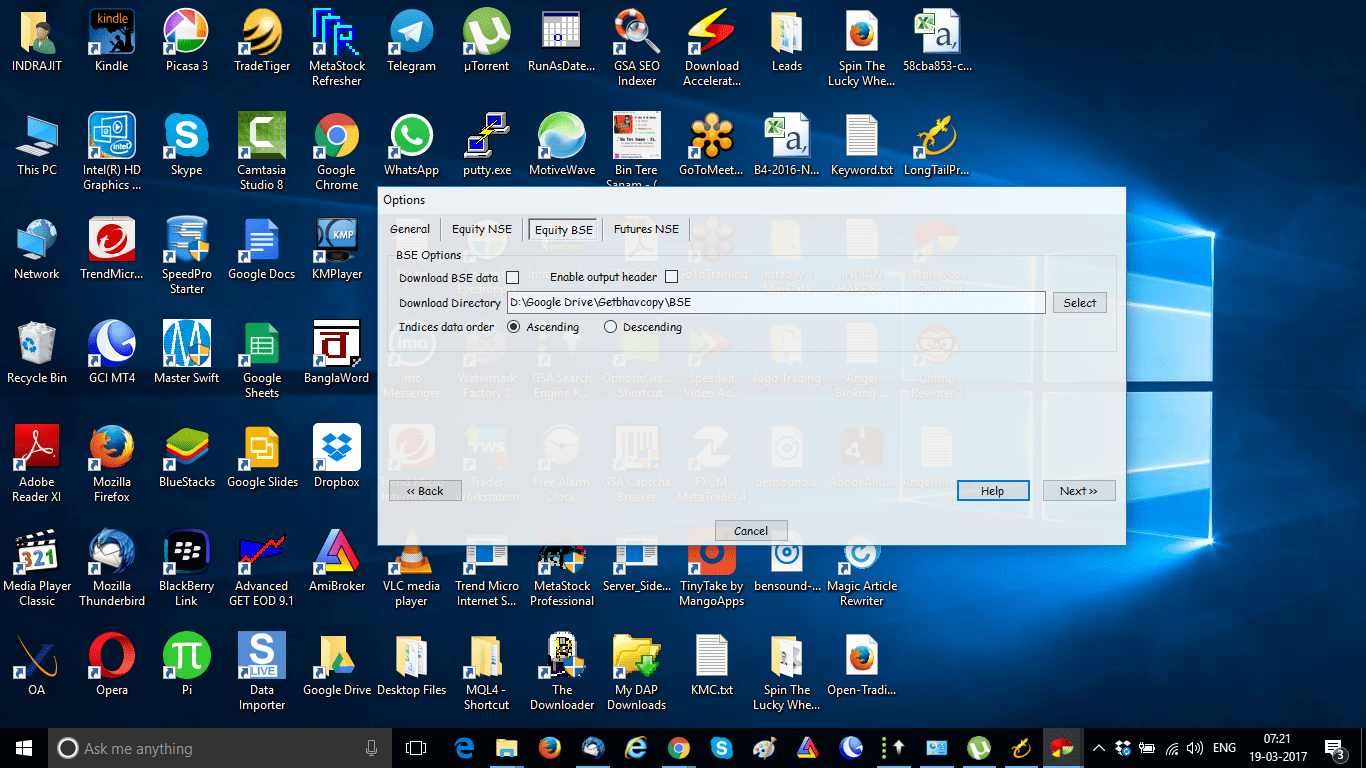
- On the FUTURES NSE tab, select your futures bhavcopy download folder and click SAVE.
- With this one-time setup complete, you’re now ready to start downloading your data.
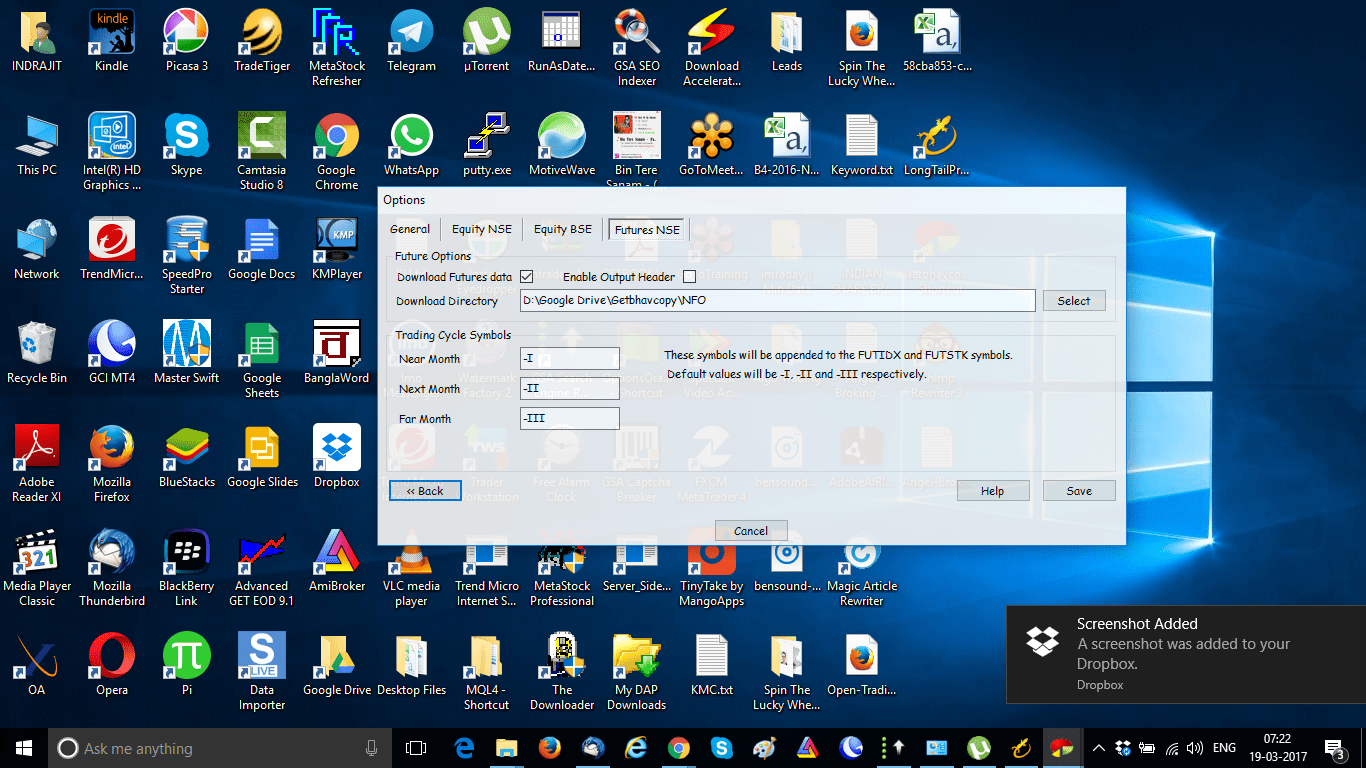
Downloading Nifty Future Historical Data and NSE BSE Bhavcopy
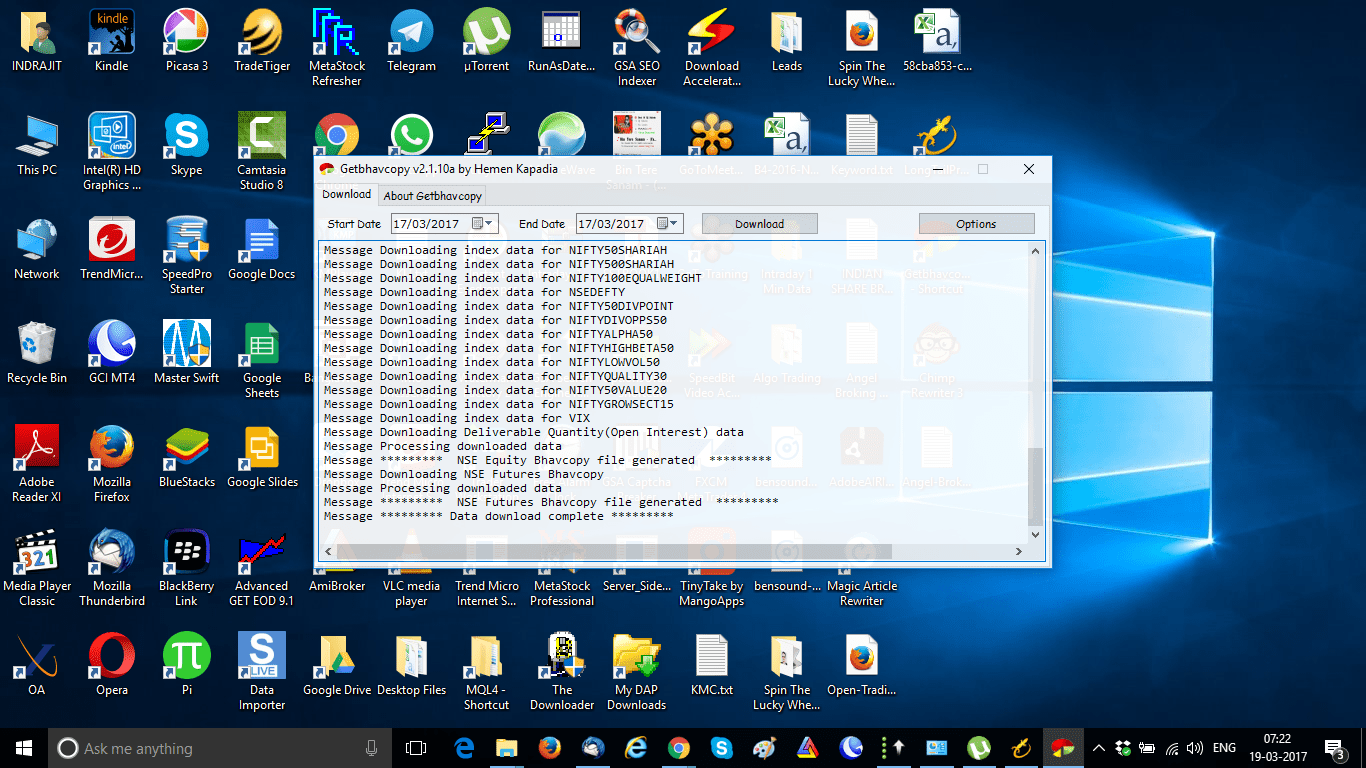
To download the bhavcopy, simply select the start date and end date for the data you want and click DOWNLOAD in the GetBhavCopy window. Once the download is complete, you’ll see a message that says “DATA DOWNLOAD COMPLETE”.
Importing NSE and BSE Bhavcopy to Amibroker for Nifty Future Historical Data
Now that you have your bhavcopy downloaded, it’s time to import it into Amibroker. Follow these steps:
- Create a new database for NSE in Amibroker.
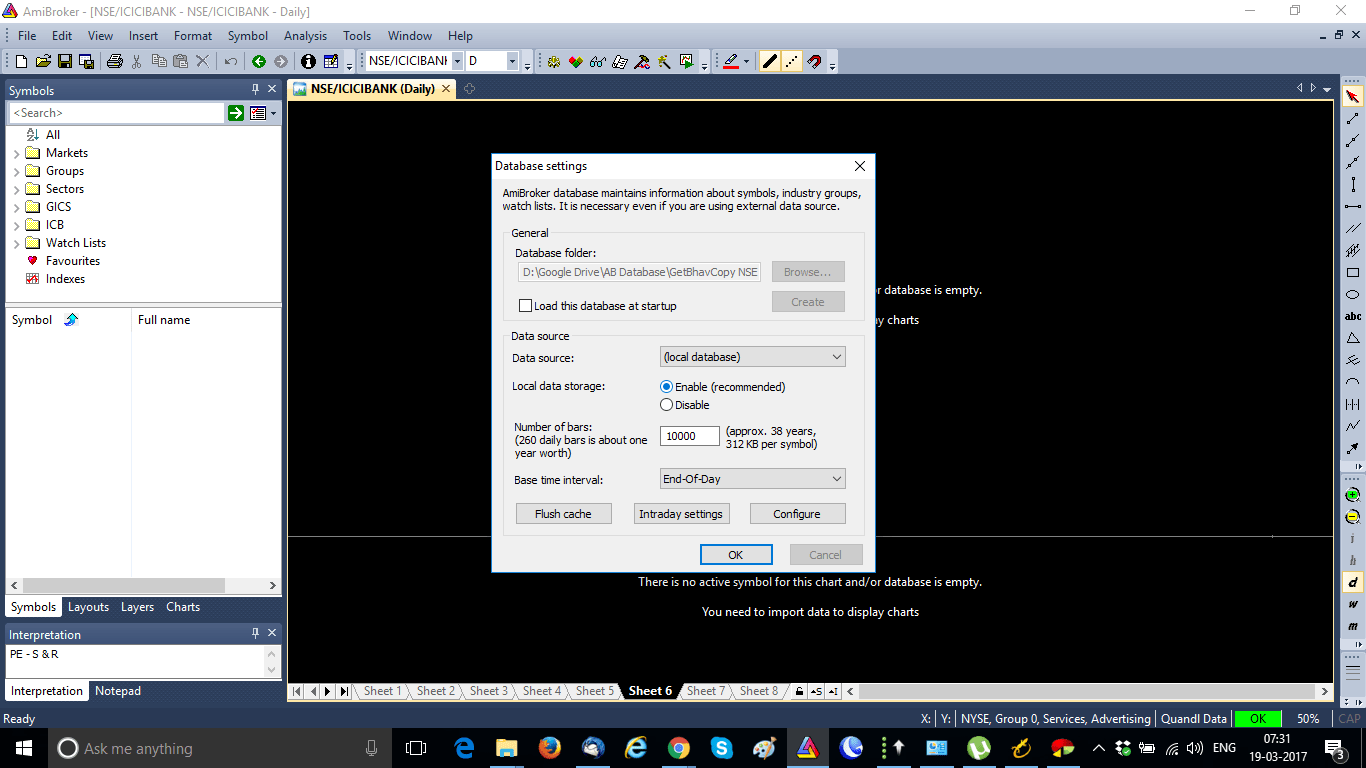
- Click on IMPORT WIZARD.
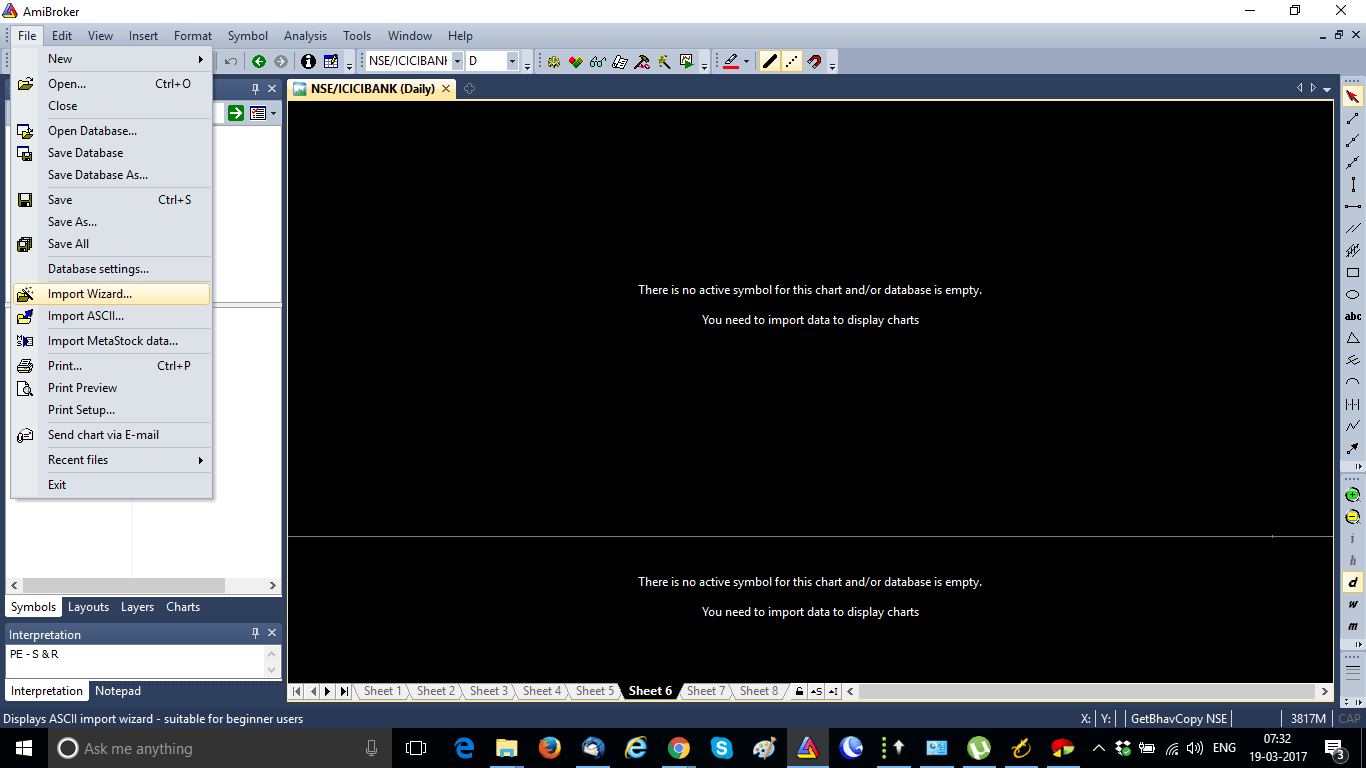
- In the next window, select PICK FILES and choose your bhavcopy files.
- If you want to import BSE bhavcopy files, select the appropriate files.
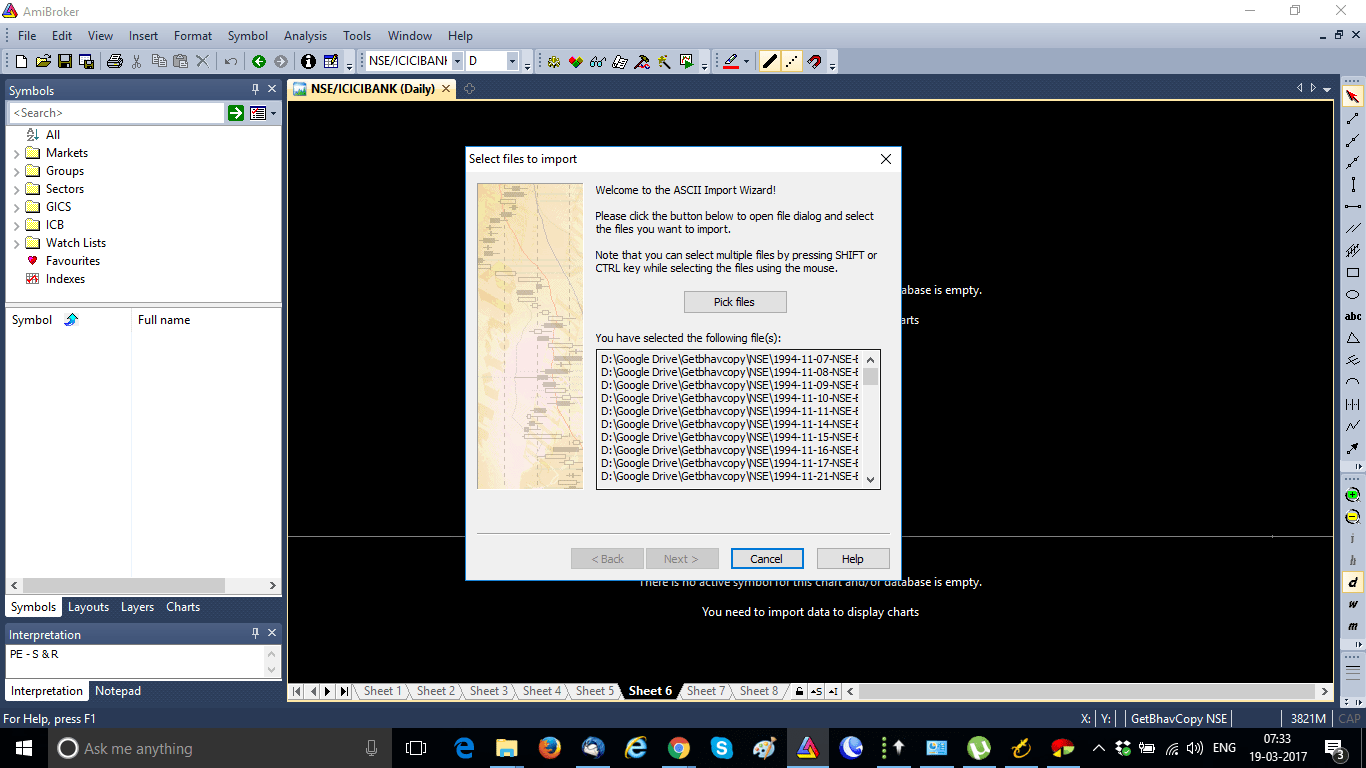
- In the next screen, select fields such as TICKER, YMD, OPEN, HIGH, LOW, CLOSE, and VOLUME, and click MORE COLUMNS to add OPENINT (open interest).
- Open interest is important for futures such as Nifty future historical charts.
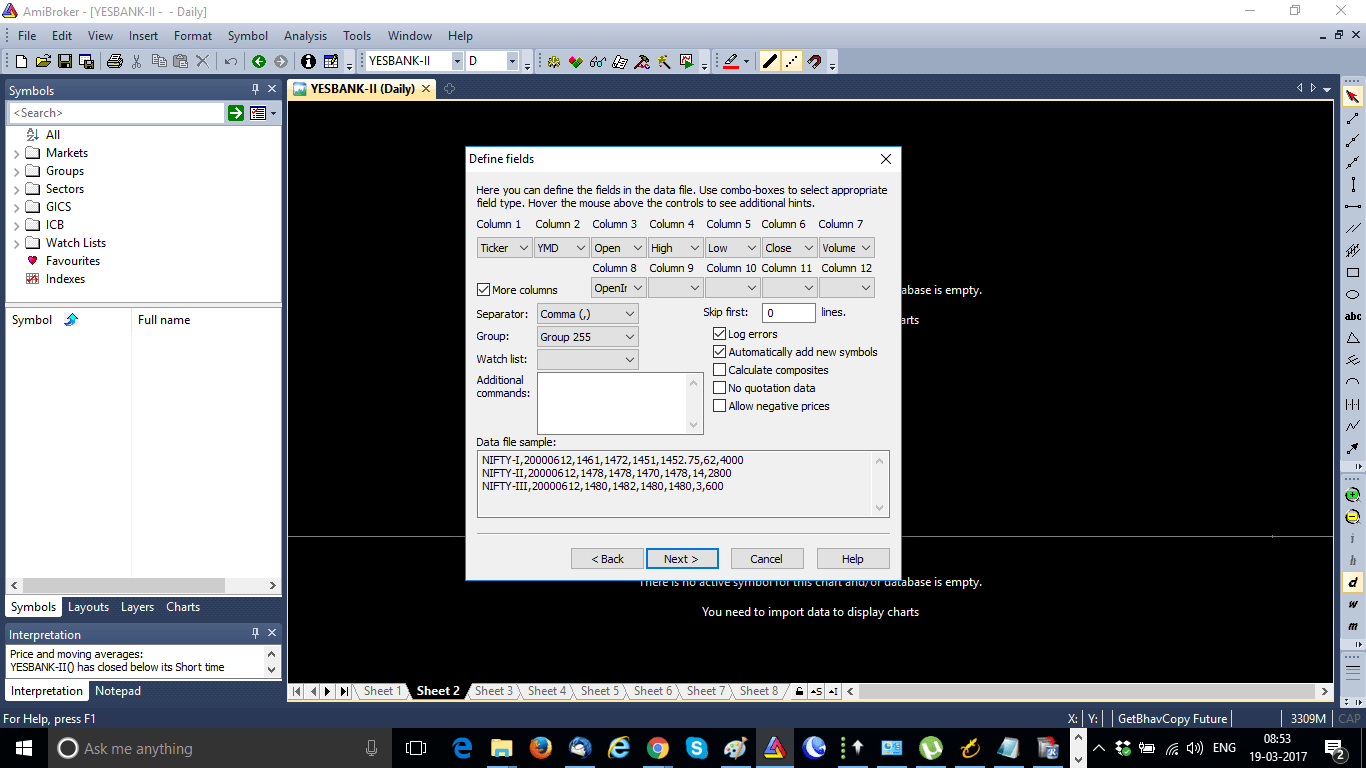
- In ADDITIONAL SETTINGS, click ADD CURRENT SETTINGS TO ASCII IMPORTERS DEFINITIONS and name the DESCRIPTION as GetBhavCopy.
- Name the FORMAT FILE as GetBhavCopy.format and click FINISH.
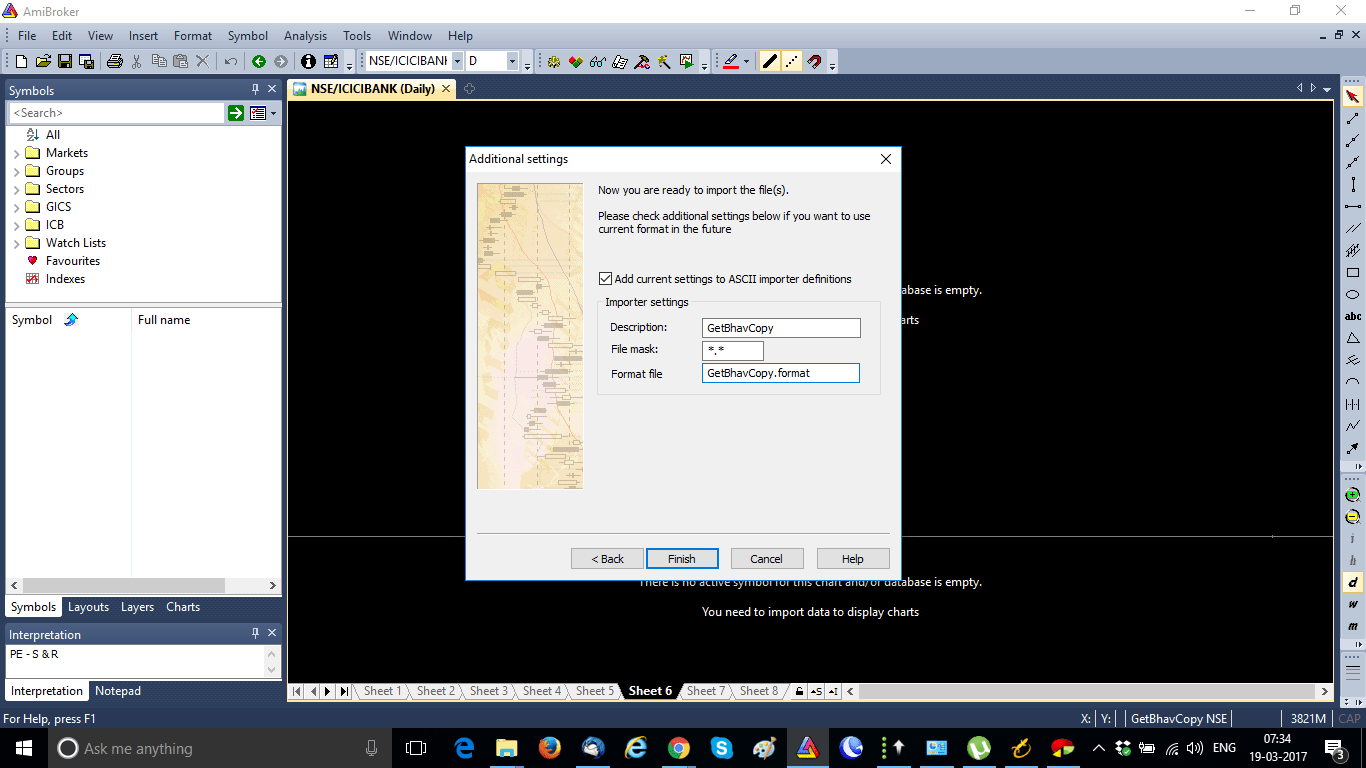
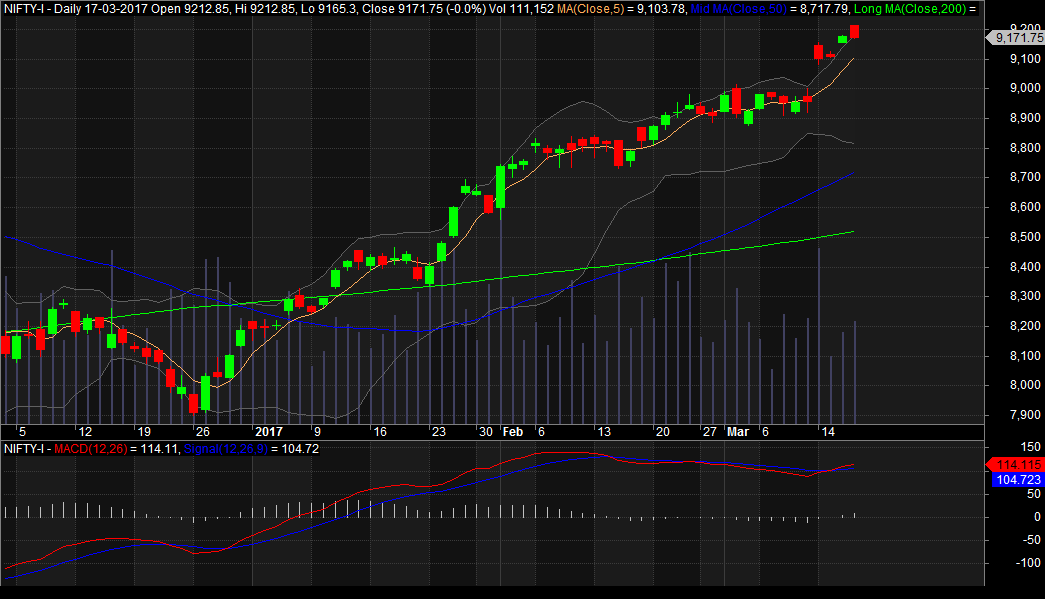
- Now your bhavcopy will be imported into Amibroker and you can see the end-of-day charts in your Amibroker.
Note on Adjusting Data for Perfect Nifty Future Historical Data
It’s important to remember that this data is not a bonus or split-adjusted, so you may need to adjust your data to make it more accurate by accounting for bonuses and splits.
Download Link of GetBhavCopy
To download GetBhavCopy you can click here.
Conclusion
Using GetBhavCopy by Hemen Kapadia is a simple and effective way to download Nifty future historical data (bhavcopy) and NSE BSE bhavcopy, and import it into Amibroker. By following the steps outlined above, you can ensure that your data is organized and accurate, allowing you to make informed trading decisions.
It’s also important to note that while this method provides reliable data, it may not be perfect. Adjustments may need to be made to account for bonuses and splits, and it’s always wise to cross-check with multiple sources before making any major trading decisions.
Overall, with the right tools and a bit of know-how, accessing and importing Nifty future historical data and NSE BSE bhavcopy can be a straightforward process that can greatly enhance your trading strategy.


How do you adjust for stock splits and bonuses for the bhavcopy data? Where can you get the information to make the adjustments?
Search in NSE website for corporate actions. There you will get the bonus details and split details.
Can you recommend EOD data providers for NSE ? The one I am currently using has terrible customer support. I do not want real time feed just EOD.
Ranjiv, sorry for the late reply. I use a Python script to download NSE Bhavcopy, BTW can you tell me who is your EOD data provider, so that I can suggest any alternative.
Get bhav copy by Hemen kapadia is facing issue
Manoj, it is not working anymore. But you can download Bhavcopy using Python now.
How, can u help me with that pls, Shailendra
Shailendra, if you search in google for that, I feel you will get a working solution. But you need to have some prior knowledge in Python to make that working.