

Introduction
Are you currently earning steady cash with clicks from Google Adsense text or display ad units on your website? If so, did you know there’s a way to earn even more income from Adsense when people search for something on your site? The majority of websites have a search box that allows visitors to find information within the site. However, the built-in search box only displays results to the visitor and does not generate any extra income for the website owner. This is where the Google Custom Search Engine (CSE) comes in.
In this article, I’ll demonstrate how to transform your website’s search box into a money-making machine using Google CSE. I’ll provide a step-by-step guide for adding a Google Custom Search Engine to a WordPress site.
Step-by-Step Guide to Add Google Custom Search Engine to WordPress Site
To get started, follow these steps:
Log in to your Google Adsense account and click on “My Ads.”
Click on “Search,” then “Custom Search Engines,” and select “New Custom Search Engine.”
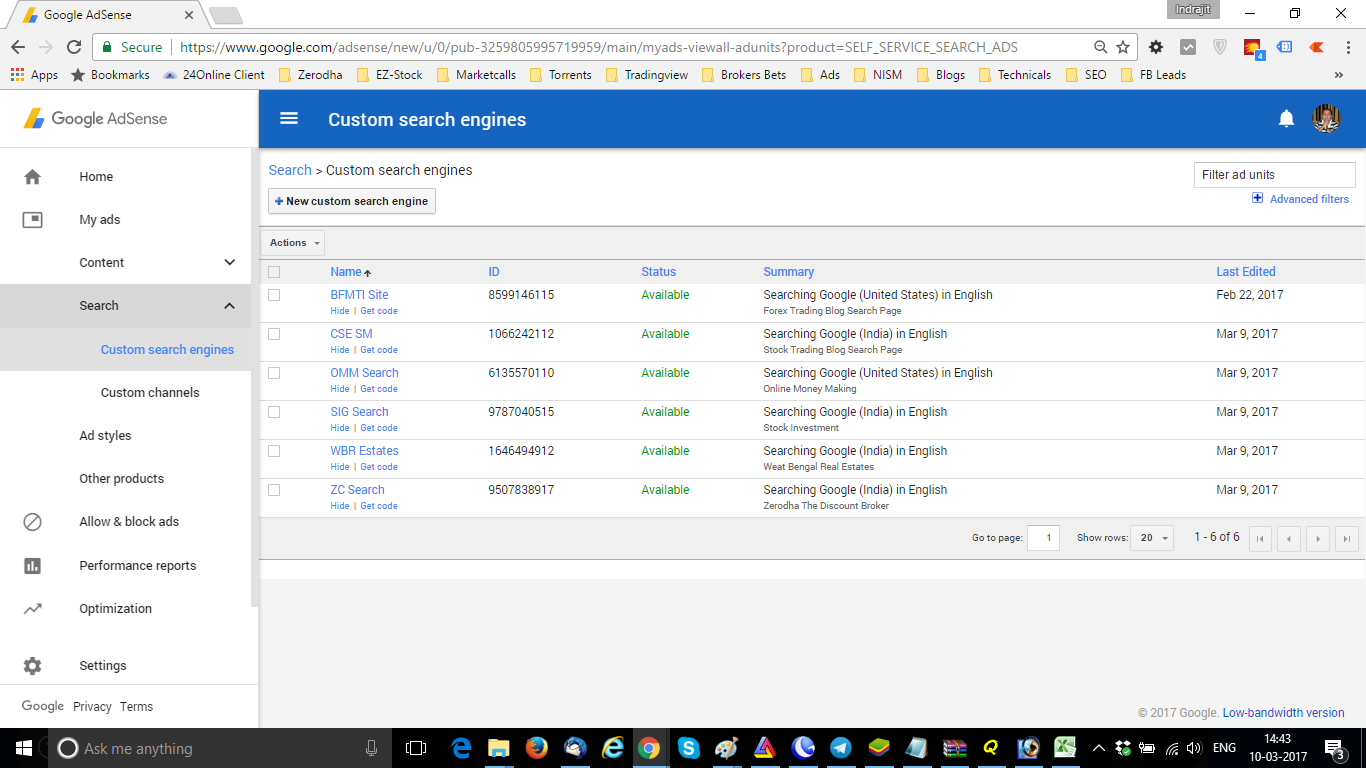
Give your custom search engine a name, and in the “What to search” box, choose “Only sites I select.” Enter your site’s address and select your country.

Choose a custom channel or create one if you don’t already have one. Choose the search box style that fits best with your website’s design.






Create a new page on your site. This page will display search results so that your visitor doesn’t leave your site.
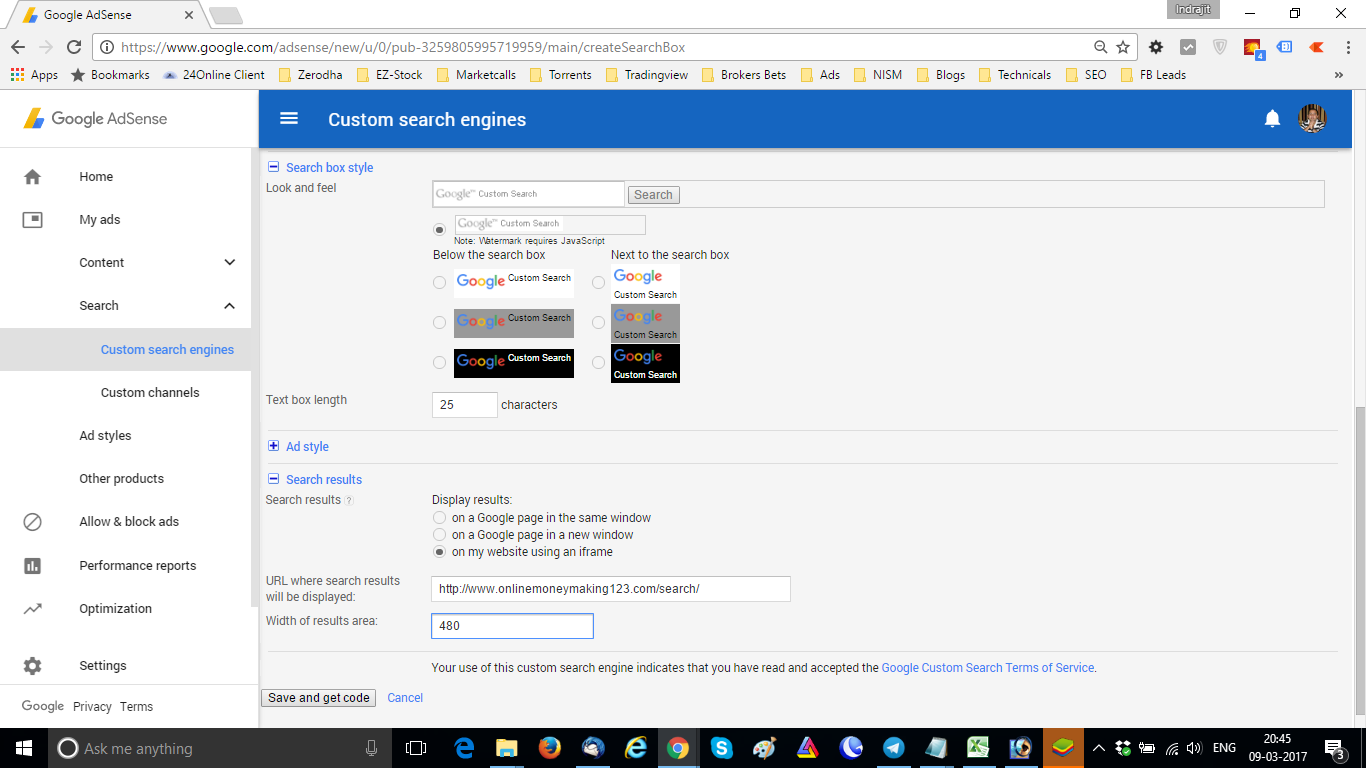
Click on “Save and Get Code.” You’ll receive two codes: one for the search box and another for the search result.

Implementing the Google Custom Search Engine on Your Site
Now that you have your codes, you can add the Google Custom Search Engine to your site:
Place the search box code where you want the search box to appear on your site. In WordPress, the best option is to place it in a text widget in the sidebar.
Place the search page code in the newly created search results page. This will allow your visitor to see the results of their search on your site.
Testing the Google Custom Search Engine
To test your new Google CSE, simply search for a term on your site.

For example, if your site is about freelancing, you could search for “Fiverr” to see what results come up.

Once you’ve searched for a term, review the search results page to see if any ads or recent posts show up.
FAQ:
Customizing Google search engines is easy. Simply log in to your Google Adsense account, click on My Ads, and then click on Search. From there, you can create a new custom search engine and customize it according to your preferences. You can choose which sites to search, select a custom channel, and choose the search box style. Once you’ve customized your search engine, you can easily add it to your website using the provided code.
Yes, Google CSE is free to use. However, if you want to remove ads from your search results, you’ll need to upgrade to a paid version of the service. The paid version of the Google Custom Search engine offers additional features, such as custom branding, advanced reporting, and access to the Google Knowledge Graph.
Google CSE offers both free and paid versions of the service. The free version is supported by ads, while the paid version allows you to remove ads from your search results. The cost of the paid version of Google CSE varies depending on the number of queries you expect to receive and the level of support you require. For more information about pricing, visit the Google Custom Search engine website.
Custom search in Chrome allows you to use your preferred search engine when searching directly from the address bar. By default, Chrome uses Google as the default search engine, but you can customize it to use any search engine you prefer. To customize your search engine in Chrome, simply go to Settings, click on Search Engine, and select your preferred search engine. You can also add new search engines or remove existing ones. Custom search in Chrome can save you time and improve your browsing experience.
Conclusion
By following these simple steps, you can implement Google Custom Search Engine on your site and start earning extra income from Adsense. Remember to never lose a visitor by driving them out of your site while they search. With Google CSE, you can keep visitors on your site while they search, increasing the likelihood of earning more Adsense revenue.
In conclusion, adding Google CSE to your site is a great way to increase your website’s revenue and enhance your visitor’s experience. So, what are you waiting for? Follow the above steps and start earning extra cash with Google Custom Search Engine today!