
Kite by Zerodha is an excellent multi-lingual trading platform. If you want to keep an eye on the stock market, the Zerodha Kite market watch is an excellent tool to do so. Adding stock or future to your watchlist is easy and can be done in just a few simple steps. In this article, we will discuss how to add different types of scrips like equity, futures, options, and indices to the market watch section of Zerodha Kite.
How to add a cash stock to the Zerodha Kite market watch?
Firstly, log in to Zerodha Kite by visiting kite.zerodha.com. Once you are logged in, open a blank market watch. You can find the market watches at the bottom left corner of the Kite window. Once you have opened a blank market watch, you will see a scrip search box in the top left corner of the Kite window. Simply type in the name of the stock you want to add to your watchlist, and the script will appear in the dropdown menu. Click on the “+” sign beside the scrip name, and it will be added to your watch list.
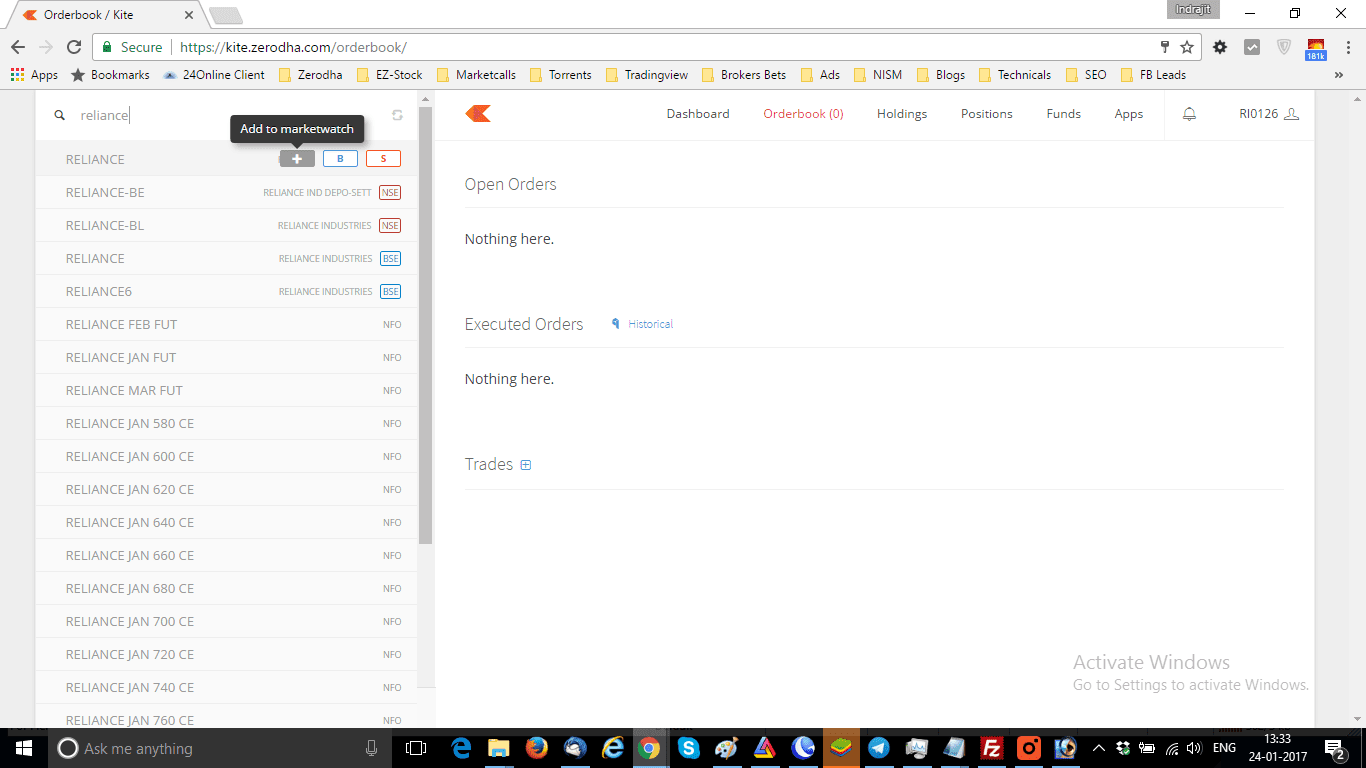
o make this process even simpler, refer to the image above where I have added the scrip RELIANCE to my watchlist.






How to add a future stock to the Zerodha Kite market watch?
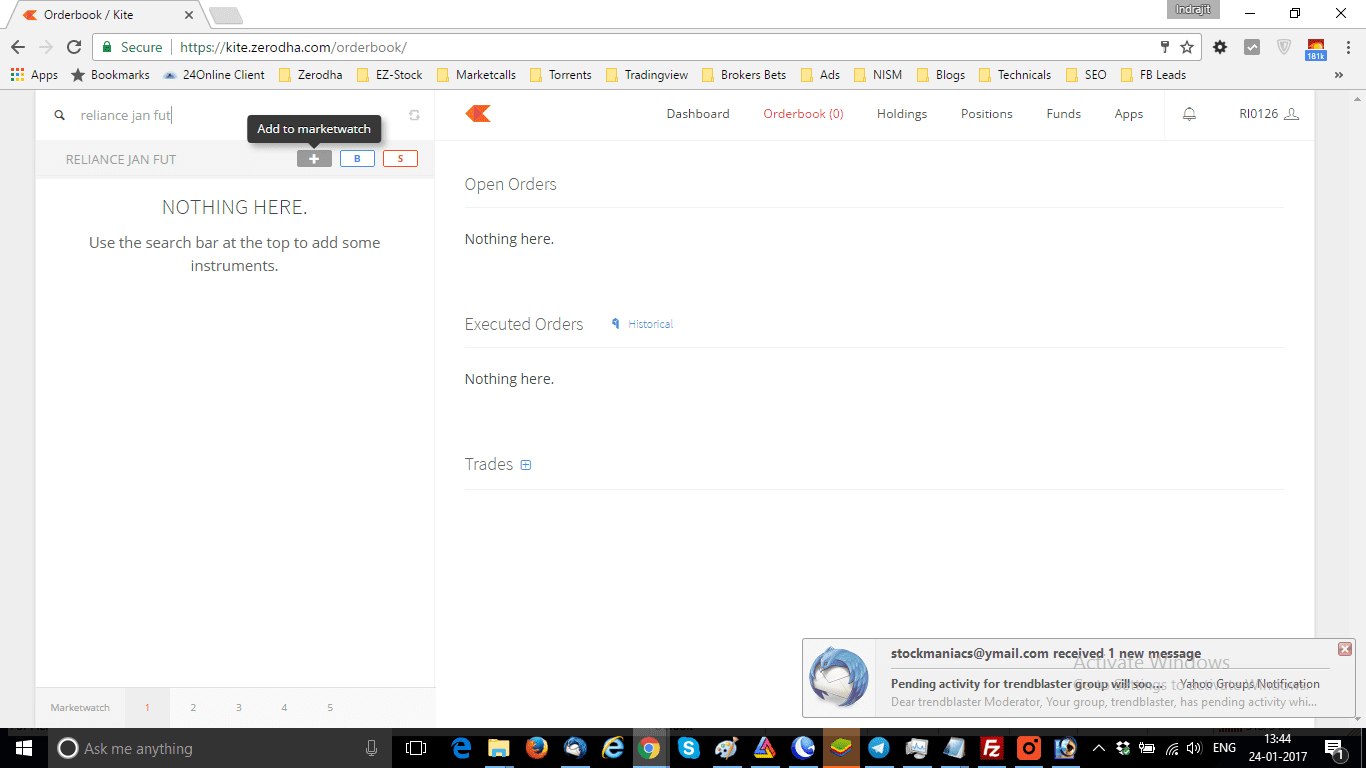
If you want to add a future scrip to your Zerodha Kite market watch, simply type in the scrip name followed by the month and the word FUT. For instance, if you want to add RELIANCE January Future to your watchlist, type in RELIANCE JAN FUT in the scrip search box, and the future scrip will be shown in the dropdown menu. The same procedure can be followed to add MCX commodity futures contracts to your market watch.
How to add an options contract to the Zerodha Kite market watch?
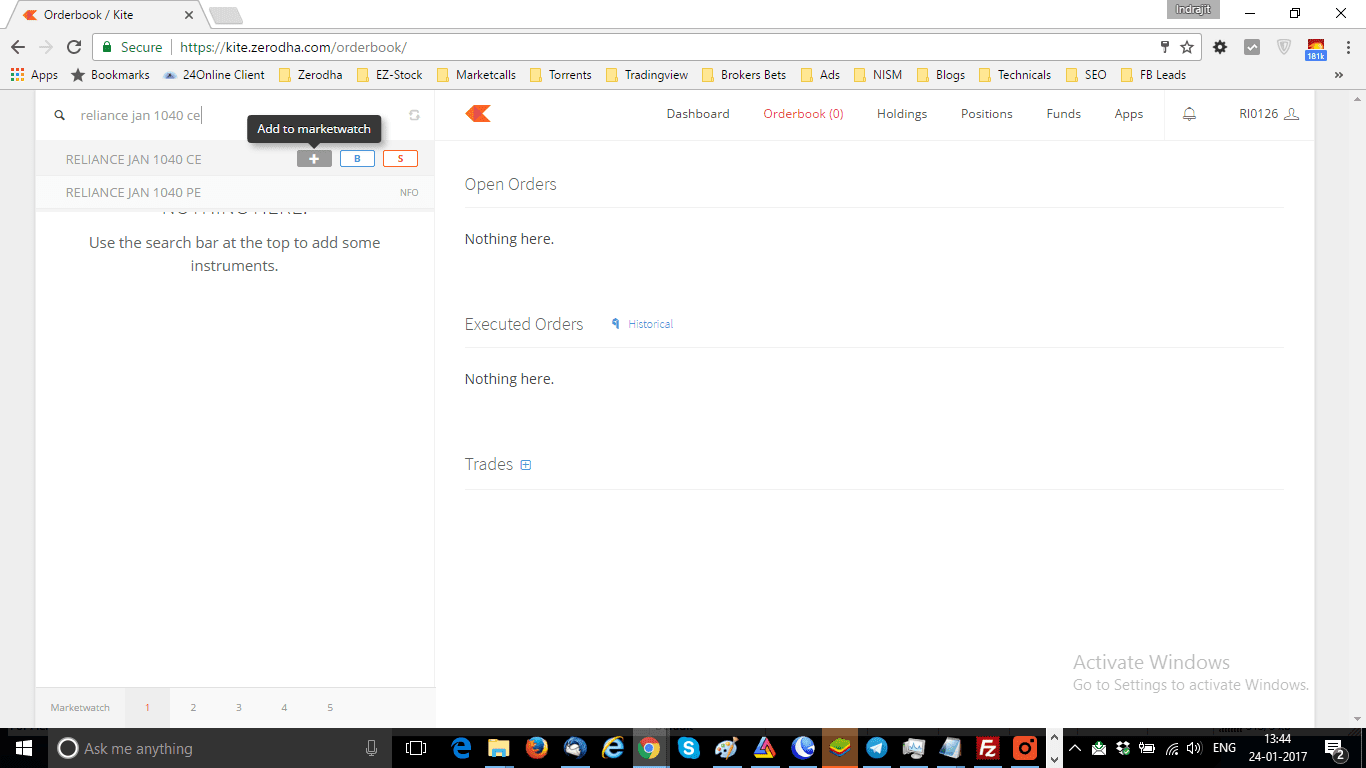
To add an options contract to your watch list, type in the scrip name followed by the month, the strike price, and CE or PE depending on whether it is a call option or a put option. For instance, if you want to add RELIANCE January 1040 CE to your watchlist, type in RELIANCE JAN 1040 CE in the scrip search box, and the option scrip will be shown in the dropdown menu. The same procedure can be followed to add any puts to your Zerodha Kite market watch.
How to add indices to the Zerodha Kite market watch?
Adding indices to your watch list is also simple. To add the spot Nifty index, simply type in NIFTY INDEX in the scrip search box, and all Nifty indices will be shown in the dropdown menu. Choose Nifty 50 to add the Nifty 50 index to your watchlist.
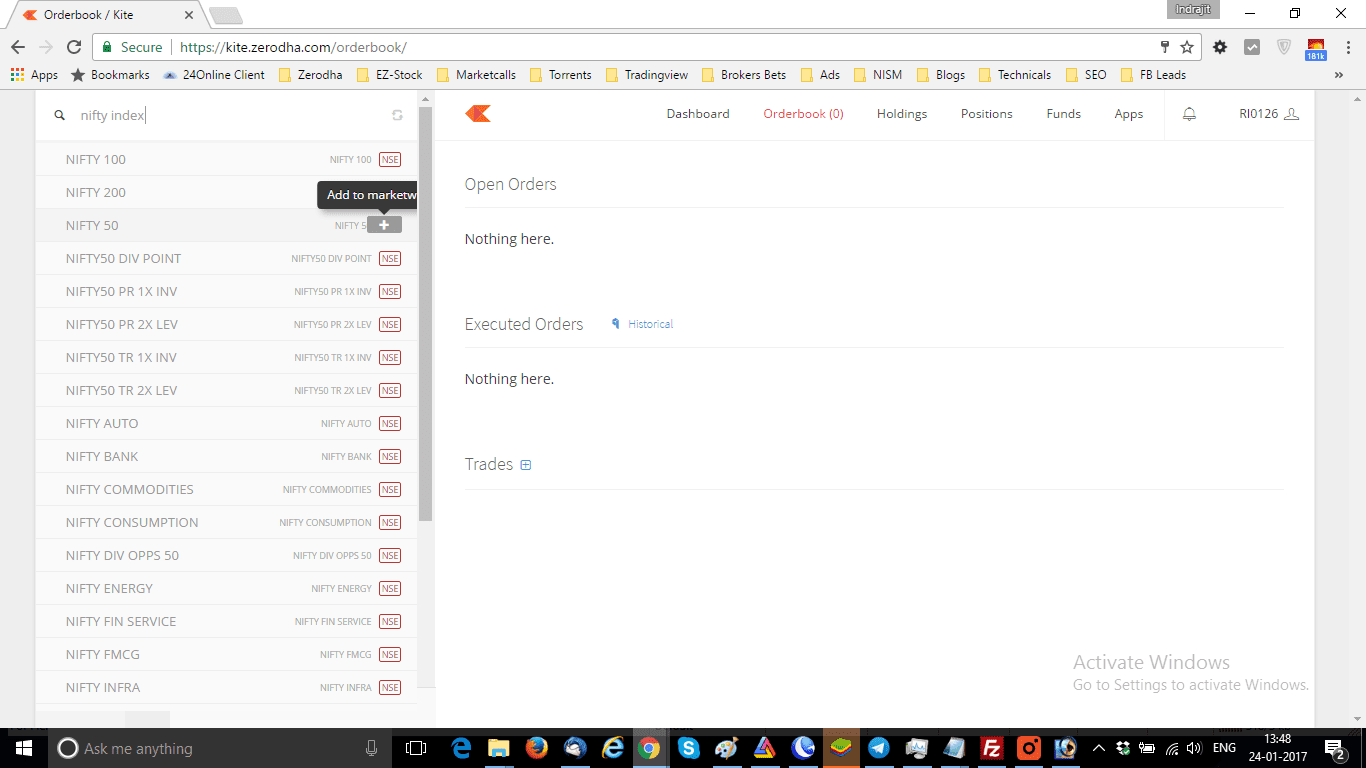
To add the Bank Nifty index, type in NIFTY BANK INDEX in the scrip search box. Then you will be able to see and add a spot Bank Nifty index to your market watch.
FAQ
To see the market watch in Zerodha, simply login to your account on kite.zerodha.com. Once you login to the system, you can see the market watch on the bottom left portion of the Kite window.
To add a market watch to Kite, follow these steps:
Log in to Zerodha Kite
Click on the “+” icon at the bottom left portion of the Kite window
Select the “Add Marketwatch” option
Choose a name for your market watch and click “Create”
To change your market watch overview in Zerodha, follow these steps:
Click on the “Settings” icon on the top right corner of your market watch
Select “Edit”
You can now drag and drop the scrips to reorder them or remove scrips by clicking on the “x” icon
Once complete this, click on “Save” to apply the changes.
To see the charts in Zerodha Kite, simply click on the stock name in your market watch. This will open the stock in a new tab. There you can see the chart along with other details such as the order book, trade book, and depth of the market (DOM). You can also customize the chart by selecting the time frame, and chart type, and adding technical indicators.
Conclusion
In conclusion, the Zerodha Kite market watch is an easy and convenient way to keep track of the stock market. Adding a stock to your watchlist is a straightforward process. You can also add various types of scrips like equity, futures, options, and indices. Simply follow the above steps, and you will have a well-organized watchlist in no time!

sir, my clint id :zx2050 , i did not get link of super trend , i have informed to support zerodha and stockmaniacs , last 10 days i am waiting pl do help . thanks .
Ashok please watch this video: My experiments with SuperTrend in Zerodha Pi and Zerodha Kite